

As the summer months approach, university campuses undergo a quiet but intense shift. For thousands of graduate researchers, university professors, and international students preparing for study abroad programs, June and July are not for vacation—they are for heavy academic prep. Whether you are studying for demanding entrance exams, drafting a thesis, or reviewing extensive literature for an upcoming research project, you face a common hurdle: surviving an endless mountain of complex academic PDFs.
Reading dense, multi-column research papers on a standard computer screen quickly leads to painful digital eye strain. Conversely, printing out hundreds of pages creates a disorganized mess of physical clutter that is impossible to search or sync. To thrive in today's intense research landscape, modern scholars are swapping out outdated methods for a dedicated pdf reader device that perfectly balances eye-friendly ergonomics with advanced digital efficiency.

The Academic PDF Bottleneck: Why Laptops and Paper Fail
Academic papers are uniquely difficult to read on consumer electronics. Packed with tiny footnotes, complex data charts, and multi-column layouts, a standard smartphone screen is far too small, while a laptop screen forces you to constantly switch between windows to type out notes. This constant context-switching drastically breaks your concentration and lowers information retention.
Furthermore, reading emissive, blue-light screens for ten hours a day causes severe eye fatigue and headaches. This has driven a massive surge in researchers seeking high-quality e ink for pdf management. By utilizing an ambient-light reflective display that perfectly mimics organic paper, scholars can review dense data for hours under direct sunlight or a desk lamp with absolutely zero eye strain, maintaining a state of deep, uninterrupted focus.
The Power of a 10.65-Inch Split-Screen Workspace
When reviewing complex literature, reading and note-taking must happen simultaneously. If you cannot highlight, annotate, and write down conceptual summaries alongside the text, your comprehension drops significantly.
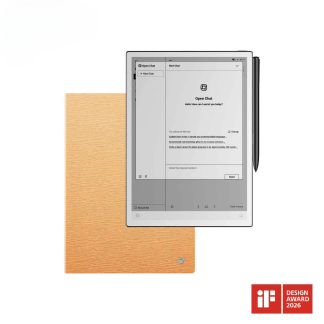
This is why screen size and layout management are critical factors for academic productivity. The flagship iflytek ainote 2 pdf workflow utilizes a spacious 10.65-inch flexible E-Ink display boasting a crisp 300 PPI resolution. This generous workspace allows for a true side-by-side split-screen mode: you can place a dense, multi-page journal article on the left side of the screen while keeping a dedicated handwriting notepad open on the right. Combined with a premium Wacom stylus featuring sub-20ms latency, writing down formulas and sketching diagrams feels exactly like working on a real paper notebook.
Leveraging an Open Android Ecosystem for Academic Apps
Many traditional e-readers on the market operate on closed, highly restrictive operating systems. For serious students and academics, a closed device is a massive bottleneck. Researchers don't just read basic book formats; they need to sync with cloud storage networks, open specialized dictionary apps, and access digital university libraries.
Choosing an open, certified Android 14 PDF e-reader completely shifts this paradigm. With full Google Play Store integration, users can freely download essential third-party academic applications like WPS Office, Google Drive, Kindle, or specialized reference managers. This ensures your digital paper tablet isn't just an isolated reader, but a fully connected node in your existing digital academic ecosystem.
The Ultimate Workspace for Dedicated Desk and Lab Researchers
For scholars who spend all day diving deep into research, the premium iFLYTEK AINOTE 2 provides the ultimate academic experience. Its sprawling 10.65-inch flexible screen gives you an expansive workspace to read textbooks without constant zooming.
Powered by an advanced octa-core processor and packed with a massive 64GB of internal storage, it allows you to carry an entire university library in a frame that is just 4.2mm thin. It offers the perfect balance of paper-like immersion and modern digital intelligence, keeping your thoughts organized and your eyes comfortable through the most grueling study schedules.
Frequently Asked Questions (FAQ)
How well does the iFLYTEK AINOTE 2 handle large, scanned PDF files?
Thanks to its powerful RK3576 octa-core processor and 4GB of RAM, the device opens large, graphic-heavy academic PDFs smoothly. It supports free margin adjustment, auto-cropping, and sharp font enhancement to optimize difficult scanned documents for the best reading experience.
Can I convert my handwritten PDF notes into editable digital text?
Yes. The built-in AI engine features advanced OCR technology that can convert handwritten notes into clean, searchable, and editable digital text. The flagship model supports handwriting-to-text conversion for up to 133 different languages, making it incredibly useful for international students.
Does the device require an active internet connection to read and write?
No. You can read, annotate, split-screen, and write notes entirely offline. An internet connection is only needed when you want to sync your notes to the cloud via AWS, access the Google Play Store, or utilize real-time online AI translation and voice transcription features.
Is there a special promotion available for the flagship model right now?
Yes! Prime Day is arriving at the perfect time to upgrade your academic toolkit. For a limited time during the event, you can enjoy up to 20% off our best-selling AINOTE 2 on the official iFLYTEK AINOTE 2 storefront, making it the ideal opportunity to invest in your research workflow.



