
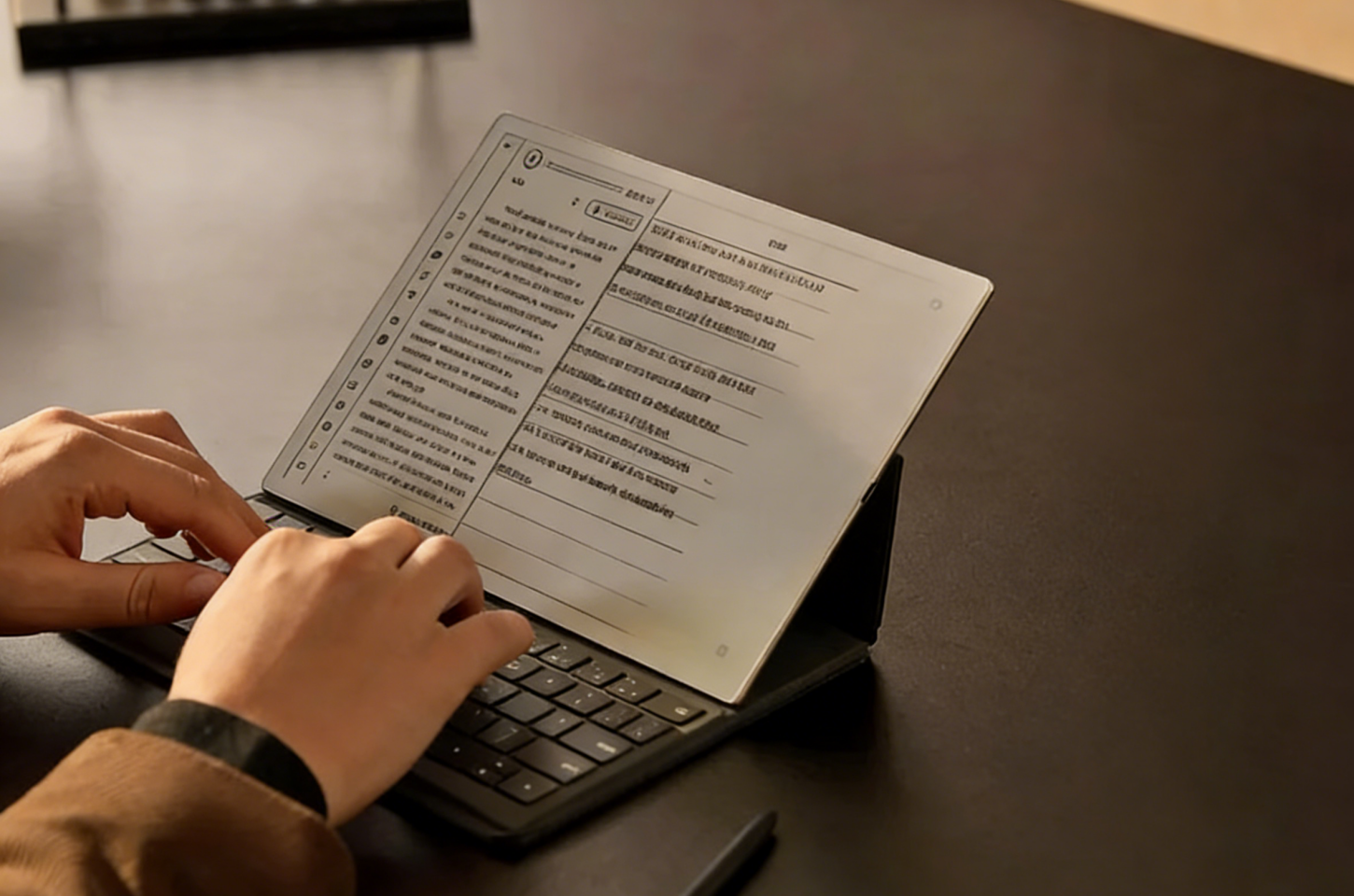
Long hours of reading, writing, and document review on digital screens can make the eyes feel dry, tired, or unfocused. This is especially common when users spend the day switching between laptops, phones, tablets, and online documents.
E-ink tablets offer a more paper-like viewing experience because the display is less dependent on strong backlighting. For people who read PDFs, take handwritten notes, study for long periods, or review work documents, an E-ink screen can reduce visual pressure and make extended reading sessions feel more comfortable.
Why Digital Eye Strain Happens During Long Screen Use
Digital eye strain happens when the eyes stay focused on a screen for too long while also dealing with light, reflection, and close viewing distance. The longer the session lasts, the more likely users are to experience dryness, blurred vision, headaches, or difficulty maintaining focus.
Blue Light, Glare, and Screen Flicker
Traditional LCD and OLED screens emit light directly toward the eyes, which can feel harsh during long reading or writing sessions. Glare from glossy surfaces makes text harder to see clearly, while subtle screen flicker may cause discomfort for users who are sensitive to rapid brightness changes.
Reduced Blinking During Reading and Writing
People often blink less when they concentrate on reading, typing, or handwriting on a screen. Less blinking causes the tear film to dry out faster, which can lead to dryness, irritation, heaviness, or blurred vision after extended use.
Poor Lighting and Long Viewing Sessions
Poor lighting makes the eyes adjust more frequently between the screen and the surrounding environment. When the screen is too bright, too dim, or used for long periods without breaks, the eye muscles stay under constant focus pressure, making fatigue more likely.
Why E-ink Tablets Feel Easier on Eyes
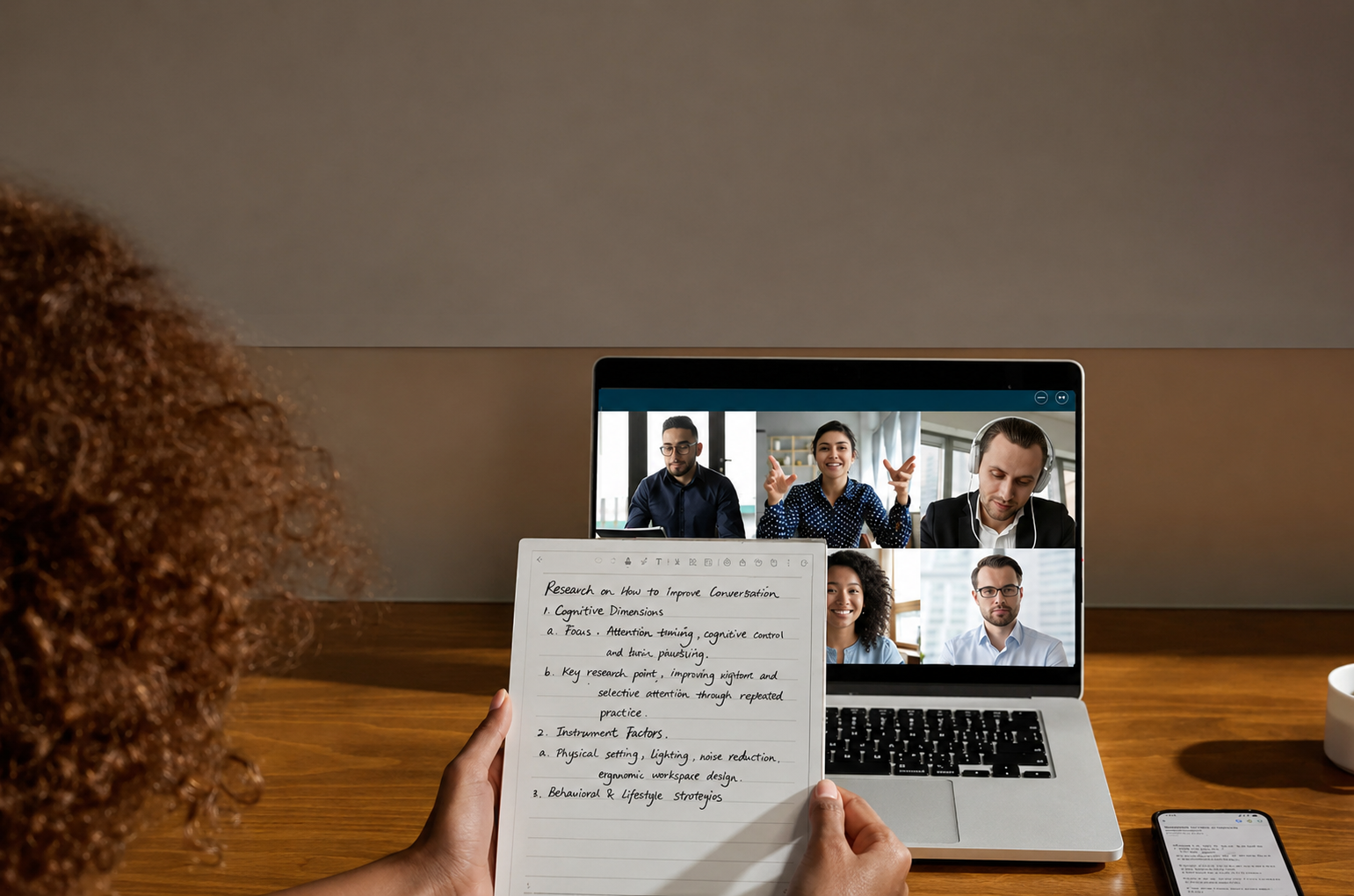
E-ink tablets feel easier on the eyes because their display is closer to paper than a traditional digital screen. Instead of pushing strong light directly toward the eyes, E-ink screens rely more on reflected light, which can make long reading, writing, and document review sessions feel less visually tiring.
Paper-like Display for More Comfortable Reading
A paper-like display makes text look more stable and natural, so the eyes do not need to keep adjusting to bright pixels or strong screen contrast. This is useful for long PDFs, study materials, reports, and handwritten notes, where users need to stay focused on text for a long time.
Low Blue Light Compared With LCD Screens
E-ink tablets usually produce less blue light than LCD or OLED screens because they are not built around a bright backlit display. This can make them more comfortable for extended reading, especially in the evening or in low-light environments where regular screens may feel too harsh.
Anti-glare Screen for Bright Reading Conditions
An anti-glare E-ink screen helps keep text readable in bright rooms, near windows, or under office lighting. The matte surface reduces sharp reflections, so users do not need to squint, raise brightness, or keep changing the viewing angle during long reading sessions.
How iFLYTEK AINOTE 2 Helps Reduce Eye Strain in Real Workflows
iFLYTEK AINOTE 2 is designed for users who need to read, write, review documents, and organize notes for long periods without constantly returning to bright screens. Its 10.65-inch flexible E-Ink screen, 300 PPI resolution, paper-like handwriting experience, document support, OCR, and AI-powered note organization help turn scattered reading and writing tasks into one calmer, more focused workflow.
Reading Long Documents on a Paper-like E-ink Display
Long PDFs, reports, and study materials can become tiring when users read them on bright laptops or tablets for hours. AINOTE 2 addresses this problem with a 10.65-inch flexible E-Ink display and 300 PPI resolution, giving dense text a sharper, more paper-like appearance for extended reading. For users who review contracts, research files, class materials, or work documents, this creates a calmer reading surface than a traditional backlit tablet.
Taking Notes Without Switching Between Bright Screens
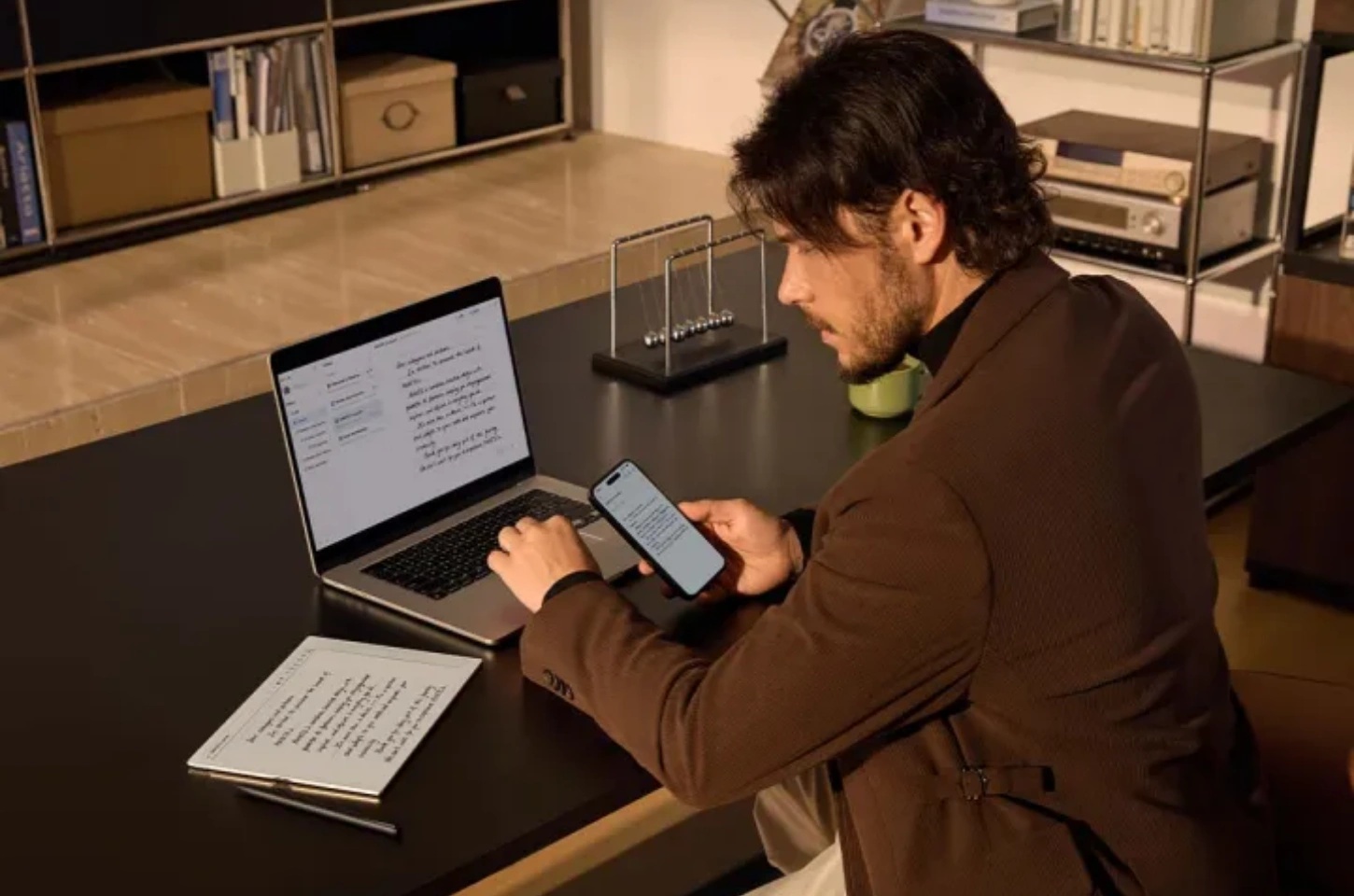
Eye strain often becomes worse when users move between a laptop, phone, tablet, and paper notebook during the same task. AINOTE 2 reduces that interruption by supporting natural handwriting on the same paper-like screen used for reading. Its Wacom passive electromagnetic pen and less than 20ms handwriting delay help users take notes, mark ideas, and continue writing without constantly returning to brighter devices.
Reviewing PDFs, Notes, and Annotations in One Device
Document review can become visually tiring when users need to open files on one screen, write notes somewhere else, and search for key points later. AINOTE 2 supports PDF, EPUB, TXT, MOBI, Office documents, and image formats, so users can keep reading materials, notes, and annotations in one device. Its OCR and AI-powered content organization can also turn handwritten text into editable and searchable content, making review less repetitive after long study or work sessions.
Staying Focused During Long Study or Work Sessions
E-ink Tablets vs Traditional Tablets for Eye Comfort
E-ink tablets and traditional tablets are designed for different screen experiences. Traditional tablets are better for video, color apps, browsing, and fast interaction, while E-ink tablets are better for long reading, note-taking, document review, and focused writing where eye comfort matters more than screen brightness or refresh speed.
Display Comfort: E-ink vs LCD
E-ink screens feel more comfortable for long reading, which is why E Ink vs LCD for reading is often discussed when comparing tablets and digital note-taking devices. E-ink uses a paper-like reflective display instead of a bright backlit panel. LCD and OLED tablets shine light directly toward the eyes, which can increase discomfort during long sessions, especially in dark rooms or under strong reflections. E-ink displays reduce this pressure by keeping text stable, matte, and easier to view for extended reading and writing tasks.
Battery Life and Long Reading Sessions
Battery life also affects reading comfort because users do not need to worry about charging during long study, work, or travel sessions. Traditional tablets consume more power because of their bright screens, color display, apps, and background activity. E-ink tablets usually last much longer because the screen uses very little power when displaying static text, making them better for users who read PDFs, take notes, or review documents for hours.
Best Use Cases for E-ink Tablets
E-ink tablets work best when the main task is reading, writing, or reviewing text for a long time. They are not designed to replace traditional tablets for every scenario, but they are more suitable for low-distraction, eye-comfort-focused tasks such as:
- Reading ebooks, articles, and long-form study materials
- Taking handwritten notes during meetings, classes, or reading sessions
- Reviewing PDFs, reports, contracts, and research files
- Annotating documents with handwritten notes or highlights
- Keeping reading materials, notes, and comments in one organized workspace
For long reading and text-based work, E-ink tablets are a more comfortable choice than traditional tablets.
Tips for Minimizing Eye Strain with Your E-ink Tablet
E-ink tablets are easier on the eyes than many backlit screens, but reading habits still matter. Proper brightness, posture, breaks, and display settings can make long reading and note-taking sessions more comfortable.
Optimize Brightness and Contrast Settings
Adjust your screen settings based on the reading environment, instead of keeping the display at the brightest level all the time. Some E-ink tablets offer front light or contrast adjustment, while others rely more on surrounding light, so the best setup depends on the device you use.
In a bright room, make sure the text stays clear without strong reflections; in a darker space, lower the front light if your tablet supports it, or add soft room lighting to avoid reading in a high-contrast environment.
Maintain Proper Distance and Posture
Keep the tablet at a comfortable reading distance and avoid bending your neck too far forward. Poor posture can add neck, shoulder, and eye discomfort during long sessions, especially when reading PDFs or writing notes for extended periods.
Take Regular Breaks Using the 20-20-20 Rule
Use the 20-20-20 rule during long reading or writing sessions: every 20 minutes, look at something about 20 feet away for at least 20 seconds. The American Optometric Association and Mayo Clinic both recommend this method to help reduce digital eye strain.
Use Reading Mode and Night Mode Features
Reading mode, warm light, and night mode can make the display feel softer in low-light conditions. These settings are especially useful for evening reading because they reduce visual sharpness from bright screen light and help keep the reading experience more comfortable.
FAQ
Can E-ink Tablets Replace Printed Books for Eye Health?
E-ink tablets can be a good alternative to printed books for many readers because they offer a paper-like display and adjustable text size. However, printed books still have no screen light, so users who are highly sensitive to any display lighting may still prefer paper for some reading sessions.
Is E-ink with Backlight Safe for Nighttime Reading?
E-ink tablets with front light are generally more comfortable than traditional backlit screens because the light is directed onto the screen surface instead of directly toward the eyes. For nighttime reading, keep the light low, use warm mode if available, and avoid reading for too long without breaks.
How Long Should I Read on an E-ink Tablet Daily?
There is no fixed daily limit for reading on an E-ink tablet. A practical approach is to read in comfortable sessions, adjust lighting properly, and take short breaks when the eyes feel dry, tired, or unfocused.
Are There Any Limitations of E-ink Tablets?
E-ink tablets are not ideal for fast video, gaming, color-heavy design work, or apps that need quick refresh rates. They are better for reading, handwriting, PDF review, note-taking, and other text-focused tasks.
Conclusion
E-ink tablets are not meant to replace every screen, but they can make long reading, handwriting, and document review feel more comfortable than working only on bright backlit devices. By reducing glare, supporting a paper-like reading experience, and helping users keep text-based tasks in one place, they solve a common problem for students, professionals, and heavy readers who spend hours with documents every day.
For users who want one device for reading PDFs, taking handwritten notes, organizing content, and reducing screen switching, AINOTE 2 from iFLYTEK is a practical E-ink tablet option. To get the best eye-comfort benefits, users should still adjust lighting, keep a healthy reading distance, and take regular breaks during long sessions.



