
.jpeg?w=1450&h=960)
The reMarkable 2 is popular for its clean and distraction-free writing. But in 2025, many users will find it too simple. It has no backlight for use at night. Handwriting-to-text needs a paid subscription. You cannot install apps like Kindle or OneNote. Although it looks sleek and nice, it does not meet the needs of users who want more than a digital notepad.
If you feel limited by the reMarkable 2 or are considering your first e-ink tablet and wondering if it’s enough, this guide is for you. We’ll walk through what to look for in a reMarkable alternative, then break down the top contenders that offer more flexibility, smarter features, and better value.
What’s Good/Bad about the reMarkable 2?
Before we dive into the best alternatives, it’s important to understand why many people liked the reMarkable 2 at first. We should also see why some want to switch now. Let’s take a look at what it gets right and where it starts to fall short.
What’s Good
1. Exceptional Writing Feel
The reMarkable 2 is very good for digital handwriting. Its CANVAS display and highly-optimized brush tools deliver a tactile writing experience that feels close to pen on paper.
2. Minimalist, Distraction-Free UI
Designed for deep focus, the reMarkable 2 featuresa simple and clear interface. with no apps, notifications, or distractions. It is great for users who want less screen time but still work well.
3. Sleek and Premium Hardware
At just 4.7mm thick, the reMarkable 2 is the thinnest e-ink tablet on the market. The minimalist build, solid aluminum frame, and premium accessories give it a sophisticated feel.
4. Cross-Device Compatibility (Typed Notes)
Typed notes can be created and edited across desktop and mobile platforms using the companion apps, which also include features like a document scanner and syncing via the cloud.
5. Strong Brand Support
The company offers a solid return policy, responsive customer service, and an extensive online knowledge base for troubleshooting and how-tos.
What’s Not So Good
1. Subscription Paywall
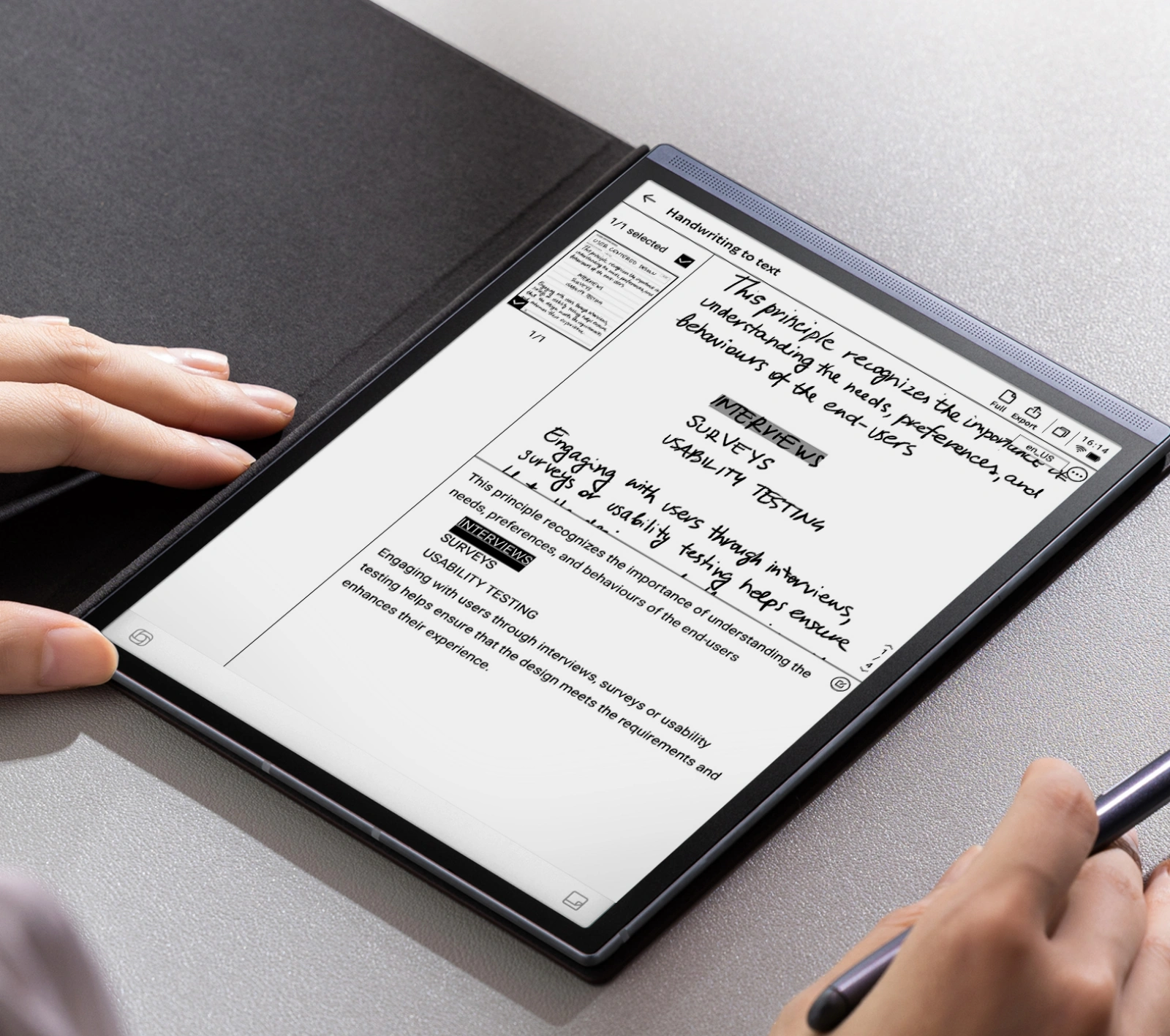
Key features such as cloud syncing, handwriting-to-text conversion, and extended app access are locked behind the Connect subscription, which costs around $3/month. This ongoing fee adds up over time.
2. No Frontlight
The lack of a built-in frontlight is a major omission, making the tablet unusable in low-light environments and limiting its utility as an e-reader.
3. Performance Bottlenecks
The device’s modest specs (limited CPU and RAM) can lead to sluggishness, especially when dealing with large PDF files or multitasking.
4. Limited Versatility
The reMarkable 2 is designed almost exclusively for note-taking. It doesn’t support a browser, calendar, email, or third-party apps that many users expect from a modern tablet.
5. Basic Reading Experience
The reading app is underwhelming, lacking features like text highlighting, multiple annotation layers, and wide file format support. Serious readers will find it limiting.
6. High Cost of Ownership
The base device is already pricey, and essential accessories (like the Marker or Type Folio) and the monthly subscription can push the total cost much higher than alternatives with more features.
The reMarkable 2 delivers a distraction-free writing experience with exceptional hardware design, but its limited software, lack of essential features, and subscription costs reduce its overall value, especially for users who want more than just note-taking.
Key Factors to Consider in a reMarkable Alternative
When exploring alternatives to the reMarkable 2, it's important to go beyond design and focus on what truly impacts usability.
1.Writing and Display Experience
Look for low-latency, pressure-sensitive stylus input on a textured screen that feels like real paper. A sharp, glare-free screen (ideally 300 PPI) with frontlight or backlight support improves both writing and reading, especially in low light. Larger screens can help with multitasking or reading complex documents.
2.Note-Taking and Reading Features
Beyond basic handwriting, features like handwriting-to-text, keyword search, tagging, and layers help keep your notes organized and easy to revisit. If reading is important, ensure the device supports EPUB, PDF, and annotations. Bonus points for features like text reflow and built-in dictionaries.
3.App and Cloud Integration
Choose a device that supports cloud services (Google Drive, Dropbox, etc.) and third-party apps (like Kindle or OneNote) to ensure your notes are easy to access and share.
4.Audio Capabilities
Some alternatives offer voice recording, which is useful for students, journalists, or professionals who want to capture meetings or lectures.
5.Performance
Good specs (RAM, processor, storage) ensure smooth handling of large files and better overall responsiveness, especially if you're a heavy user.
A great reMarkable alternative should offer a solid writing experience, better versatility, and stronger software features without locking you into a limited ecosystem.
Best reMarkable Tablet Alternatives in 2025
After understanding the key factors to consider when choosing a digital e-ink notebook, we’ve handpicked five standout reMarkable tablet alternatives that are leading the market in 2025. Here’s a closer look at each option, along with a detailed comparison to help you find the one that’s right for you.
1. iFLYTEK AINOTE Air 2 — Best for Voice-to-Text Productivity
While the reMarkable 2 focuses on distraction-free writing, the iFLYTEK AINOTE Air 2 is designed for AI-enhanced productivity. It goes well beyond handwriting by combining real-time voice-to-text transcription, AI-generated meeting summaries, GPT-4o integration, and multilingual support, all in a portable device that still delivers a smooth, paper-like writing experience. This makes it an ideal choice for anyone who needs to quickly turn spoken content into structured, editable notes.
Highlights & Key Features
-
Free AI-Powered Voice-to-Text in 15 Languages
Instantly transcribe meetings, lectures, or conversations in 15 languages with impressive accuracy for free. Select any handwritten note to hear the exact audio recorded at that moment.
- Free Handwriting-to-Text in 83 Languages
Your handwritten notes are a converted into editable, searchable text, also no subscription required.
- AI Meeting Summaries & Task Management
Let the built-in AI generate smart summaries and to-do lists based on your notes. You can even mark notes with symbols to auto-create tasks and reminders.
-
GPT-4o Integration
Chat with GPT-4o directly on the device to search notes, summarize content, or even brainstorm ideas turning your notebook into a real productivity assistant.
- Paper-Like Writing & Reading
An 8.2-inch E-Ink display offers a realistic pen-on-paper feel with low latency and customizable writing styles. Ideal for long writing sessions or document markup.
- Eye-Friendly Design
With dual-color front light, 24 brightness levels, and anti-glare coating, the display is easy on the eyes whether you're writing or reading.
-
Cloud Sync & File Support
Sync your notes via the AINOTE app and access them from multiple devices. Also supports multiple file types and document scanning for a smooth workflow.
-
Lightweight & Portable
Weighing only 0.51 lbs and just 0.2 inches thin, it’s easy to carry and built with a durable metal body for everyday use.
Best for:
Students, journalists, and professionals who frequently record meetings, interviews, or lectures and need instant transcription without third-party tools.
2. BOOX Note Air 3 — Best All-Round Android Option
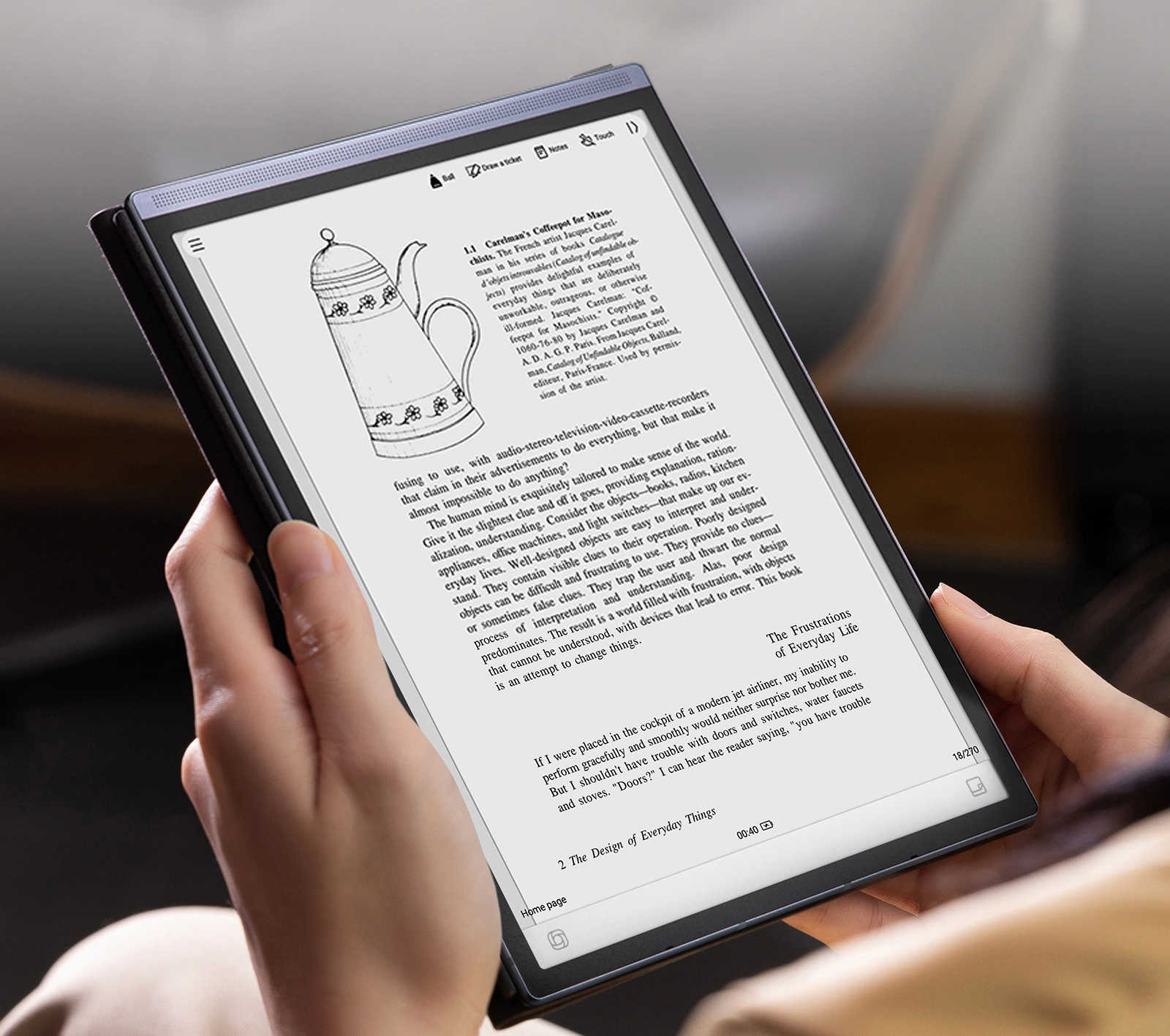
The BOOX Note Air 3 offers a rare combination: the freedom of a full Android 12 system with the clarity and comfort of an E-Ink display. Unlike the reMarkable 2, it supports Google Play, allowing users to install apps like Kindle, OneNote, Evernote, or even Gmail.
Pros:
- Access to Google Play and full Android app ecosystem
-
Excellent PDF handling, split-screen support, and stylus features
- Backlit 300 PPI display for nighttime and low-light use
Cons:
-
Steeper learning curve due to its open and feature-rich system
-
May feel cluttered for users who prefer minimalism
Best for:
Tech-savvy users who want one device for reading, writing, sketching, and running productivity apps.
3. Supernote A6X — Best for Writers and Pen Lovers
Supernote prioritizes long-term writing comfort, with a unique ceramic-tipped pen that never wears down and a focus on software designed for structured note-taking. Its distraction-free environment feels intentional rather than restrictive.
Pros:
-
Smooth, paper-like writing experience with durable pen
-
Built-in tools for planning, organizing, and emailing notes
-
Lightweight and elegant design
Cons:
-
No backlight, which limits low-light usability
-
Smaller 7.8" screen compared to other alternatives
- Lacks audio recording or advanced OCR
Best for:
Writers, professionals, and students who prioritize a premium, focused note-taking experience without clutter.
4. MobiScribe Wave — Best for Portability & Outdoor Use
The MobiScribe Wave is the first E-Ink tablet with IPX7 waterproofing, making it an ideal option for use in outdoor, travel, or unpredictable environments. It’s compact yet capable, with voice recording and handwriting conversion support.
Pros:
-
Waterproof design (IPX7) for rugged use
-
Lightweight and easy to carry
- Includes handwriting-to-text and audio features
Cons:
-
Software feels less refined compared to premium competitors
-
Limited storage and app integration
Best for:
Field workers, students, or digital nomads who need a durable, portable writing companion for use in any environment.
5. Kindle Scribe — Best for Readers Who Occasionally Take Notes
Amazon’s Kindle Scribe blends its e-reader expertise with basic note-taking tools. While it’s not as feature-rich as other tablets, it offers a high-resolution display and seamless integration with Kindle books and Microsoft Word.
Pros:
-
Sharp 300 PPI screen with adjustable warm frontlight
-
Deep integration with Amazon Kindle content
-
Supports Word document review and margin notes
Cons:
-
No handwriting recognition or transcription tools
-
Limited note-taking functionality overall
-
No app store or third-party app support
Best for:
Casual users and avid readers who want to annotate books or jot down ideas without switching devices.
reMarkable 2 Alternatives in 2025 – Feature-by-Feature Comparison
|
Feature |
iFLYTEK AINOTE Air 2 |
BOOX Note Air 3 |
Supernote A6X |
MobiScribe Wave |
Kindle Scribe |
|
Writing Experience |
Paper-like, low latency |
Excellent stylus support |
Smooth with durable pen |
Responsive & accurate |
Great for annotations |
|
Voice-to-Text |
Real-time (15 languages) |
No |
No |
Basic transcription & recording |
No |
|
Handwriting-to-Text |
83 languages |
Built-in OCR |
Basic |
OCR available |
No |
|
AI Features |
GPT-4o, AI summaries |
Some third-party tools |
No |
No |
No |
|
Backlight |
Dual-color, 24 levels |
Frontlight (adjustable) |
No |
Frontlight |
Warm frontlight |
|
App Support |
Custom + third-party apps |
Full Google Play |
Proprietary only |
Limited Android apps |
Kindle ecosystem only |
|
Cloud Sync & File Support |
AINOTE app, multi-format |
Google Drive, Dropbox, etc. |
Email & export tools |
Cloud sync available |
Kindle & Word files |
|
Screen Size |
8.2" E-Ink |
10.3" E-Ink |
7.8" E-Ink |
7.8" E-Ink |
10.2" E-Ink |
|
Audio Features |
Voice recording + sync |
No |
No |
Audio notes |
No |
|
Weight |
0.51 lbs (232g) |
~0.9 lbs (420g) |
~0.5 lbs (225g) |
0.57 lbs (260g) |
~0.9 lbs (433g) |
FAQs
Is there a tablet that feels exactly like reMarkable 2 but with more features?
Supernote A6X and BOOX Note Air 3 both offer smooth writing experiences, but BOOX includes more functionality thanks to Android.
Which alternative works best for professional transcription and meetings?
iFLYTEK AINOTE Air 2 is your best bet with built-in AI meeting transcription and multilingual support.
Do any of these alternatives offer free handwriting conversion?
BOOX, iFLYTEK, and Supernote all support handwriting-to-text with no recurring subscription fee (unlike reMarkable’s Connect).
Can I install third-party apps on these devices?
Only BOOX devices run full Android, allowing you to install apps from Google Play. Others are more closed systems.
Conclusion
The reMarkable 2 is good for simple writing. But it lacks some features many users want. The iFLYTEK AINOTE Air 2 is a great alternative. It offers voice-to-text, AI meeting summaries, and GPT-4o integration. It works well for students, professionals, and anyone who records talks or meetings. If you want a smart, fast, and powerful device, the AINOTE Air 2 is the best choice in 2025.



