
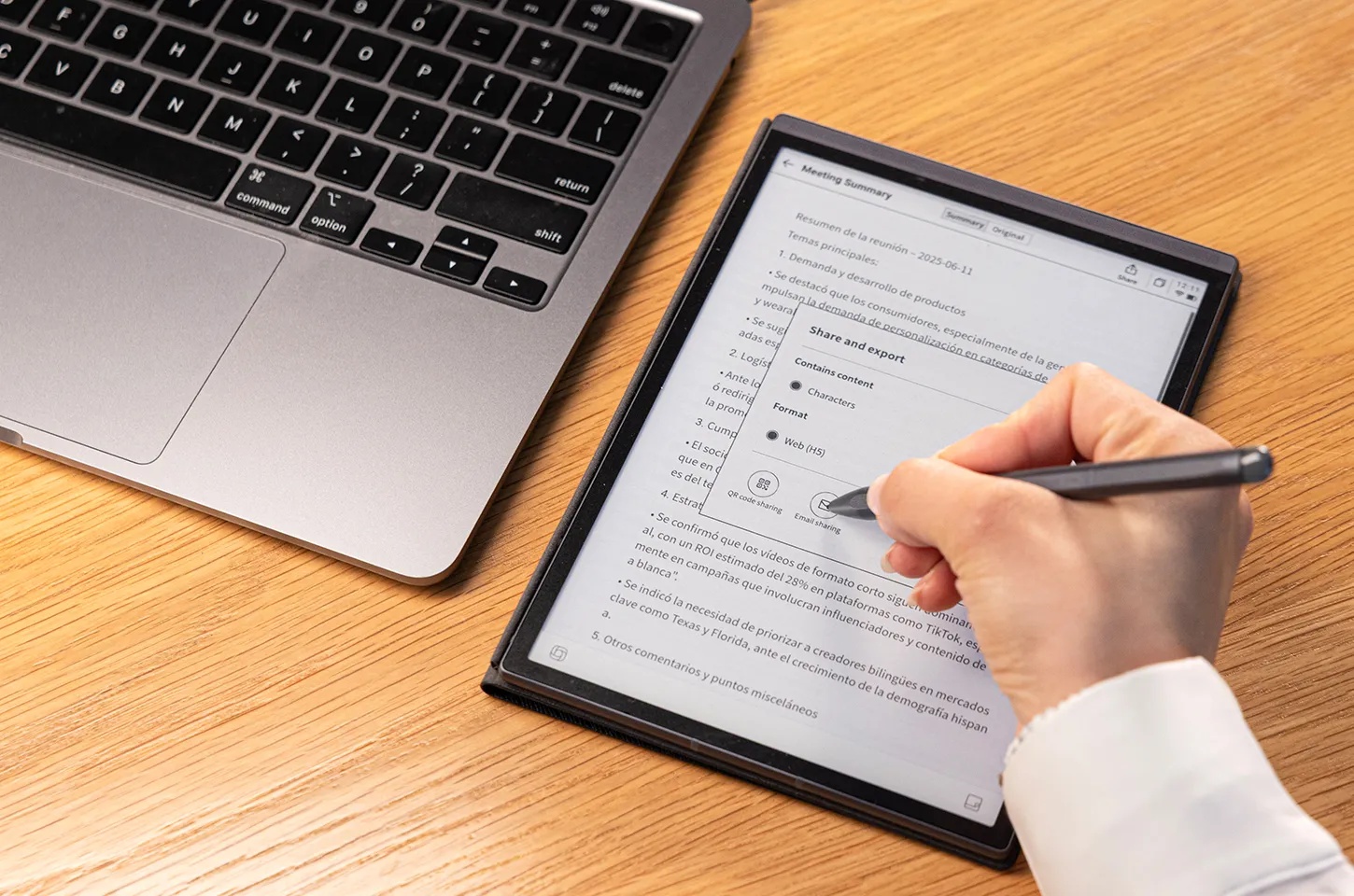
The short answer? Absolutely. If your workday is a constant battle against "screen fatigue" and the never-ending pings of Slack or Instagram, an E-Ink tablet is easily one of the best investments you can make. It’s a dedicated space to breathe, think, and actually get work done without the digital noise.
In this guide, we’re cutting through the marketing fluff to look at why these "digital paper" devices have become the secret weapon for executives in 2026, and which ones are actually worth your desk space.
What Do Business Professionals Actually Need from a Work Device?
Most of us don't need another way to watch Netflix. In a high-pressure corporate environment, a device has to earn its spot in your briefcase by solving specific, everyday frustrations.
Note-Taking That Doesn't Feel Rude
Nothing kills the flow of a sensitive client meeting like the aggressive clack-clack-clack of a mechanical keyboard or the physical barrier of a laptop lid. Professionals need a way to jot down insights that feels as natural as a pen on a legal pad but keeps everything organized in the cloud.
A Better Way to Digest Documents
Whether it’s a 50-page legal contract or a dense market analysis, reading on a backlit monitor is a recipe for a headache. For serious business use, you need a high-contrast, glare-free display where you can scribble margin notes just as easily as you would on a printed stack of paper.
A Sanctuary for Deep Work
In 2026, the biggest threat to your productivity isn't a lack of talent,it's the notification tray. A dedicated work device should be a distraction-free zone where you can actually think deeply without a YouTube recommendation popping up in the middle of a strategy session.

Where E-Ink Truly Earns Its Keep
While your laptop is for the heavy lifting, E-Ink tablets have carved out a high-value niche in the professional workflow by doing a few things better than anything else.
- Marathon Meeting Days: If your calendar is a solid block of meetings, an E-Ink tablet is a lifesaver. It keeps all your minutes in one searchable place, so you’re never "that person" frantically flipping through an old spiral notebook to find last Tuesday’s action items.
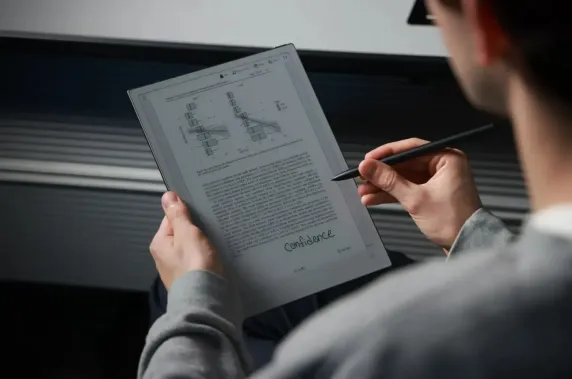
- The Paperless Office Reality: For consultants or researchers, E-Ink is a game changer. You can review and annotate PDFs under direct sunlight at a cafe or in a bright airport lounge without any glare, using a stylus that actually feels like it has some "bite" against the screen.
- Strategic Thinking: For those in leadership, focus is your most valuable asset. Using a device that prioritizes reading and writing over scrolling helps maintain the "Deep Work" state necessary for high-level decision-making.
The Showdown: E-Ink vs. iPad vs. Laptop
Choosing the right tool is all about understanding the trade-offs. Here is how the tech stack looks for a typical business user:
|
Feature |
E-Ink Tablet (e.g., AINOTE 2) |
iPad / Pro Tablet |
Standard Laptop |
|
Primary Vibe |
Focus, Writing, Reading |
Media, Creative, Light Work |
Heavy Admin, Coding, Excel |
|
Eye Fatigue |
Near Zero (Reflective light) |
High (Blue light) |
High |
|
Battery Life |
Weeks |
1–2 Days |
A few hours |
|
Distractions |
Minimal (Digital Sanctuary) |
High (App Store/Social) |
Moderate to High |
|
Writing Feel |
Like Paper |
Like Glass |
N/A |
How to Pick the Right "Digital Paper"
Not all E-Ink devices are ready for the boardroom. When you’re shopping, look for OCR (Optical Character Recognition)—this is what turns your handwritten scribbles into editable, searchable text. You’ll also want a device with dual-band Wi-Fi for quick syncing and, ideally, AI-powered voice-to-text so you can record and transcribe meetings on the fly.
The Best E-Ink Tablets for the Office in 2026
The market is crowded, but if you’re looking for a device that speaks the language of business, two models fromiFLYTEK are currently leading the pack.
iFLYTEK AINOTE 2: The Executive Powerhouse
If you’re looking to clear the clutter off your desk once and for all, this is the tool. The iFLYTEK AINOTE 2 centers around a generous 10.65-inch display that feels less like a gadget and more like a premium legal pad. It’s built for the "Deep Work" crowd—those who need to mark up a 60-page contract or map out a strategy without a single notification popping up. The real magic, though, is the AI transcription. It doesn't just record meetings; it actually follows the conversation and turns it into organized text that lives right alongside your handwritten notes. It’s professional, syncs effortlessly with your existing workflow, and the battery life is measured in weeks, not hours.
iFLYTEK AINOTE Air 2: The Frequent Flyer’s Dream
For the consultant who lives out of a Tumi briefcase, the iFLYTEK AINOTE Air 2 is a revelation. At just 230g and a mere 5mm thick, it’s basically a digital sheet of paper that disappears into your bag. Despite being feather-light, it doesn't compromise on clarity; the 8.2-inch screen is incredibly sharp (nearly 300 PPI), making it the perfect companion for reviewing PDFs in a cramped airplane seat or under the harsh glare of an airport lounge. It even handles international business with ease, offering real-time translation and transcription for multi-language calls. It’s the ultimate "carry-everywhere" device for staying productive without the bulk of a laptop.
The Bottom Line
Is an E-Ink tablet worth it? If you value your focus and your eye health, absolutely. It won't replace your laptop for complex spreadsheets, but it will replace the cluttered stacks of paper on your desk and the distracting notifications that kill your flow. It’s a specialized tool for people who take their work and their time seriously.
FAQs
Is an E-Ink tablet actually good for meetings and daily notes?
Honestly, it’s a game-changer if you’re tired of the "clack-clack" of typing during a call. It gives you that tactile, pen-on-paper feel but with the huge perk of being digital. Brands like iFLYTEK take it a step further—you can organize everything into folders and actually search through your messy handwriting later, which is something a standard notebook just can't do.
Can I ditch my iPad and just use an E-Ink tablet for work?
Probably not, unless your day consists entirely of reading and writing. Look at it as a specialized tool rather than a total replacement. It’s perfect for deep work, document reviews, and focus, but for Zoom calls, Slack, or anything involving color and video, you’re still going to want your iPad or laptop nearby.
Is it practical to type out long emails or reports on one?
It works in a pinch for short replies, but it’s not meant for a 2,000-word draft. Because E-Ink screens refresh slower than your phone, high-speed typing can feel a bit "laggy." If you really want to type, you can pair it with a Bluetooth keyboard, but these devices are really designed to shine with a stylus in hand.
What’s the best E-Ink tablet for heavy PDF work right now?
The iFLYTEK AINOTE 2 is the current frontrunner for 2026. It has a large enough screen to handle full-size PDFs without you having to zoom in and out constantly. Plus, the software is optimized to handle beefy, image-heavy files without the stuttering you see on cheaper e-readers.
Who should definitely NOT buy an E-Ink tablet?
If your job is 90% spreadsheets, video editing, or multitasking between ten different apps, don't buy one. Also, if you’re looking for a device to watch Netflix on the weekend, this isn't it. E-Ink is a "single-tasking" tool built for people who need to get away from distractions, not dive into them.



