
Navigating the landscape of AI note-taking apps in 2025 reveals a mix of powerful tools and new challenges. The best applications have evolved far beyond simple transcription to become comprehensive assistants that streamline meeting workflows and enhance productivity. However, choosing the right tool requires careful consideration of its features, limitations, and how it fits your specific needs. This article provides a detailed look at the leading AI note-takers for meetings in 2025, exploring what makes them stand out and where they still fall short.
What Makes the Best AI Note Taker for Meetings?
The ideal AI note-taking solution is more than just a recorder; it's an intelligent partner. The best tools are defined by a few key characteristics that address common pain points in modern meetings.
Real-Time Transcription
Top AI note-takers offer highly accurate, real-time transcription that can handle multiple speakers, accents, and industry jargon. This feature is the foundation of the technology, allowing users to follow along with the conversation without frantically taking notes. Advanced tools like Otter.ai and Jamie excel at this, providing a live, searchable text record of the meeting as it happens.
AI Summaries & Action Items
Beyond simple transcription, the most valuable AI apps use their intelligence to synthesize information. They can automatically generate concise summaries, highlight key decisions, and identify actionable tasks. For example, apps like Fireflies.ai and Granola can break down a meeting into specific action items and next steps, saving users the time of re-watching or re-reading long transcripts.
Seamless Integration
A good AI note-taker integrates seamlessly with your existing workflow. This includes compatibility with popular platforms like Zoom, Google Meet, and Microsoft Teams, as well as integrations with project management tools and customer relationship management (CRM) systems. This allows for automated data syncing, ensuring that meeting insights are immediately accessible where they are needed most.
Accessibility
The best tools are accessible to everyone. They should offer multi-platform support (desktop, mobile, and web) and provide features like speaker identification, which attributes the transcript text to the correct person. This makes it easier to review who said what, which is particularly useful for meeting follow-ups and accountability.
Popular AI Note-Taking Apps in 2025
The market for AI note-takers is dynamic, with several apps establishing themselves as leaders.
Otter.ai
Otter.ai remains a powerhouse, known for its OtterPilot assistant that can automatically join scheduled meetings to record and transcribe. It's particularly strong for team collaboration, offering features like Otter AI Chat, which allows users to ask questions about the meeting content and generate contextual emails or project updates. It's a "set it and forget it" tool for many teams.
Jamie
Jamie has gained popularity for its focus on privacy and high-accuracy transcription without a bot visibly joining the meeting. It's designed to be an unobtrusive assistant that works in the background. Jamie is known for its robust performance across multiple languages and its ability to generate intelligent summaries discreetly.
Granola
Granola caters to users who prefer an active note-taking style but want AI enhancement. It's praised for its simple, distraction-free interface and its ability to produce highly accurate, fast notes. Granola is a great choice for those who want to combine their own handwritten or typed notes with AI-generated summaries and transcriptions.
Limitations of AI Note-Taking Apps
Despite their many benefits, AI note-takers are not without their drawbacks. Understanding these limitations is crucial for effective use.
Privacy and Legal Risks
Storing sensitive meeting data on external servers can pose privacy risks. Additionally, legal requirements, such as GDPR compliance, require users to be mindful of how and where their data is stored. Some apps are more transparent about their data handling than others, and it's essential to choose a tool you trust.
AI Hallucinations
A significant limitation is the risk of AI hallucinations, where summaries or transcripts can be inaccurate. While AI is highly advanced, it can still struggle with complex topics, jargon, or ambiguous context, leading to errors. For example, an AI might mishear "deep learning" as "deep burning" or mis-transcribe the company name "Salesforce" as "Sales force." Therefore, you should always review AI-generated content for accuracy before sharing it.
Bot Participation Issues
The presence of an automated bot joining a meeting, as with Otter.ai's OtterPilot, can sometimes feel disruptive. Participants may be uncomfortable with the bot's presence, especially in sensitive or informal discussions. This is why some apps, like Jamie and Granola, offer bot-free recording options.
Limited Free Plans
Many of the most powerful features are reserved for paid plans. Free versions of these apps often come with significant limitations, such as a cap on transcription minutes or storage time.
Weaker Handwriting and Offline Support
While some apps offer mobile support, their handwriting recognition and offline capabilities are often not as robust as dedicated devices. The cloud-based nature of most AI apps means that a stable internet connection is required for their full functionality.
Bot Participation Issues
The presence of an automated bot joining a meeting, as with Otter.ai's OtterPilot, can sometimes feel disruptive. Participants may be uncomfortable with the bot's presence, especially in sensitive or informal discussions. This is why some apps, like Jamie and Granola, offer bot-free recording options.
Limited Free Plans
Many of the most powerful features are reserved for paid plans. Free versions of these apps often come with significant limitations, such as a cap on transcription minutes or storage time.
Weaker Handwriting And Offline Support
While some apps offer mobile support, their handwriting recognition and offline capabilities are often not as robust as dedicated devices. The cloud-based nature of most AI apps means that a stable internet connection is required for their full functionality.
Best AI Note-Taking Device for Meetings: iFLYTEK AINote Air 2
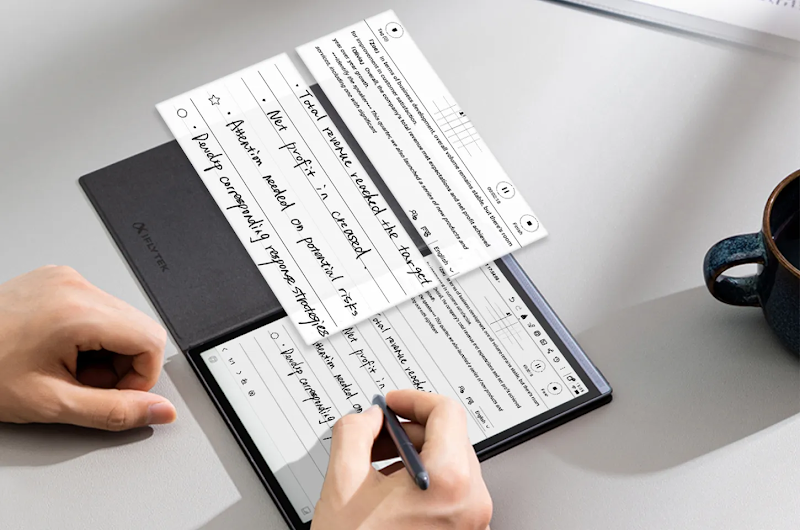
While software apps excel for virtual meetings, a dedicated device can enhance in-person note-taking. The iFLYTEK AINote Air 2 is an AI-powered paper tablet that combines a paper-like writing experience with intelligent meeting features.
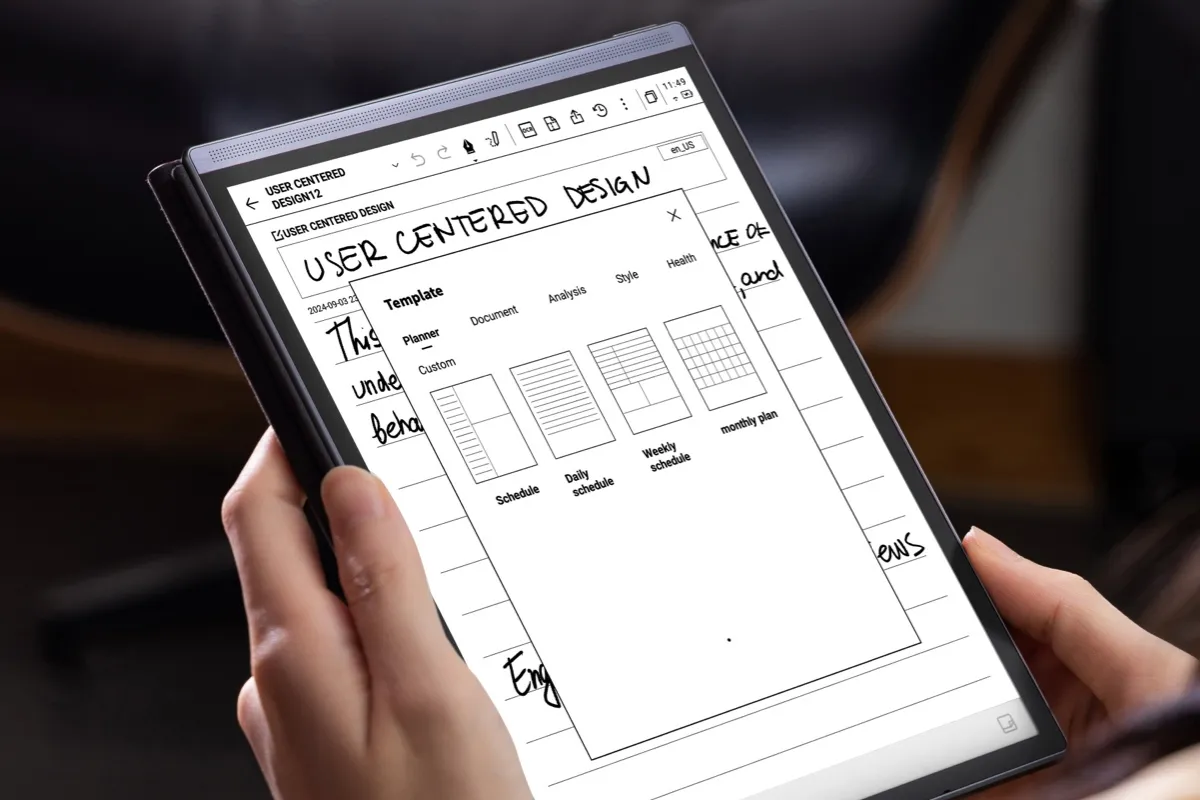
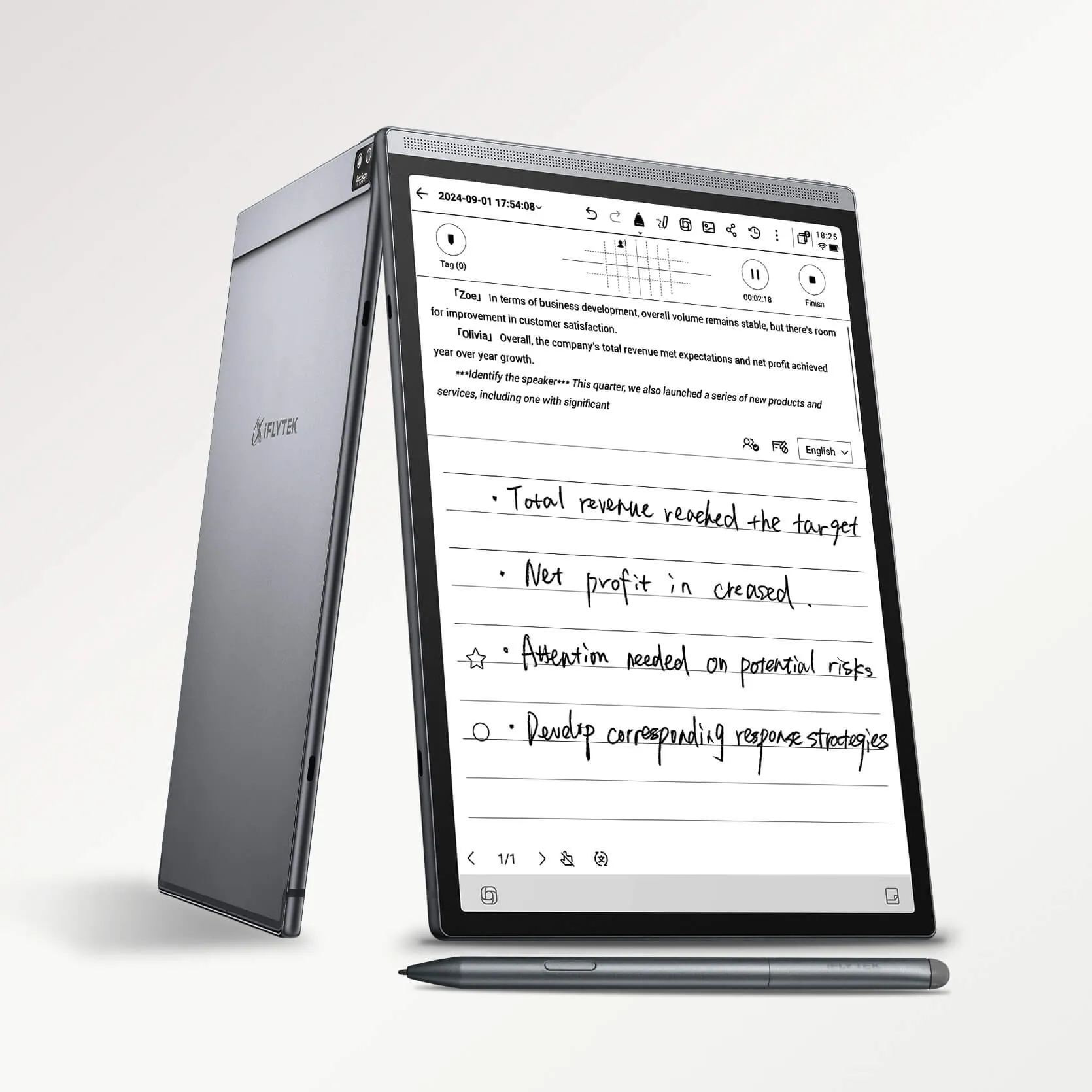
Unlike app-based solutions, the AINote Air 2 delivers real-time voice-to-text transcription in 15 languages, converts handwritten notes to text in 83 languages, and automatically generates AI-powered meeting summaries. Its 8.2-inch paper-like display provides a smooth, immersive writing experience, while built-in smart task management turns marks and highlights into to-dos seamlessly.
The device also supports multilingual translation, cloud sync for secure access across devices, and intelligent AI interactions powered by GPT-4.0, helping you quickly search, review, and organize meeting content. Lightweight, eye-friendly, and designed for portability, the AINote Air 2 brings a focused, efficient workflow to your meetings, combining the best of digital convenience with the natural feel of pen and paper. It's worth noting that as a leader in the Chinese market, iFLYTEK's product is primarily sold and supported in that region, though its innovation has also garnered global attention.
Comparison at a Glance: AI Note-Taking Apps vs. iFLYTEK AINote Air 2
|
Feature |
AI Note-Taking Apps (Otter, Jamie, Granola) |
iFLYTEK AINote Air 2 |
|
Form Factor |
Software on existing devices (laptops, phones) |
Dedicated E-Ink hardware device |
|
Experience |
Screen-based, multi-app environment |
Distraction-free, paper-like writing |
|
Real-time Transcription |
Strong, but relies on device microphone |
Excellent, with dedicated microphones |
|
Handwriting Support |
Limited or non-existent |
Excellent, with precise handwriting-to-text conversion |
|
Offline Functionality |
Limited |
Strong, allows note-taking without Wi-Fi |
|
Privacy |
Data stored on cloud servers (potential risk) |
Data can be stored locally on the device |
|
Portability |
Highly portable, on devices you already carry |
Lightweight and specifically designed for portability |
|
Cost |
Subscription-based (monthly/annually) |
One-time purchase of hardware |
The iFLYTEK AINote Air 2 offers a distinct advantage for those who value a dedicated, distraction-free environment and superior handwriting support. While apps are convenient, a dedicated device can provide a more focused and secure note-taking experience, especially for in-person meetings.
Summary
The best AI note-taking solution in 2025 depends on your needs. For virtual meetings and seamless integrations, apps like Otter.ai, Jamie, and Granola provide powerful transcription and summarization. For frequent in-person meetings or a distraction-free, paper-like digital experience, the iFLYTEK AINote Air 2 offers a compelling alternative. In either case, AI is transforming how we capture and use meeting information, making every discussion more productive and actionable.



