
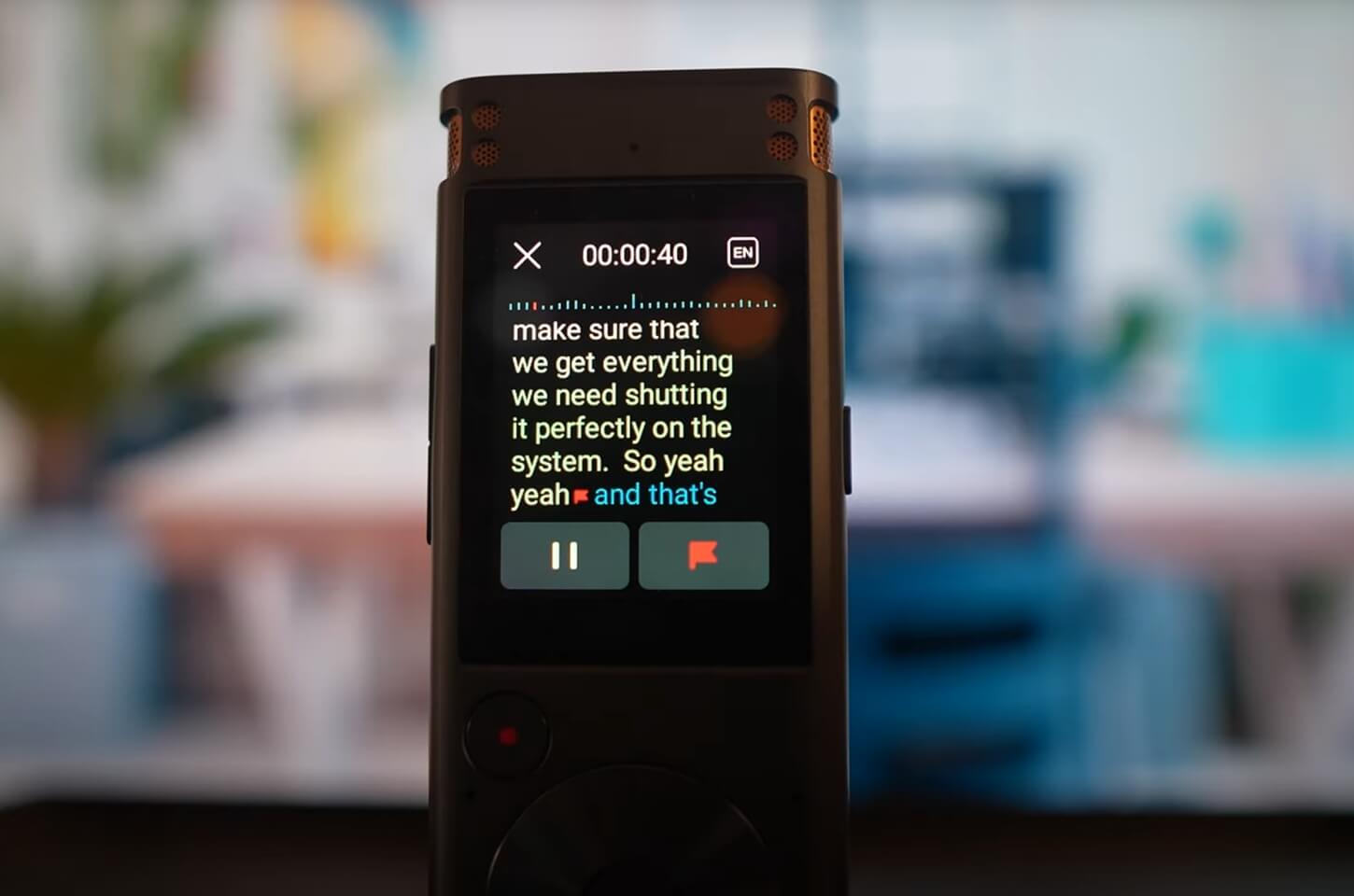
Meetings play a crucial role in our professional and academic lives. However, suppose you have a packed day of discussions ahead of you, or you want to make sure you capture everything necessary for later reference. In that case, it can be quite hard not to overlook facets of the conversation. A dedicated voice recorder comes in handy here.
Phones and laptops seem easier, but they have serious drawbacks, including sound quality, battery life, and storage capacity. This article is going to explain why you need recording devices for meetings, what features you should look for when buying one, and a round-up of the top recording devices you can buy in 2025.
Why Use a Dedicated Recording Device for Meetings?
While smartphones do offer built-in recording features, they often fall short in terms of clarity, battery life, and advanced functionality. Dedicated recording devices for meetings are purpose-built for capturing crystal-clear audio, even in large rooms or noisy environments.
With superior microphones, longer battery life, and smart features like real-time transcription and noise reduction, they provide a far more reliable and professional solution for documenting important discussions.
1. Crystal-Clear Sound Quality
A majority of meeting recorders have high-end microphones that pick up low noises and concentrate only on voices. This means that you will be able to hear everyone loud and clear, even if they are sitting at a distance from the device.
2. Longer Battery Life
These devices are able to run over 10+ hours on a single charge or battery cycle, making them perfect for all-day conferences or multi-hour team discussions.
3. Larger and Expandable Storage
These devices usually offer some built-in memory and expandable storage via microSD cards, so you can save hundreds of hours of recordings.
4. No Distractions
A recorder will not receive phone calls, text notifications or app notifications to pull your focus away from a meeting or halt your recording.
5. Easy File Management
Several models allow file transfer via USB or wirelessly, grouping them by date or project and streamlining organization.
Having the appropriate device for meetings enables you to streamline your focus to the discussion rather than fretting about capturing notes and important details.
Key Features to Look for in Meeting Recorders
Audio recorders differ in quality and design. Here are some of the features to help you find the best fit for your needs:

1. Microphone Type and Sensitivity
Get a high-sensitivity stereo mic recorder or a 360° microphone recorder if you want to get better results. Some devices support external mics, which can be even better.
2. Recording Quality and Format
MP3 is the industry standard when it comes to general use, whereas WAV is better for more high-end audio needs. Ensure that the recording device is compatible with the format you want.
3. Storage Options
4GB–16GB of internal storage is typical, but if you plan on recording frequently, ensure to choose models supporting microSD cards (up to 512GB or higher)
4. Battery Performance
Devices with built-in rechargeable or AAA batteries work well, so long as they offer reasonable run times and quick recharge times.
5. Portability and Build
Compact, lightweight design enables users to take the microphones to various meetings - some even function as USB drives.
6. Transcription and Voice-to-Text
Real-time transcription and Voice-to-text powered by AI, now available through premium models; these features can be real productivity changers.
7. File Transfer
Choose models with USB ports or wireless (Bluetooth or Wi-Fi) for quick file transfer to your computer or cloud.
Top 5 Recording Devices for Meetings in 2025
Navigating the market for meeting audio recording devices can be a challenging task with so many products available. Through our research and analysis, we have identified the top meeting recording devices of 2025 as recommended by their sound quality, battery life, storage, smart features, and overall performance.
1.iFLYTEK AINOTE Air 2
When it comes to audio recording devicesfor meetings, few tools are as powerful, precise, and versatile as the iFLYTEK AINOTE Air 2.
Designed specifically for professionals and teams who rely on clear communication and organized meeting records, this AI-powered 5-in-1 smart paper tablet takes meeting productivity to a whole new level with lifetime free transcription included, no need to purchase extra transcription time.
Why It’s a Game-Changer for Meetings:
Voice-to-Text Recording in Real Time
Forget manual note-taking. The AINOTE Air 2 captures every word of your meeting and instantly transcribes it into text with up to 98% accuracy — even without an internet connection.
AI-Powered Meeting Summaries
No time to sort through long recordings? This device automatically generates structured meeting summaries, giving you action points and key takeaways in seconds.
Handwriting + Audio Sync
Take handwritten notes during the meeting, then tap any note to replay the corresponding part of the recording. Perfect for reviewing decisions and clarifying context.
Multi-language Support for International Meetings
Supports real-time translation in 10+ languages, making it ideal for cross-border meetings and multicultural teams.
ChatGPT-4o Integration for Smarter Meetings
Ask follow-up questions, generate minutes, or summarize action items right after the session using built-in ChatGPT-4o capabilities.
Noise-Cancelling Microphones & Long Battery Life
Designed for busy environments, the AINOTE Air 2 captures clear audio even in noisy rooms and runs reliably throughout your workday.
Built for Business, Trusted by Professionals
Unlike basic recorders or transcription apps, AINOTE Air 2 combines recording, transcription, translation, summarization, and AI assistance into one sleek, portable device. It’s especially valuable for corporate meetings, remote team calls, academic research interviews, legal consultations, and multilingual business negotiations.
2. Sony ICD-UX570
For those in need of versatility and portability, all in one, the Sony ICD-UX570 is for you. With its three-mic system and pocket-size shape, it captures ready-made stereo recordings in high-quality with ease. It also has modes for narrow focus (interview) and wide stereo for group recordings.
Key Features
- 4GB built-in memory (expandable via microSD)
- Quick Charge: 3 minutes = 1 hour recording
- Built-in USB for fast transfer
- Bright, readable OLED display
For frequent travellers, this is one of the most affordable and accessible devices for recording meetings.
3. Zoom H2n Handy Recorder
The Zoom H2n is popular among content creators and journalists, but it works equally well in a meeting room. With five integrated microphones and X/Y and Mid-Side recording modes, it covers the full width of a room. Recording meetings in surround sound allows for transcriptions and detailed post-meeting reviews.
Key Features
- Five internal microphones
- Surround, stereo, and directional recording modes
- Up to 20 hours of battery life
- USB microphone capability
This device is perfect for those looking to record audio of meetings with maximum flexibility and the best possible audio quality.
4. Tascam DR-10L Pro
For public speaking, presentations, or one-on-one interviews, the Tascam DR-10L Pro is the best option available. It is a small clip-on device with a high-quality lavalier microphone. It features 32-bit float recording, which captures everything without the need to adjust volume peaks or gain settings.
Key Features
- 32-bit float audio recording
- Includes clip-on lav mic
- Up to 24.5 hours of battery life
- Supports microSDXC cards up to 512GB
This is one of the most unobtrusive recording devices effective for capturing meetings in busy settings due to its low profile and remarkable audio quality.
5. Olympus WS-883
Every day, users will find value in the Olympus WS-883 due to its ease of use and array of features. It has stereo microphones positioned at 90 degrees, which enables natural sound pickup, and it features an auto mode that adjusts recording levels, which is especially useful for varying environments. It also contains noise cancellation features that improve playback quality.
Key Features
- 8GB internal memory, expandable to 32GB
- USB direct connection (no cable needed)
- Noise-canceling playback
- Voice Balancer for uneven sound levels
Among all recording devices for meetings, it's an excellent entry-level and professional tool.
Tips for Getting the Best Results from Your Meeting Recording Device
Place your recording device at the center of the table to capture voices evenly from all participants. Make sure nothing blocks the microphone and avoid placing notebooks, coffee mugs, or laptops too close.
For large rooms or when participants are spread out, an external microphone can make a big difference. Omnidirectional or boundary mics help pick up distant voices more clearly, making them ideal for hybrid meetings, panels, or training sessions.
Always run a quick test recording before the meeting starts. This ensures your device settings are optimal and that background noise won’t compromise audio quality.
After each meeting, back up your recordings right away and label them clearly by date or topic. This helps prevent data loss and keeps your files easy to locate.
Regularly clean your device’s mic ports with a soft brush or air duster. Dust and debris can muffle sound over time, so basic maintenance keeps your recordings crisp and professional.
FAQs
Can I use these devices for remote meetings or Zoom calls?
Yes, Specific models such as the Zoom H2n, as well as the Sony ICD-UX570, can function as a USB microphone that would record online meeting audio.
Are recordings secure and private?
The majority of devices do not upload files to the cloud by default. For privacy, opt out of devices with auto-sync capabilities, or use offline storage only.
What’s better—built-in mics or external mics?
Built-in mics are fine for small rooms. For large meetings or better clarity, external lavaliers or boundary mics work best.
How do I transcribe the audio?
Devices like the iFLYTEK AINOTE Air 2 do real-time transcription. Otherwise, you can use apps like Otter.ai or Descript.
Conclusion
Whether for productivity, for clarity, or for convenience, buying one of the best recording devices for meetings in 2025 can help. From advanced AI features to compact designs, broadcast-quality sound, every option on this list is here for a reason.
Whether you opt for a smart recorder like the AINOTE Air 2 from iFLYTEK or a portable legend like the Sony ICD-UX570, picking the right device will ensure your meeting notes are always captured accurately and easily reviewed. Do the smart thing to upgrade your meeting tool now!
Related articles:
1. what is a speech to speech translation?
2. How Accurate is Google Translate



