

Have you ever looked at a menu in a foreign restaurant and had no idea what to order? Or struggled to keep a business conversation going while waiting for a translation app to work? Language barriers can turn fun trips into stressful experiences. They can even cause missed opportunities at work.
Luckily, modern translation technology makes communication much easier. Two popular options are translation glasses and pocket translators. But which one is right for you? This article will compare their features, pros, cons, and best uses to help you decide.
Why Translation Devices Matter
You no longer need to carry heavy dictionaries or struggle with clumsy phrasebooks. Today’s translation devices provide real-time translations on the spot. They can make a trip or a business meeting much easier. These devices act like a personal interpreter, helping you navigate unfamiliar places and connect with people from different cultures.
For travelers, they offer freedom and peace of mind. For business users, they can be the difference between a successful deal and a misunderstanding. As technology improves, these devices are becoming more accurate, more portable, and easier to use. They make the world feel smaller and more connected.
What are Translation Glasses?
Imagine wearing glasses that show real-time translations of the world around you. This is the main idea of translation glasses. They use advanced augmented reality (AR) technology. The glasses display translated text in your line of sight. This lets you see translations hands-free and gives an immersive experience.
Key Features
Translation glasses focus on visuals and ease of use. Their main features are:
- Heads-Up Display (HUD): You can see translated text overlaid on your vision, like a car’s HUD. This helps you read menus, street signs, or books without looking away.
- Visual Translation: The glasses have a camera. They can “read” text in the real world and translate it instantly.
- Real-Time Subtitles: Some models show live subtitles for conversations. They translate what someone says into text you can see.
- Hands-Free Operation: You wear them like normal glasses. Your hands stay free, which is useful when carrying luggage or taking notes.
Pros and Cons
While translation glasses offer a futuristic and highly intuitive experience, they are a newer technology with a few drawbacks.
Pros:
- Immersive Experience: The hands-free, visual nature of the glasses makes you feel fully immersed in the conversation or environment.
- Discreet: They are often less intrusive than a handheld device and can allow for more natural eye contact during a conversation.
- Ideal for Visual Information: They excel at translating written text like signs, menus, and product labels on the fly.
- Convenient: No need to pull anything out of your pocket or bag; the translation is always available when you need it.
Cons:
- Immature Technology: Translation glasses are a relatively new product category. This can lead to issues with accuracy, battery life, and overall performance compared to dedicated devices.
- Cost: They are typically more expensive than traditional pocket translators due to the advanced AR technology and hardware.
- Battery Life Concerns: The constant use of a camera, display, and processor can drain the battery quickly, limiting continuous use.
Best Use Cases
Translation glasses are best suited for individuals who need to translate a lot of visual information while on the move. They are perfect for:
- Solo Travelers exploring a new city and needing to read street signs, public transport maps, and restaurant menus.
- Museum Visitors who want a live translation of exhibit descriptions and historical plaques.
- Navigating Airports and train stations where signs are in a foreign language.
What is a Pocket Translator?
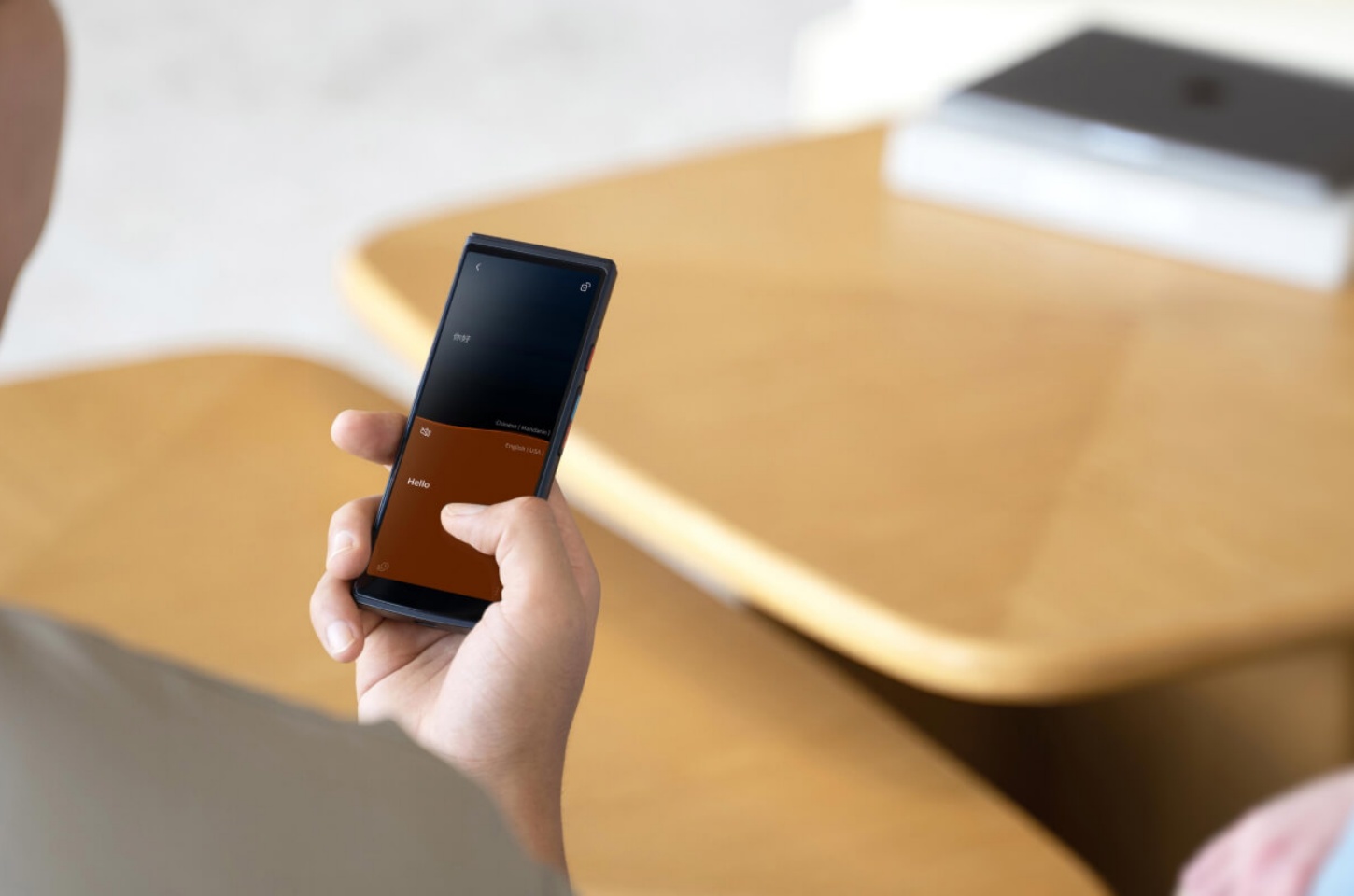
A pocket translator is a dedicated, handheld device designed specifically for two-way voice translation. These devices often resemble a small smartphone and are engineered for one purpose: to facilitate seamless conversation. They use sophisticated microphones, speakers, and powerful translation software to provide highly accurate, real-time communication.
Key Features
Pocket translators are built for conversation first and foremost. Their main features include:
- Two-Way Voice Translation: This is their standout feature. You speak, it translates and speaks the foreign language, then the other person speaks, and it translates back to you. This creates a natural back-and-forth flow.
- Dedicated Hardware: With high-quality microphones and speakers, these devices are optimized for capturing and playing back speech clearly, even in noisy environments.
- Touch Screen Interface: A simple screen allows for easy language selection, text input, and access to additional features.
- Offline Capability: Many high-end models can store language packs for offline translation, which is crucial in areas without a reliable internet connection.
Pros and Cons
The mature technology behind pocket translators makes them a reliable and powerful choice, though they have their own limitations.
Pros:
- High Accuracy: Pocket translators are highly refined for voice translation, often offering superior accuracy for nuances in conversation compared to newer technologies.
- Reliable and Mature Technology: The hardware and software have been developed and improved over many years, leading to stable performance and longer battery life.
- Cost-Effective: They are generally more affordable than translation glasses, making them accessible to a wider range of users.
- Long Battery Life: Designed for prolonged use, many models can last for an entire day of travel or business meetings on a single charge.
Cons:
- Not Hands-Free: You must hold the device, which can feel less natural in a conversation and is less convenient when you need to use your hands for other things.
- Less Discreet: The act of pulling out a device can be less subtle than wearing glasses, and you often have to pass it back and forth during a conversation.
- Poor for Visuals: They are not designed to translate visual information like signs or menus on the go.
Best Use Cases
A pocket translator is the go-to device for anyone whose primary need is direct, real-time conversation. They are perfect for:
- Business Professionals in meetings or negotiating with international clients.
- Students studying in a foreign country who need to communicate with locals daily.
- Tour Guides and service workers who interact with international guests.
- Family Members communicating with relatives who speak a different language.
Translation Glasses vs. Pocket Translator: A Comparison Table
|
Feature |
Translation Glasses |
Pocket Translator |
|
Hands-Free Operation |
Yes, fully hands-free. |
No, requires holding. |
|
Primary Function |
Visual and hands-free translation. |
Two-way voice conversation. |
|
Accuracy (Voice) |
Can be good, but often less refined than dedicated devices. |
Very high accuracy due to dedicated hardware and software. |
|
Visual Translation |
Excellent, provides real-time AR overlay. |
Poor, not a primary function. |
|
Cost |
Typically more expensive. |
Generally more affordable. |
|
Portability |
Worn on the face, always ready. |
Carried in a pocket or bag. |
|
Best For |
Reading signs, menus, and solo travel. |
Direct conversations, business meetings. |
How to Choose the Right Translation Device for You
Choosing between a pocket translator and translation glasses depends on what you need and your budget. For most people, a pocket translator is the better choice. It is versatile and affordable. It works well for back-and-forth conversations in business or social situations.
Translation glasses are newer and more specialized. They are good if you want to translate signs, menus, or other visual information hands-free while traveling. Here are some factors you can consider to help decide:
Your Primary Purpose
If you're a traveler who wants to read signs and menus without having to constantly hold a device, then translation glasses may be a good option. However, if you need a device for back-and-forth conversations in business or social settings, a pocket translator is the clear winner.
Your Budget
If you're looking for a reliable, cost-effective solution, a pocket translator is probably your best bet. Translation glasses are still a premium, niche product and generally more expensive.
Frequency of Use
For a single trip, a simpler device might be all you need. But for regular use in professional or academic settings, investing in a high-quality pocket translator is a wise decision.
Ultimately, both devices offer unique advantages. To make the best choice, consider what you'll use it for most and how much you're willing to spend.
Best Translation Device Recommendation: iFLYTEK Smart Translator
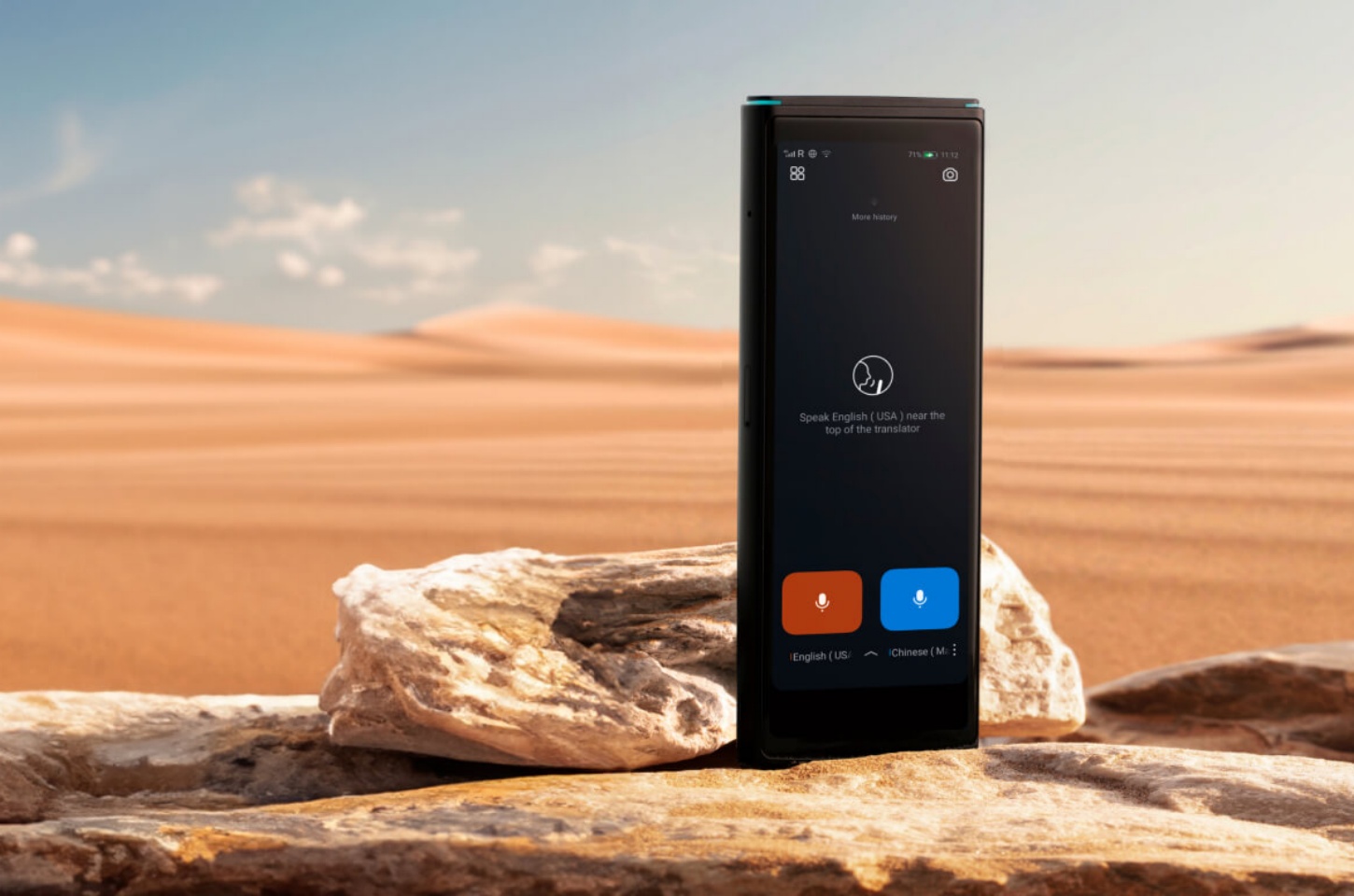
When it comes to dedicated pocket translators, the iFLYTEK Smart Translator stands out as a top contender. It combines all the essential features of a pocket translator, delivering a reliable and powerful translation experience. Thanks to advanced AI speech recognition technology, it offers high accuracy and supports a wide range of languages and dialects, making it a versatile tool for any situation.
What truly sets the iFLYTEK Smart Translator apart is its robust offline translation capability. Users can download multiple language packs, ensuring effective communication even in remote areas with no Wi-Fi or cellular service. This is a significant advantage over translation glasses, which typically rely on a constant internet connection for real-time translation. Additionally, iFLYTEK provides two years of free data for its translator pen, allowing users to access offline translation without worrying about connectivity.
With its intuitive touch screen and long-lasting battery, the iFLYTEK Smart Translator can be used for hours on end, making it an indispensable tool for global travelers and business professionals who need to bridge language gaps anytime, anywhere.
FAQs
Are translation glasses as accurate as pocket translators?
Generally, no. Pocket translators are designed with dedicated hardware and software for voice translation, which often results in higher accuracy for nuances and complex sentences in spoken conversation. Translation glasses are still a developing technology, with some models being less refined for spoken language.
Do these devices work offline?
Some high-end models of pocket translators, like the iFLYTEK Smart Translator, offer offline translation for specific language pairs. This feature is less common in translation glasses, which often rely on a constant internet connection for processing and displaying information.
Can I use these devices for language learning?
Pocket translators can be a great supplementary tool for language learning, as they allow you to practice conversations with a real-time feedback loop. Translation glasses are less effective for this purpose, as their primary function is to translate and display, not to facilitate spoken practice.
Final Word
Both translation glasses and pocket translators are big steps forward in communication technology. There is no single “better” device. It depends on what you need.
If you want hands-free use and the ability to read your surroundings easily, translation glasses are a great choice.
If you need a reliable and accurate tool for talking directly with others, a pocket translator is the best option.
Whichever device you choose, it helps you communicate and connect with people across languages. Language becomes a bridge, not a barrier.



