-1944x.jpg?w=1450&h=960)
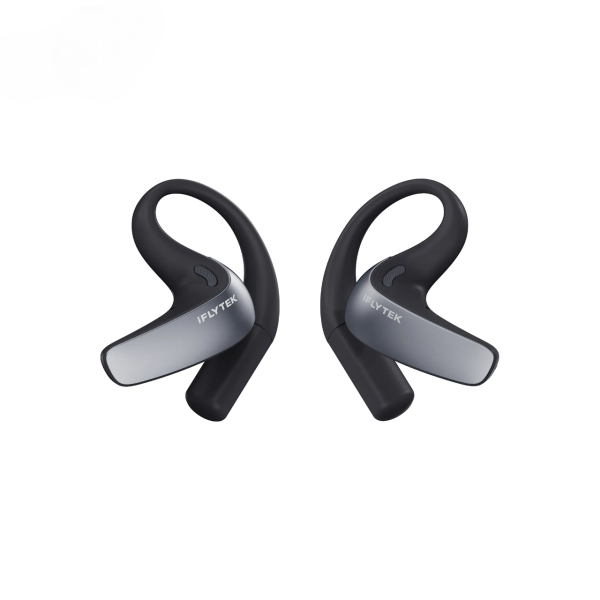
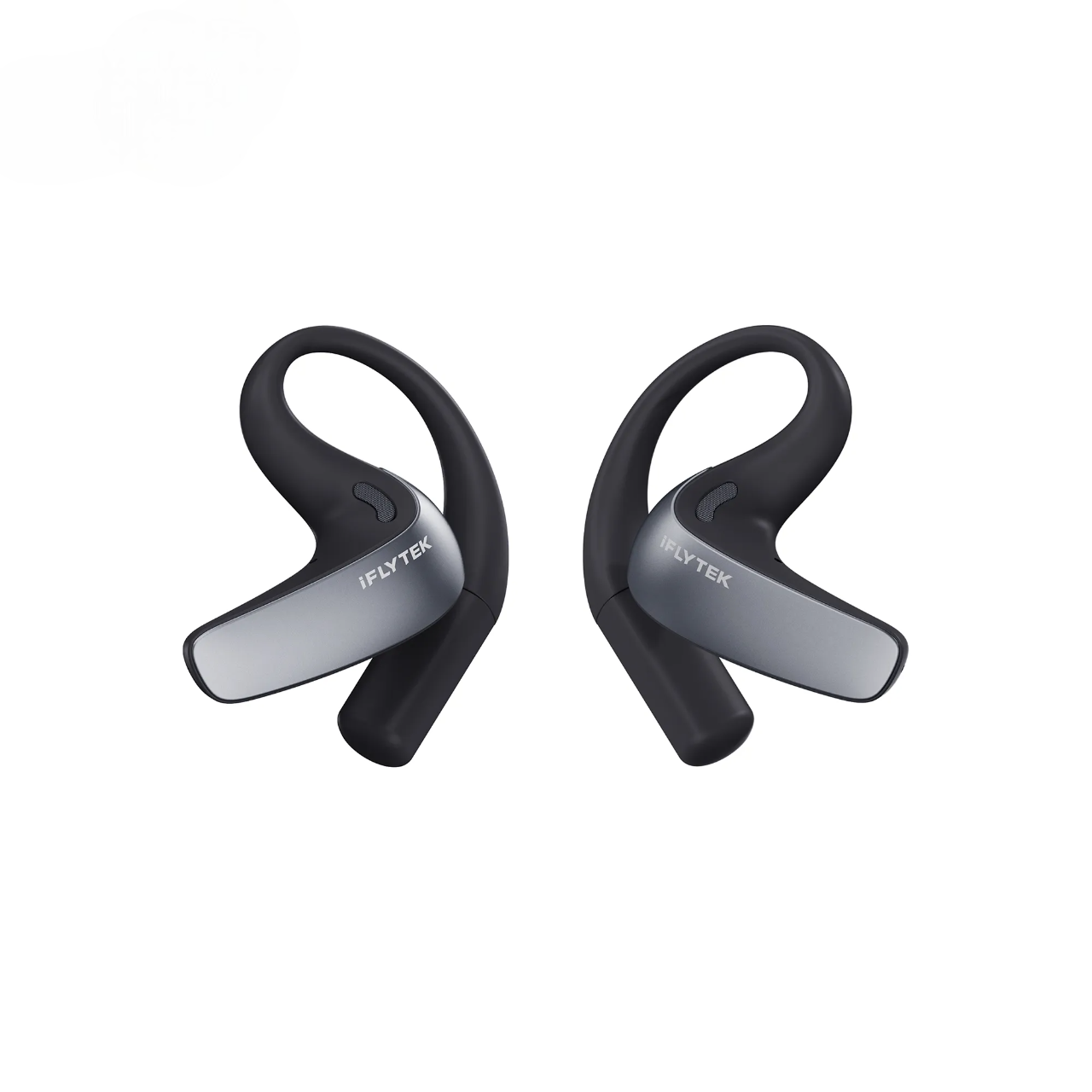
iFLYTEK AI Translation Earbuds
Freelancers working across languages need translation earbuds that can keep up with different parts of the job:
- Client calls: real-time translation helps conversations move naturally without repeatedly pausing to use a phone app.
- Multilingual meetings: bilingual transcription and meeting summaries make it easier to review requirements, decisions, and next steps.
- Business travel: offline translation, effective noise reduction, and long battery life support communication in airports, exhibitions, offices, and other unfamiliar environments.
For freelancers who want one solution across calls, meetings, face-to-face conversations, and travel, iFLYTEK AI Translation Earbuds are our top recommendation. They combine two-way translation in 60 languages and 116 regional accents with professional terminology support, AI noise reduction, offline translation, bilingual transcription, and intelligent meeting summaries.
The 10 Best Translator Earbuds for Freelancers at a Glance
|
Product |
Best suited to |
Key capabilities |
Selection note |
|
iFLYTEK AI Translation Earbuds |
Best overall for calls, meetings, and travel |
60 languages, 116 accents, 17 industry-specific models, call translation, bilingual transcription, AI summaries, and offline translation |
The most complete option for professional multilingual work |
|
Timekettle W4 Pro |
Frequent phone and video calls |
Call, meeting, media, and face-to-face translation |
A call-focused alternative that relies on internet access for some modes |
|
Timekettle W4 |
Fast face-to-face communication |
Real-time interpretation, voice capture, and self-correcting translation |
Best suited to conversation-focused workflows |
|
Timekettle WT2 Edge |
Extended two-person conversations |
Each participant can wear one earbud for two-way communication |
Primarily designed for face-to-face use |
|
Timekettle M3 |
Entry-level dedicated translation |
Translation, music, calls, and selected offline language pairs |
Suitable for lighter translation needs |
|
Vasco Translator E1 |
In-person multilingual conversations |
Dedicated translation earbuds with a companion app |
Focused mainly on face-to-face communication |
|
Apple AirPods Pro 3 |
Freelancers in the Apple ecosystem |
Live Translation for conversations, Phone, and FaceTime |
Requires an Apple Intelligence-enabled iPhone |
|
Apple AirPods 4 with ANC |
Apple users who prefer an open fit |
Apple Live Translation through a compatible iPhone |
Translation capabilities depend on the connected iPhone |
|
Samsung Galaxy Buds3 Pro |
Compatible Galaxy device users |
Interpreter listening, conversation, and supported call translation |
Features vary by phone, language, and region |
|
Google Pixel Buds Pro 2 |
Google Translate and Android users |
Conversation and Transcribe modes |
Uses a compatible Android phone and an internet connection |
Translation features may vary by language pair, mode, region, phone model, and app version.
What Freelancers Should Look for in Translator Earbuds
The largest language count does not automatically make a pair of earbuds the best choice. Freelancers should focus on how the product performs in real working situations.
Support for Calls and Online Meetings
Some earbuds can make ordinary Bluetooth calls but cannot translate the conversation. Freelancers who work remotely should confirm that the product supports real-time translation for phone calls, video calls, and commonly used meeting apps.
Natural Two-Way Communication
A good translation workflow should reduce the need to pass a phone back and forth. Low-latency two-way translation helps both participants maintain eye contact and respond more naturally.
Transcription and Meeting Follow-Up
Translated audio helps during a conversation, but a bilingual transcript remains useful afterward. It allows freelancers to review names, requirements, prices, deadlines, and action items before sending a written recap.
Noise Reduction
Client conversations do not always take place in quiet offices. Effective voice pickup is important in cafés, airports, exhibitions, co-working spaces, and busy meeting rooms.
Offline Translation and Battery Life
Travel often involves unstable Wi-Fi or expensive mobile data. Offline translation provides an important backup, while long battery life helps the earbuds last through flights, conferences, client visits, and meetings.
1. iFLYTEK AI Translation Earbuds — Best Overall
iFLYTEK AI Translation Earbuds combine real-time translation for calls, meetings, face-to-face conversations, and travel with bilingual transcription and AI meeting summaries. Support for 60 languages, 116 regional accents, and 17 industry-specific models makes them particularly useful for freelancers handling professional terminology and international clients.
With offline translation and AI noise reduction, they provide the broadest combination of work-focused features among the options covered here. A single earbud supports up to 6 hours of continuous translation and up to 12 hours of music playback. Actual battery life varies by mode, volume, connectivity, and other settings.
2. Timekettle W4 Pro — Best for Call-Focused Workflows
Timekettle W4 Pro supports phone calls, online meetings, media translation, and one-to-one conversations.
Its call-oriented design makes it relevant for freelancers who spend much of their working day speaking with international clients through mobile or video calls. It also provides audio and text records and supports selected offline language packs.
Some call and media translation modes require internet access, so users should confirm connectivity and language support for their preferred workflow.
3. Timekettle W4 — Best for Fast Conversations
Timekettle W4 focuses on low-latency two-way communication. Its voice-capture and self-correcting translation features are designed to maintain the rhythm of face-to-face conversations.
It is most relevant to freelancers whose work involves sales discussions, networking, supplier communication, or short collaborative conversations.
4. Timekettle WT2 Edge — Best for Two-Person Communication
The WT2 Edge uses a shared-earbud format in which two participants can each wear one earbud. This approach can make extended conversations between colleagues or regular clients feel more natural.
Its main strength is face-to-face communication rather than phone calls or online meetings.-10.png?w=1450&h=960)
5. Timekettle M3 — Best for Lighter Translation Needs
Timekettle M3 combines face-to-face translation, music, and ordinary Bluetooth calls in one device. It supports online translation and selected offline language pairs, although offline availability depends on the product version and downloaded language packs. Its ordinary calling function should not be confused with dedicated real-time call translation.
It is suitable for travelers and occasional users who want translation and everyday audio functions in one pair of earbuds without requiring a complete meeting-management workflow.
6. Vasco Translator E1 — Best for In-Person Communication
Vasco Translator E1 is designed around multilingual face-to-face conversations using dedicated earbuds and a companion mobile app.
It can be considered for trade shows, international travel, and on-site communication. Freelancers who mainly work through remote calls should confirm whether its workflow supports their preferred platforms.
7. Apple AirPods Pro 3 — Best for Apple Ecosystem Users
Apple Live Translation works with AirPods Pro 2 and later, including AirPods Pro 3, when paired with an Apple Intelligence-enabled iPhone running iOS 26 or later.
The feature supports nearby conversations as well as translation in Phone and FaceTime. It is convenient for freelancers who already own compatible Apple devices and want translation alongside everyday audio features.
Its language selection is more limited than that of specialist translator earbuds, and the experience remains closely tied to the iPhone.
8. Apple AirPods 4 with ANC — Best Open-Fit Apple Option
AirPods 4 with Active Noise Cancellation also support Apple Live Translation when paired with a compatible iPhone.
They offer an alternative for Apple users who prefer their fit and want translation for selected conversations and calls. The translation is processed through the Apple ecosystem rather than through a dedicated professional interpretation platform.
9. Samsung Galaxy Buds3 Pro — Best for Galaxy Users
Galaxy Buds3 Pro can work with Samsung Interpreter on compatible Galaxy phones.
Listening Mode can deliver translated speech during presentations and conversations, while Conversation Mode supports two-way communication. Samsung also supports real-time translation in selected call scenarios.
This is a practical option for freelancers who already use a compatible Galaxy device.
10. Google Pixel Buds Pro 2 — Best for Google Translate Users
Google Pixel Buds work with Google Translate on compatible Android phones.
Conversation Mode supports bilingual exchanges, while Transcribe Mode lets users hear translated speech and follow text on the phone. The documented workflow requires an internet connection, and translation is not instantaneous.
It is most appropriate for Android users who need convenient translation for selected conversations rather than a complete professional meeting system.
Which Earbuds Fit Your Freelance Workflow?
Client Calls
For multilingual client calls, prioritize real-time call translation, clear voice capture, and text that can be reviewed afterward.
iFLYTEK AI Translation Earbuds combine Call Translation with bilingual transcription and meeting tools, supporting both the conversation and the follow-up work. Timekettle W4 Pro is another option for users with a strongly call-focused workflow.
Online and In-Person Meetings
Meeting translation should do more than play translated audio. Transcripts and summaries help freelancers check project requirements, responsibilities, deadlines, and next steps.
iFLYTEK’s integrated meeting assistant makes it possible to move from live interpretation to bilingual records and AI-generated summaries without switching between separate tools.
International Travel and On-Site Work
Travel places additional demands on translator earbuds. Users may need to communicate in airports, hotels, exhibitions, taxis, restaurants, and client offices, sometimes without reliable internet access.
iFLYTEK combines offline translation with AI noise reduction, an open-ear design, and extended battery life, making it suitable for communication throughout a business trip rather than only for short travel phrases.
Translator Earbuds vs. Phone Translation Apps
Phone translation apps remain useful for reading signs or translating occasional phrases. However, they often require users to hold the phone, select a language, press a microphone button, and wait for the translated response.
Translator earbuds provide a more natural hands-free workflow. Users can maintain eye contact, listen directly through the earbuds, and respond without repeatedly passing a phone between speakers.
For freelancers who communicate across languages regularly, this smoother interaction can improve meeting flow and create a more professional client experience. If you are deciding whether dedicated hardware is worth using, our guide to translation earbuds versus phone translation apps explains where each option works best.
How to Get Better Results from Translator Earbuds
- Select the source and target languages before the conversation begins.
- Choose the correct mode for a call, meeting, face-to-face conversation, or event.
- Keep the microphones unobstructed and reduce background noise when possible.
- Ask participants to speak in complete sentences and avoid talking over one another.
- Review the bilingual transcript after important meetings.
- Confirm prices, dates, responsibilities, and deadlines in writing.
Understanding the underlying process can also help you choose the right mode and set realistic expectations for speed and accuracy. See how translation earbuds work for a closer look at the technology. Before choosing a device, you can also review the most important features in our guide to real-time translator earbuds for travel and business conversations.
FAQ
Are translator earbuds suitable for professional meetings?
Yes. Translator earbuds can support multilingual meetings by delivering real-time translated audio. Products with bilingual transcription and meeting summaries can also help users review important information afterward.
Can translator earbuds translate phone and video calls?
Some models can. iFLYTEK AI Translation Earbuds support translation for regular phone calls and compatible audio, video, and meeting apps. Always check the supported language and application before an important call.
Can translator earbuds work offline?
Professional models may offer offline translation for supported language pairs. Offline capability is especially useful during flights, international travel, or work in locations with unstable internet access.
Are translator earbuds better than translation apps?
Translation apps work well for short phrases and text. Translation earbuds are better suited to continuous, hands-free conversations because they reduce phone handling and help users maintain a more natural communication flow.
What are the best translator earbuds for freelancers?
iFLYTEK AI Translation Earbuds are our recommended overall option for freelancers because they cover phone calls, online meetings, face-to-face communication, events, and travel while also providing bilingual transcription and AI meeting summaries.
Final Verdict
The best translator earbuds for freelancers should support the full working journey—not just a single translated conversation.
iFLYTEK AI Translation Earbuds bring together real-time two-way translation, professional terminology support, call translation, bilingual transcription, AI meeting summaries, offline communication, intelligent noise reduction, and long battery life.
This combination makes them a complete choice for freelancers who work with international clients across calls, meetings, collaborative projects, live events, and business travel.