
iFLYTEK AI Recorder P1 Pro

iFLYTEK AI Recorder S6
An interview can sound perfectly clear in the room and still be frustrating to review later. A recorder placed beside a laptop may capture the cooling fan more clearly than the guest. Two people speaking at once can confuse speaker labels, while a misspelled name can make an otherwise accurate transcript difficult to quote.
A phone may be enough for a short conversation in a quiet office. Field interviews, press events, long sessions, and multi-speaker discussions place heavier demands on microphone coverage, battery life, transcription, and file handling. Those conditions—not the length of a feature list—should determine which voice recorder for interviews goes on the table.
Choose for the Room, Not the Feature List
Start with four practical questions:
- How many people will speak?
- How far will they sit from the recorder?
- How much background noise or echo is expected?
- Will the files need to remain offline?
|
Recorder |
Best interview scenario |
Relevant capabilities |
|
Mobile and one-on-one interviews |
22.5 g portable design, dual microphones, voice pickup up to 5 meters, app-based transcription and file management |
|
|
Professional interviews and small group discussions |
Three-microphone array, directional and omnidirectional modes, pickup up to 10 meters, 64 GB storage and USB-C export |
|
|
Interviews that require an offline workflow |
Recording up to 10 meters, offline real-time transcription and direct computer transfer |
|
|
Press events, panels, and larger interview spaces |
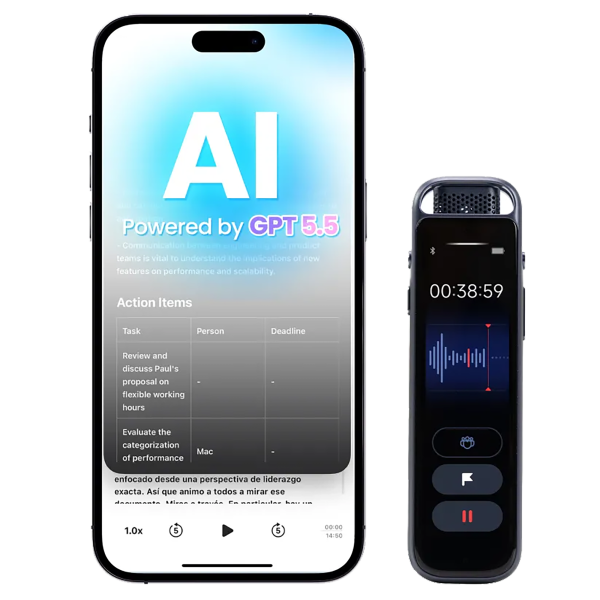
Eight-microphone array, pickup up to 20 meters, online and offline transcription, speaker identification, and multi-device file access |
For a close, one-on-one interview, microphone placement usually matters more than maximum pickup range. P1 keeps the setup light and unobtrusive. P1 Pro makes more sense when the conversation may expand into a small group discussion or when direct USB-C file transfer is part of the workflow.
Network conditions create a separate decision. Smart Recorder keeps real-time transcription offline when a stable connection is unavailable or local processing is preferred. S6 fits press conferences and panel interviews, where several speakers may be spread across a larger room.
A recorder’s stated pickup distance is a limit, not an ideal placement recommendation. Moving the recorder closer almost always produces cleaner speech than placing it at the far edge of its range.

Prepare Before the First Question
Consent, Battery, and a Test Recording
Tell participants that the interview will be recorded. Explain how the audio and transcript will be used, stored, and shared.
Recording and consent requirements vary by location and situation. Legal, medical, employment, and confidential interviews may also be subject to organizational rules. Confirm the applicable requirements before the conversation begins. A discreet recorder should reduce distraction, not hide the fact that recording is taking place.
Charge the device and check its remaining storage before leaving for the interview. Leave room for delays, follow-up questions, and a conversation that runs longer than scheduled. For an interview that cannot be repeated, bring a compatible charging cable or power bank.
Then record 20 seconds of normal conversation. Listen through headphones. This short check may reveal a blocked microphone, excessive room noise, the wrong recording mode, low input volume, or a guest sitting too far away.
Select the Recording Mode
Use directional recording when one main speaker sits in front of the recorder. It reduces the emphasis on sound arriving from other directions.
Omnidirectional mode is a better fit for roundtable interviews, focus groups, and small panels. Place the recorder near the center rather than at one end of the table.
A meeting or group mode may provide more suitable processing for several speakers. When the connection is unreliable or the material should remain in a local workflow, select an offline transcription option before the session starts.

Recorder Placement by Interview Type
One-on-One and Directional Interviews
Place the recorder on a stable surface between the interviewer and guest. Keep the microphones clear of laptops, cups, paper stacks, phones, bags, and clothing.
Constant noise causes more trouble than an occasional sound. Avoid air conditioners, fans, coffee machines, open windows, and laptop exhaust. Hard rooms with bare walls may also produce enough echo to reduce transcription accuracy. Moving to a smaller furnished room is often more effective than trying to correct poor audio later.
If the guest sits farther away, point the directional microphones toward that person and leave the recorder in place. Repeatedly moving or touching it introduces handling noise.
Phone and Video Interviews
A recorder placed beside a laptop or speakerphone may capture echo, keyboard noise, and uneven volume between the two speakers. When possible, use an approved recording method that captures both sides of the call directly.
Make a short test call before the interview. Confirm that both voices are audible and reasonably balanced. Headphones may improve the call experience, but they can also prevent an external recorder from capturing the remote participant, so test the complete setup rather than one component at a time.
Permission to record still applies to phone and video interviews.
Panels and Group Discussions
An omnidirectional recorder should sit near the center of the group. Ask participants to avoid speaking over one another and, where practical, state their names before their first response.
For a press conference or larger room, wider microphone coverage and speaker identification become more valuable. S6 is the stronger fit when speakers are distributed across the space rather than gathered around one table.
More general advice on room noise and microphone placement is available in How to Record Voice Effectively.
Keep the Conversation Easy to Review
Ask one focused question at a time and leave enough space for the answer. Overlapping speech creates extra work later, especially when the transcript needs to separate the interviewer from the guest.
Names, organizations, locations, product names, and unfamiliar technical terms are worth spelling aloud while the recorder is running. Ten seconds spent confirming a name can prevent a long search during fact-checking.
Use a bookmark or key-moment marker when an answer contains a strong quotation, disputed figure, or point that needs follow-up. If the recorder lacks markers, note the approximate time on paper or in a separate document.
Room conditions may change. A door opens, music starts, or the guest moves back from the table. When noise affects an important answer, fix the setup and ask for the answer again. Transcription software cannot restore words that the microphone never captured clearly.
Interviews that cannot easily be repeated may justify a second approved recorder. Test and charge the backup just as carefully as the main device, and place it separately so that one obstruction or equipment problem does not affect both recordings.
Review the Transcript Before Quoting
Save and back up the original audio before editing files or clearing the recorder. Complete the transcription through the recorder, connected app, or supported web workflow, using the correct language setting.
Speaker identification speeds up review, but its labels still need human checking. Similar voices, interruptions, and overlapping answers may cause incorrect attribution.
Pay particular attention to:
- Names and job titles
- Dates, prices, measurements, and other figures
- Product names and technical terminology
- Speaker labels
- Negatives such as “did” and “did not”
- Quotations selected for publication
- Sections affected by noise or overlapping speech
Read every published quotation while listening to the corresponding audio. Small wording differences may change tone or meaning even when the rest of the transcript is accurate.
A fuller transcription workflow is available in How to Properly Transcribe an Interview.
Store the Audio and Transcript Together
Keep the source recording, reviewed transcript, consent information, and interview notes in the same project folder. Consistent file names reduce the chance of matching a transcript to the wrong recording.
For example:
- 2026-10-19_Speaker-Name_Interview-Audio
- 2026-10-19_Speaker-Name_Transcript-Reviewed
Do not overwrite the source audio with an edited copy. Restrict access when an interview contains personal, confidential, embargoed, or unpublished information.
Common Recording Problems
The Voices Sound Distant or Hollow
Move the recorder closer and reduce the distance between participants. Soft furnishings can reduce echo in a bare room. Maximum pickup range should be treated as a capability for difficult situations, not the preferred distance for every interview.
Speaker Labels Are Incorrect
Check the audio wherever speakers interrupt each other or have similar voices. Replace generic labels with names only after confirming the attribution. Asking participants to identify themselves at the beginning of a group interview gives the transcript a useful reference.
The Exported File Is Incomplete
Open the copied audio and check its duration before deleting anything from the recorder. Listen briefly at the beginning and end, then confirm that the transcript belongs to the same session. A file appearing in the destination folder does not necessarily mean the transfer completed correctly.
FAQ
What Is the Best Voice Recorder for Interviews?
P1 fits portable one-on-one interviews. P1 Pro offers more microphone control for professional interviews and small groups. Smart Recorder supports an offline transcription workflow, while S6 is better suited to press events, panels, and larger rooms.
Is a Phone Good Enough for Recording Interviews?
A phone may be sufficient for a short conversation in a quiet room. A dedicated recorder becomes more practical when the interview requires longer battery life, wider microphone coverage, physical recording controls, speaker identification, transcription, or more reliable file management.
Where Should a Recorder Be Placed?
For a one-on-one interview, place it on a stable surface between the speakers. For a group discussion, position an omnidirectional recorder near the center. Keep the microphones uncovered and away from constant noise.
Can an Interview Recorder Identify Different Speakers?
Supported iFLYTEK recorders can label different speakers in a transcript. Overlapping speech and similar voices may still produce errors, so check every attribution that will appear as a published quotation.
Is Permission Required Before Recording?
Clearly inform participants and obtain the permission required for the situation. Laws and organizational policies vary, particularly when interviews involve confidential, employment, medical, or legal information.
Match the Recorder to the Interview
For most one-on-one interviews, a smaller recorder placed close to both speakers is more useful than maximum pickup range. Larger panels call for wider microphone coverage and stronger speaker separation.
Test the complete setup before the first question, spell out details that will need fact-checking, and keep the original audio until every quotation has been verified.