

As remote work, digital meetings, and on-the-go productivity become the new norm, a high-performance business tablet is no longer just a convenience; it’s a necessity. The right tablet can help you work smarter, stay organized, and collaborate efficiently from anywhere.
In this article, we’ll explore what makes a tablet great for business, introduce the top 6 tablets for professionals in 2025, and provide tips on how to choose the one that matches your needs.
What Makes a Tablet Great for Business?
When choosing a tablet for business, it’s essential to look beyond just brand names or screen sizes. A truly business-grade tablet should empower productivity, enhance communication, and adapt to your workflow. Here are the key attributes that define a great business tablet in 2025:
1. Processing Power and Multitasking
Business users often need to run multiple applications at once. That means the best business tablets are equipped with next-generation processors and offer at least 8GB of RAM if not 16GB or more for demanding users.
Features like split-screen multitasking, floating windows, and desktop modes ensure these devices keep pace with your workday.
2. Keyboard and Stylus Integration
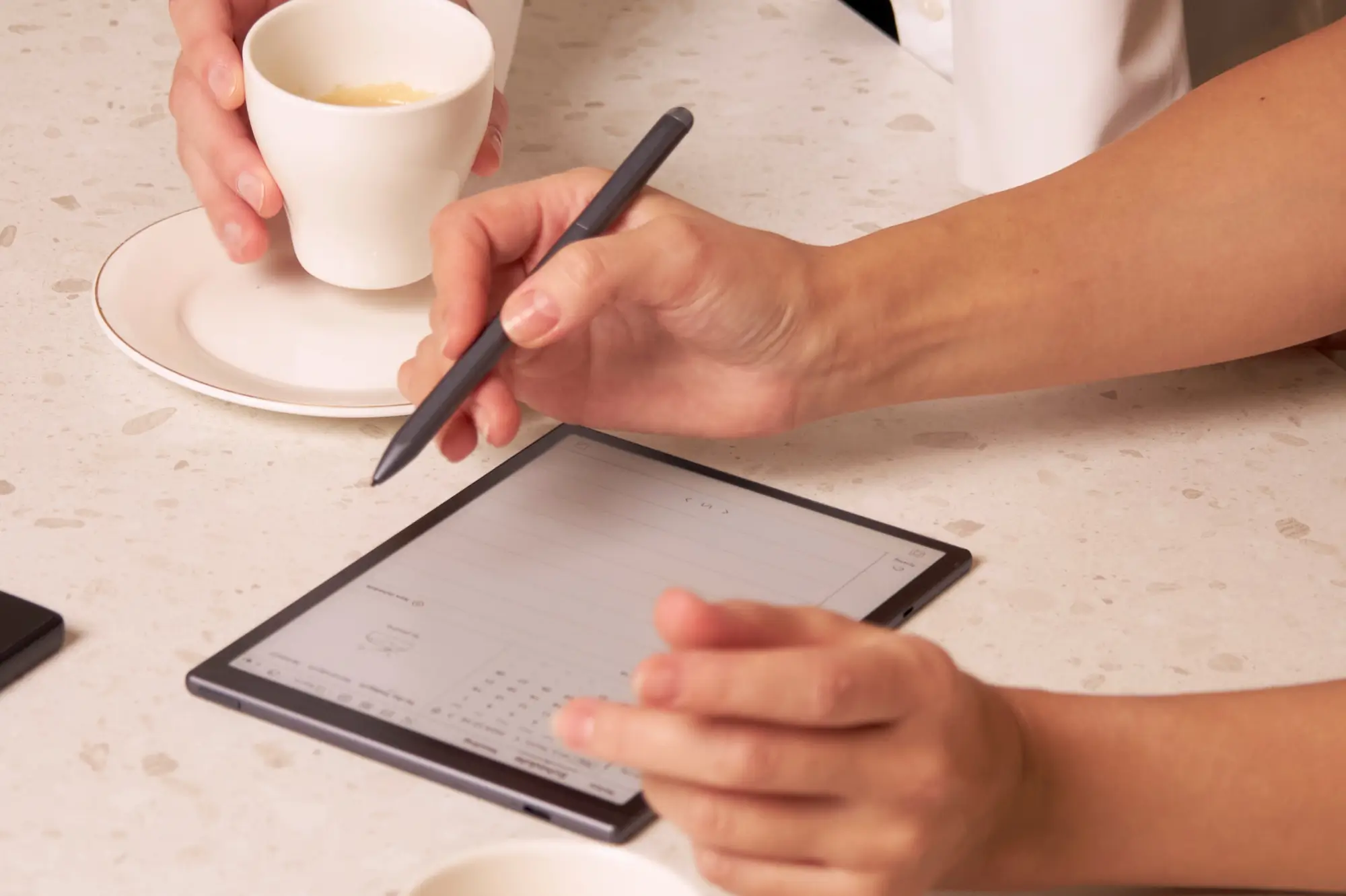
A well-integrated keyboard can transform a tablet into a true laptop alternative, while stylus support enables precise note-taking, brainstorming, and design work.
3. Battery Life
Business travel, back-to-back meetings, and long commutes demand strong battery life. A solid device should last 10 to 15 hours on a single charge. Fast-charging capabilities, such as reaching 50% in 30 minutes, and universal USB-C ports make power management far more convenient, especially on the go.
4. Display Quality
A great display also elevates business use. Reading lengthy reports, participating in video conferences, or showcasing presentations demands a screen that's sharp, bright, and color-accurate. Look for at least 2K resolution, brightness over 500 nits for outdoor use, and features like e-ink-style displays for eye comfort.
5. Business-Centric Software & Security
Beyond hardware, software integration and security features are vital. Tablets must seamlessly support productivity tools. Business users should also expect enterprise-grade security.
6. Portability & Build Quality
The ideal business tablet should be lightweight and durable, allowing you to carry it between meetings or on trips with ease.
Top 6 Best Tablets for Business in 2025
Here are our top picks across different categories, from AI-powered productivity devices to powerhouse tablets designed for multitasking and creative professionals.
1. iFLYTEK AINOTE Air 2
The iFLYTEK AI Note Air 2 goes beyond traditional tablets by integrating artificial intelligence into every part of the workflow. With its blend of smart AI features, language flexibility, and distraction-free E Ink interface, it’s not just a tablet, it’s a business productivity powerhouse.
Real-Time Translation in 10 Languages
The AINOTE Air 2 features industry-leading real-time voice transcription, converting spoken content into clear, organized text. It supports 10 languages for real-time translation, ensuring no detail is lost and allowing you to capture and organize important information effortlessly when you're attending a multinational conference.
AI-Powered Summaries & Action Points
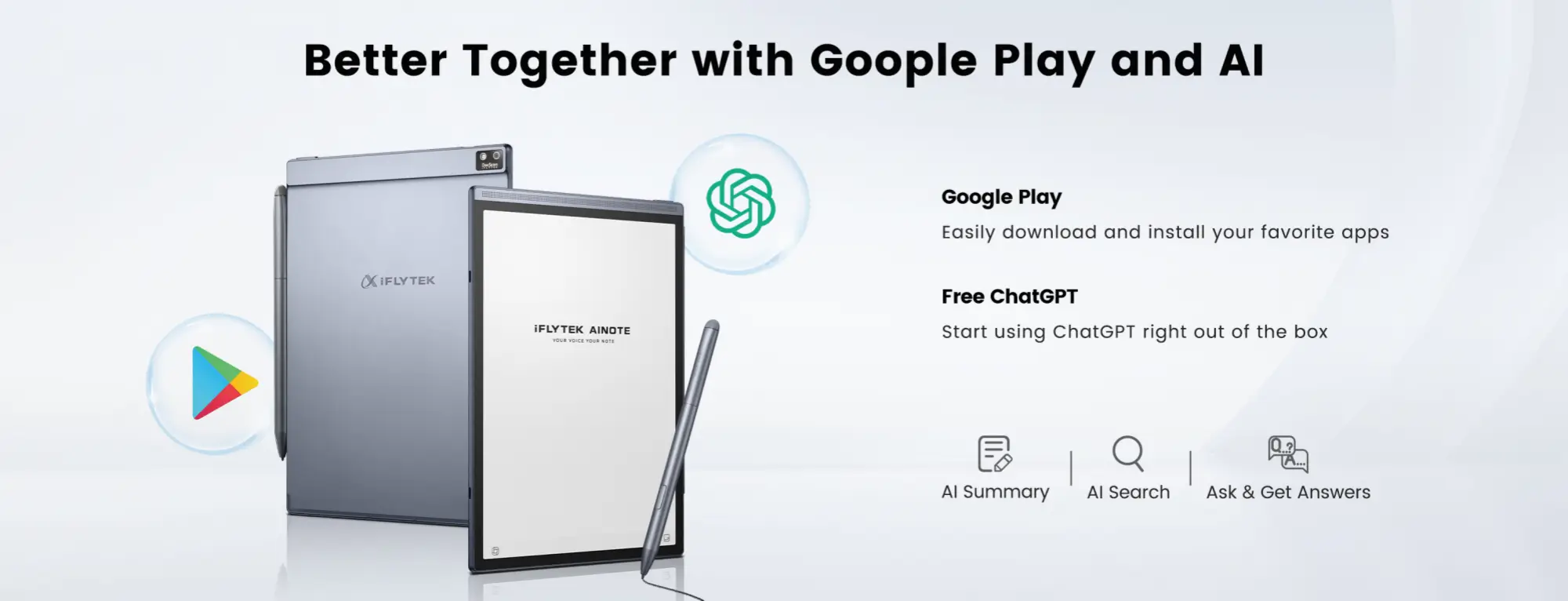
The AINOTE Air 2 uses ChatGPT-powered AI to instantly generate summaries and meeting overviews, saving valuable time on manual notes
Smart Pen Gesture Feature
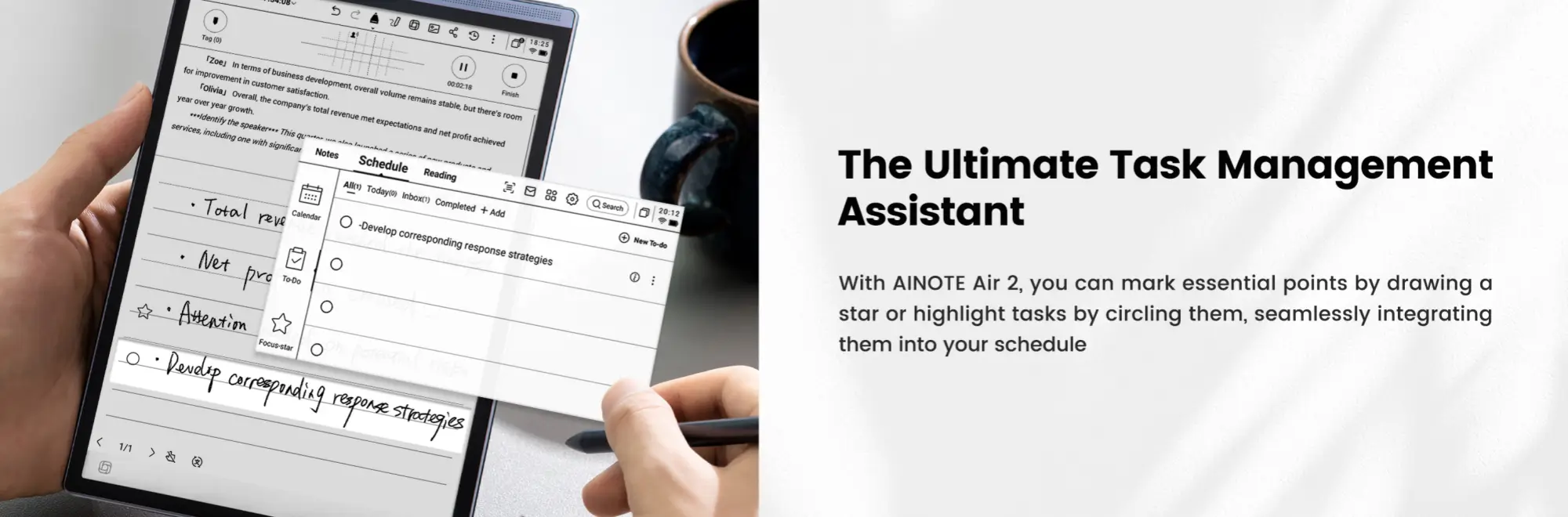
This device offers an intuitive "smart pen gesture" feature. By drawing simple shapes like stars or circles, users can mark key handwritten content, which is then instantly converted into printed text and highlighted in dedicated task or schedule modules.
This makes it easy to track action items or important notes without interrupting your writing flow.
Secure Cloud Backup & Cross-Platform Sync
Forget misplaced notebooks or lost data. The AINOTE Air 2 offers seamless cloud backup, automatically syncing all notes across your devices via the dedicated AINOTE Mobile app.
Business-Ready Design: Lightweight with Long Battery Life
Designed for mobile professionals, the AINOTE Air 2 is ultra-portable and offers up to 7 days of battery life on a single charge. Its E Ink display provides a paper-like writing experience while reducing eye strain, making it ideal for long sessions, whether in meetings, on flights, or during solo brainstorming.
2. Apple iPad Pro M4 (2025)
Apple’s latest iPad Pro features the blazing-fast M4 chip, making it one of the most powerful tablets ever built. With support for the Apple Pencil Pro and Magic Keyboard, it’s ideal for designers, developers, and business users who need desktop-level performance in a tablet.
Key Selling Points:
- M4 chip for lightning-fast processing
- Up to 2TB storage
- Ultra Retina XDR OLED display
- Magic Keyboard and Apple Pencil Pro support
- Face ID for secure access
- Up to 12 hours of battery life
- Seamless integration with macOS and iCloud
- Optional 5G connectivity
- Durable, slim design
Pros:
- Superfast multitasking
- Best-in-class display
- Creative and productivity tool in one
Cons:
- Expensive, especially with accessories
- iPadOS has app limitations compared to macOS
3. Microsoft Surface Pro 10
The Surface Pro 10 blends the portability of a tablet with the full productivity of Windows 11 Pro. It runs traditional desktop software like Excel, PowerPoint, and Outlook, making it ideal for professionals who need access to full-featured applications.
Key Selling Points:
- Full Windows 11 Pro OS
- 13" PixelSense Flow touchscreen
- Intel Core Ultra processors
- Detachable Type Cover with trackpad
- Up to 1TB SSD storage
- USB-C, Thunderbolt 4 ports
- Surface Slim Pen 2 with haptic feedback
- Facial recognition login
- Long battery life
Pros:
- Runs full desktop software
- Versatile 2-in-1 design
- Great keyboard and pen experience
Cons:
- Pricier with accessories
- Slightly bulkier than pure tablets
4. Samsung Galaxy Tab S10 Ultra
Samsung’s flagship Android tablet delivers stunning visuals, great battery life, and multitasking power. With DeX Mode, it can function as a desktop computer replacement — ideal for professionals working across cloud platforms.
Key Selling Points:
- Large 14.6" AMOLED display
- Qualcomm Snapdragon Gen 3 processor
- DeX desktop interface
- S Pen included
- Seamless app syncing across Galaxy ecosystem
- Ultra-thin and lightweight build
- Fast charging and long battery life
- 5G and Wi-Fi 6E support
- Advanced multitasking with split-screen
Pros:
- Fantastic display and speed
- Excellent stylus and handwriting support
- DeX mode enables desktop-like experience
Cons:
- Expensive top-tier models
- Some apps not fully optimized for tablet view
5. Lenovo Tab P13 Pro
For professionals who want premium features without the premium price, the Lenovo Tab P13 Pro is a solid business tablet. It includes stylus support, a high-resolution display, and solid battery life at a competitive price point.
Key Selling Points:
- 13” 2.5K display
- Snapdragon 8-series chip
- Stylus included
- Quad speakers with Dolby Atmos
- Long battery life
- Lightweight metal body
- USB-C charging
- Compatible with Lenovo’s productivity mode
Pros:
- Affordable but capable
- Great audio-visual experience
- Good for light to medium productivity
Cons:
- Not suitable for heavy multitasking
- App support less robust than iPad or Surface
6. Huawei MatePad Pro 13.2
Huawei’s MatePad Pro is a sleek and beautiful Android tablet focused on productivity and collaboration. It integrates well with Huawei phones and laptops, making it a good option for professionals already in the ecosystem.
Key Selling Points:
- 13.2" OLED screen
- HarmonyOS 4.0 system
- Lightweight at just 580g
- M-Pencil and keyboard support
- SuperCharge fast charging
- Multi-screen collaboration with Huawei devices
- Noise-canceling mic for meetings
- Business-style minimalist UI
Pros:
- Premium feel and lightweight
- Fast charging and good battery life
- Great ecosystem experience
Cons:
- Limited app availability outside China
- Not Google Play certified
Buying Guide: How to Choose the Right Tablet for Your Business
Choosing the right one depends on your specific needs, daily tasks, and future growth. Here’s a practical guide to help you decide.
First, it’s essential to define your primary use cases. Perhaps you’re looking for a laptop replacement that can handle multitasking with a keyboard and trackpad, or maybe you want a secondary device that complements your existing setup with seamless cross-platform syncing.
Next, selecting the right operating system is crucial because each ecosystem offers unique advantages. Apple’s iPadOS excels in app quality, security, and accessory support, making it ideal for executives and creatives.
Android devices provide flexibility and deep integration with Google Workspace across a range of price points.
Meanwhile, AI hybrid operating systems, like those found in the iFLYTEK AI Note Air 2, offer specialized productivity features such as voice transcription and multilingual collaboration, perfect for global business environments.
Performance should match your workload to avoid unnecessary expenses or bottlenecks. For light users who handle emails, video calls, and note-taking, tablets with 6–8GB of RAM and mid-tier processors are sufficient. Heavy users engaged in design, video editing, or coding should seek tablets with 16GB or more RAM.
Focus on features that align with your workflow for enhanced productivity. Stylus support with low latency and palm rejection is critical for those who take handwritten notes or annotate documents.
AI-powered transcription tools like those integrated into the iFLYTEK AI Note Air 2 which can streamline meeting productivity. If you work outdoors, consider tablets with anti-glare or e-paper displays.
FAQ
Are tablets a good replacement for laptops in business?
For many professionals, yes, especially with powerful chips, detachable keyboards, and desktop modes. However, for coding or design-heavy tasks, a laptop may still be preferable.
Can I use a business tablet without internet?
A: Most tablets can work offline for note-taking, document editing, and even translation (as seen in the iFLYTEK AI Note Air 2). Always check offline capabilities.
What’s the best tablet for travel and meetings?
The iFLYTEK AI Note Air 2 is highly travel-friendly, thanks to its lightweight build, AI features, and e-ink screen that’s easy on the eyes.
Conclusion
Choosing the best business tablet in 2025 depends on your work habits, budget, and productivity needs.
From raw performance with the iPad Pro or Surface Pro 10 to the versatile functionality of the Galaxy Tab S10, or AI-powered productivity features offered by the iFLYTEK AI Note Air 2, there’s a business tablet tailored to every professional need.
If your workflow also involves real-time communication or meeting documentation, iFLYTEK’s voice translator and AI voice recorder features make it a practical tool for modern professionals.
Related articles:



