
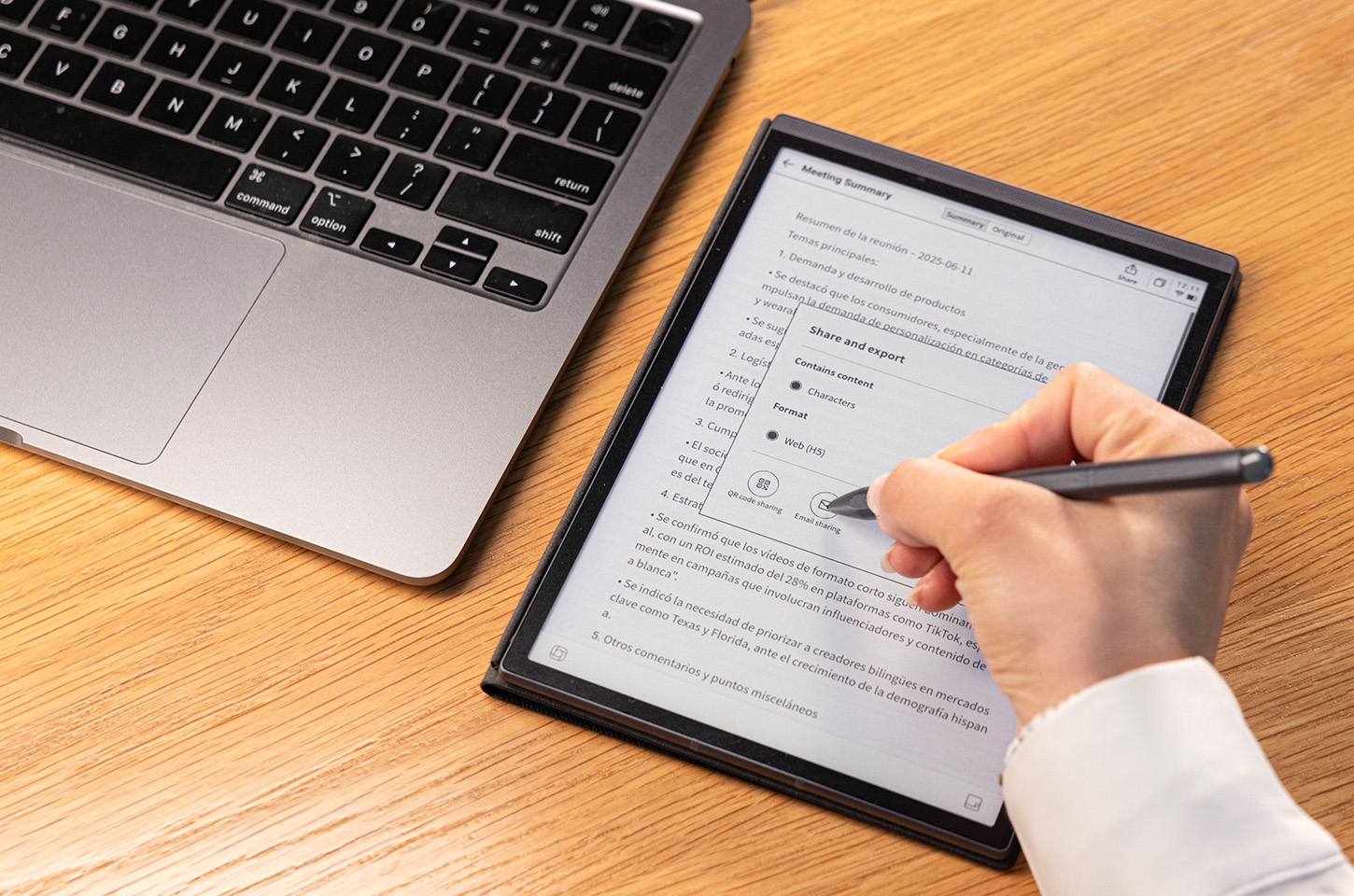
We’ve all been there: you’re caught in the "tab-switching" loop, your brain is fried from excessive screen time, and that brilliant idea you scribbled down during a 9:00 AM Zoom call has vanished into a mountain of sticky notes. While traditional paper planners offer a nostalgic charm, they simply can't keep pace with the hyper-linked, fast-moving reality of modern life. They lack the fluid flexibility and instant searchability required to survive a 60-hour work week or a demanding semester.
This is where the digital notebook steps in to bridge the gap between analog intent and digital speed. A digital notebook can help you organize tasks, plan your day, track projects, and boost productivity effortlessly. It’s more than just a replacement for paper; it’s a high-performance command center.
How to Set Up a Digital Notebook for Daily Organization
The secret to a successful organizational system isn't the device itself, but how you structure it. Follow these steps to turn your digital notebook into a high-functioning personal assistant.
Create a Simple Daily Structure (Tasks, Notes, Schedule)
Don't overcomplicate your layout on day one. A functional daily page should be divided into three primary zones:
- The Schedule: A chronological view of your appointments.
- The Task List: A prioritized list of "must-do" items.
- The Scratchpad: A free-form area for quick thoughts, phone numbers, or insights that strike during meetings.
Keeping everything in one visual spread reduces mental clutter. Many users find that an e ink tablet is better for focus because it removes app notifications and visual noise, allowing you to concentrate on what truly matters for the day.
Set Up Core Sections for Work and Personal Life
We often wear multiple hats like employee, parent, side-hustler, and fitness enthusiast. A digital notebook allows you to create distinct "Zones" for these roles to prevent them from blurring together. Try these categories:
- The Professional Zone: Dedicated spaces for client meetings, 1-on-1s, and project milestones.
- The Household Command Center: A spot for meal planning, home renovation bids, and family schedules.
- The "Brain Dump" (Inbox): A single page for those random ideas that hit you in the Starbucks drive-thru, which you can sort later.
- The Growth Stack: A separate area for your side hustle, gym progress, or personal learning.
Use Templates to Reduce Repetitive Setup
Why waste ten minutes every morning drawing a calendar? Use the power of templates to start your day. From Cornell Notes for meeting efficiency to daily habit trackers for personal goals, pre-designed layouts eliminate "blank page" anxiety and get you straight into deep work.
Sync or Import Existing Calendars and Tasks
Your digital notebook shouldn't be an island. Choose a device that allows you to sync with Google Calendar or Outlook. Seeing your digital ink right next to your scheduled meetings provides a holistic view of your day that a cramped phone screen simply can't match.
When your planning and scheduling coexist in one distraction-free interface, it becomes easier to reclaim your attention from scattered apps.
How a Digital Notebook Can Improve Your Daily Productivity
If you're still on the fence about switching from paper, you can consider how digital features solve the most common productivity leaks.
Keep All Daily Information in One Place
In a world of fragmented information, the "Where did I write that down?" moment is a productivity killer. Digital notebooks consolidate your voice memos, handwritten scribbles, PDF annotations, and typed lists into a single, searchable ecosystem.
Combine Handwriting with Searchable Text
Research shows that writing by hand improves memory retention. Modern digital notebooks use OCR (Optical Character Recognition) to make your handwriting searchable. You can write your notes by hand, but find them later by typing a keyword.
Reduce Context Switching During the Day
Every time you switch between your email, a project management app, and a physical notebook, you will lose focus reserves. By keeping your planning and execution within one interface, you maintain a "flow state" for longer periods.
Review and Adjust Your Day More Easily
Forget messy white-out and scribbled-out lines. With a digital notebook, you can just "lasso" your notes to move, resize, or reschedule them in seconds. It makes shifting your plans feel effortless instead of stressful. It gives you back a sense of control over an unpredictable day.
Which Digital Notebook Is Best for Daily Work and Planning?
While there are many tablets on the market, professionals often find that E-Ink digital notebooks offer the best focus-driven experience. iFLYTEK has emerged as a leader in this space, particularly for those who need AI-powered organization.
iFLYTEK AINOTE 2
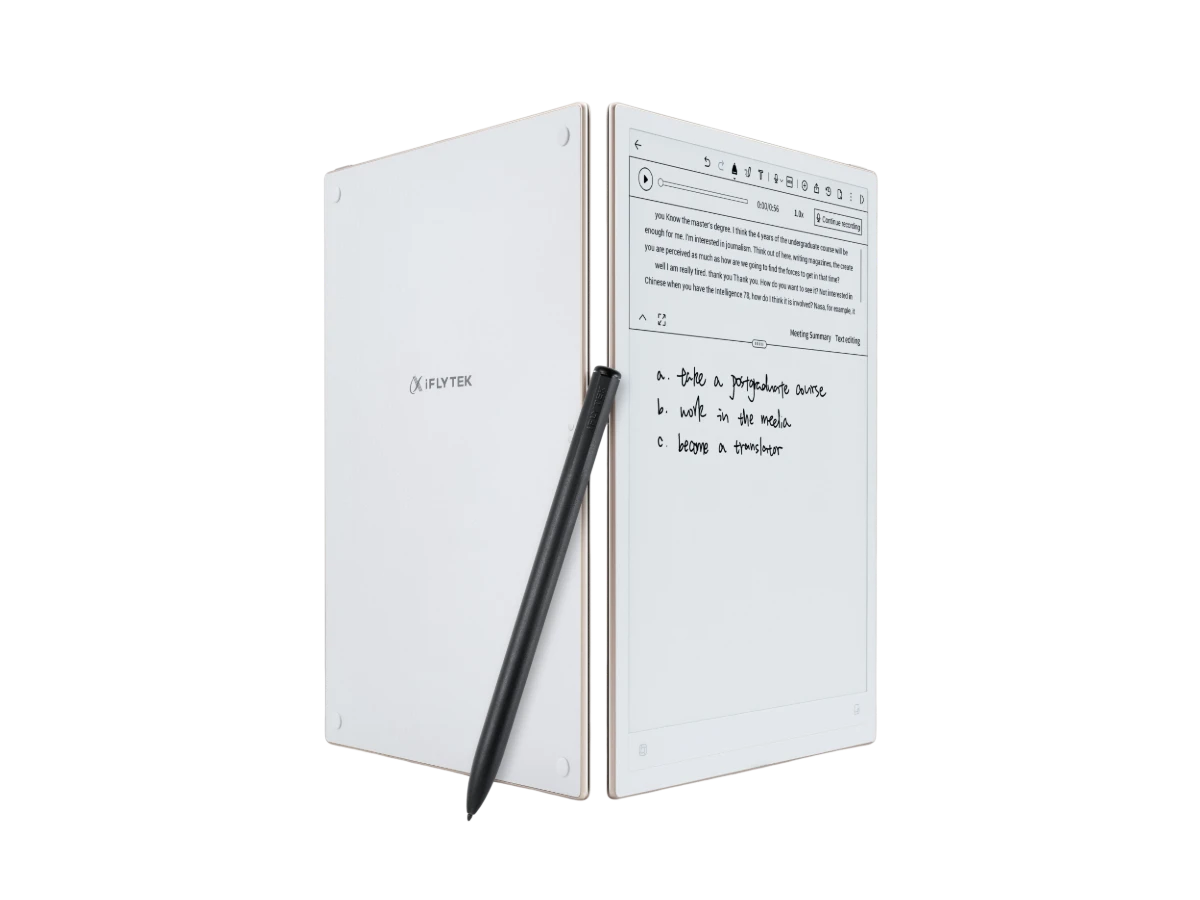
The iFLYTEK AINOTE 2 blends a tactile paper-like experience with cutting-edge AI to manage heavy workloads. It effortlessly organizes handwritten notes and complex documents, providing digital speed while retaining the familiar notebook feel, making it ideal for staying ahead in demanding professional environments.
World’s Thinnest AI Design: At just 4.2 mm, this paper-like tablet slips easily into your commute bag. The 300 PPI screen offers a strain-free reading experience, making it suitable for reviewing long documents during your morning coffee or late-night study sessions.
GPT-5 Powered Productivity: This notebook acts as a personal assistant, using GPT-5 to summarize frantic meeting notes and convert handwriting across 133 languages. It ensures your brainstormed ideas are instantly turned into professional, polished text without manual retyping.
Seamless Professional Ecosystem: Running Android 14, this notebook bridges your work-life gap by syncing mind maps and calendars across all devices. It keeps your household plans and professional deadlines in one secure place, ensuring your private data stays protected.
iFLYTEK AINOTE Air 2
If portability is your priority, the iFLYTEK AINOTE Air 2 is the go-to choice. It offers a slimmer profile without sacrificing the core AI features. It’s particularly effective for "on-the-go" planning. With its excellent pressure sensitivity, the writing experience is fluid, making it ideal for those who prefer sketching out mind maps or brainstorming creative layouts during their commute.
Immersive Paper-Like Writing: With ultra-low latency and an 8.2-inch display, writing feels as authentic as pen on paper. It’s the perfect distraction-free canvas for students and creatives who miss the tactile joy of traditional notebooks.
Handwriting Recognition & Cloud Sync: Scribbled thoughts instantly become searchable digital text. Your ideas move seamlessly from the notebook to your phone or laptop, ensuring your "second brain" is always backed up and accessible anywhere.
Smart Productivity Tools: Draw a star to instantly create a to-do list or use custom templates for deep work. These smart features turn your sketches into actionable tasks, making it the ultimate tool for organized, focused productivity.
How to Build a Daily Organization Habit with a Digital Notebook
Buying the device is the easy part; building the habit is where the magic happens.
Start with One Daily Use Case Only: Don't try to track your budget, your workouts, and your work tasks all at once. Start by just using it for your Morning To-Do List. Once that sticks, move on to other areas.
Write Things Down Before You Type Them: Use the handwriting feature for brainstorming. The tactile movement of the stylus helps clear mental blocks in a way that clicking a keyboard doesn't.
Review Your Notes at Fixed Times Each Day: Spend 5 minutes at 9:00 AM to plan, and 5 minutes at 5:00 PM to "close out" your day. This creates a psychological boundary between work and rest. This turns reflection into a rewarding habit.
Gradually Expand from Daily Tasks to Projects: Once you’re comfortable with daily planning, start dedicated folders for long-term projects to see how your daily tasks feed into your bigger goals.
Conclusion
Transitioning to a digital notebook isn't just about going "paperless", but also about going "smarter." By leveraging tools like the iFLYTEK AINOTE series, you combine the cognitive benefits of handwriting with the efficiency of AI and cloud synchronization. Start small, stay consistent, and watch your productivity reach a whole new level.
FAQs
1. What Devices Support iFLYTEK Digital Notebooks?
iFLYTEK notebooks are standalone E-Ink tablets that sync with smartphones and PCs via dedicated apps. This allows you to access and view your notes seamlessly across almost any device.
2. Can I Integrate My Calendar and Tasks in One Digital Notebook?
Yes. Devices like the AINOTE 2 support calendar synchronization, letting you view your digital schedule alongside handwritten notes for a unified, all-in-one planning experience.
3. Is Handwriting Automatically Recognized and Searchable?
Absolutely. Using advanced OCR technology, these notebooks convert handwriting into editable text, making your handwritten pages fully searchable via keywords for instant retrieval.
4. How Do I Back Up or Export My Digital Notes?
You can back up notes to the iFLYTEK cloud or export them as PDFs and images. Many users also send notes directly to email or third-party storage apps.
5. Can I Share or Collaborate on Notes with Others?
Yes. You can export and share pages via QR codes, email, or messaging apps, making it effortless to distribute meeting minutes or ideas to your team instantly.



