
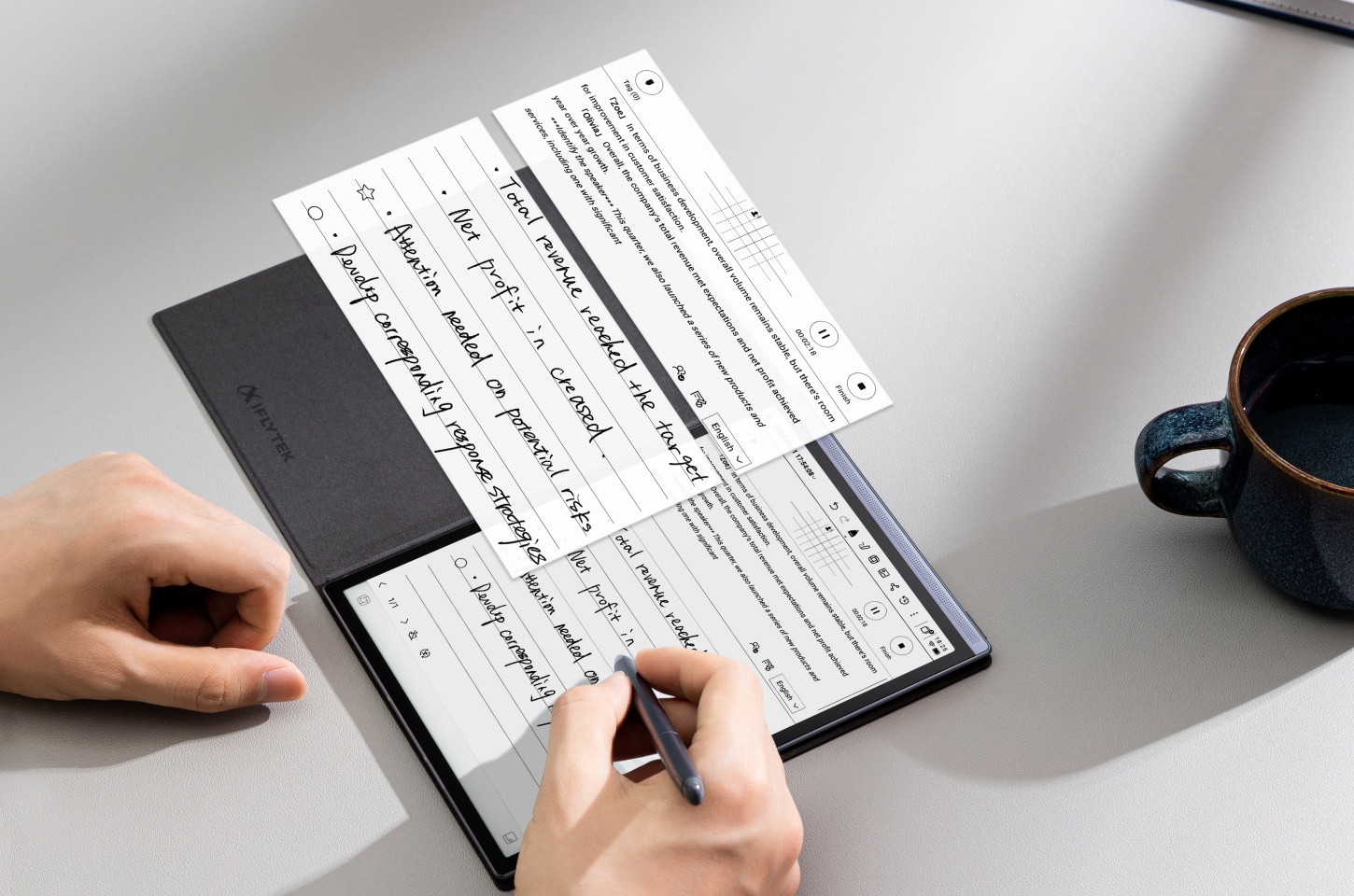
For professionals, students, and readers, the constant glow of regular LCD screens can be tiring. E-Paper Display Tablets solve this problem. They combine digital technology with the comfort of paper. If you want a tool that changes how you read, write, and work, keep reading to see the top options in this category.
What Is an E-Paper Display Tablet?
An E-Paper, or E Ink tablet, looks like ordinary ink on paper. It does not have a backlight like LCD tablets, such as iPads or Android tablets. Instead, it reflects ambient light, just like a physical book. The image is made by tiny microcapsules with charged white and black particles. When electricity is applied, the particles move to show the text or image. After the image appears, it does not need power to stay on. This is why the battery lasts so long.
Why Choose an E-Paper Tablet?
People often switch to an E-Paper tablet to have a more focused and comfortable digital experience. E-Paper is not just an alternative. It has several clear advantages. These advantages can improve your daily routine.
Eye Comfort and Paper-Like Feel
If you spend your day reading documents, reviewing research, or annotating textbooks, E-Paper helps a lot. Its matte, glare-free screen is easy on the eyes. You can read comfortably, even in bright sunlight. You can read a legal brief at the park or review notes on a plane. It feels just like real paper. When you use a good stylus, writing on the screen feels natural. The friction is similar to pen on paper. This makes note-taking easy and enjoyable.
Long Battery Life
One of the best reasons to switch is the power efficiency. The screen only uses power when the image changes. For example, when you turn a page or write a note. E-Paper tablets can last for weeks on one charge. This is very helpful for travelers or students who use their device all day. You do not need to worry about running out of battery. You can pack for a week-long trip and leave the charger at home. This lets you focus on your tasks.
Distraction-Free Productivity
Traditional tablets bring notifications, social media, and many apps. They can easily distract you. E-Paper tablets have simple, purpose-built systems. They remove colorful clutter and alerts. You can use them just for reading, writing, and organizing. This focused setup is great for deep work. You can fully concentrate on a project, book, or lecture without digital distractions.
Eco-Friendly and Energy Efficient
E-Paper displays use power only when the screen changes. This means they use much less energy than LCD screens. Many modern E-Paper tablets, like the Kobo Elipsa 2E, are made with a high percentage of recycled plastics. This shows a focus on sustainability. Choosing an E-Paper tablet is a small step toward a more eco-friendly digital life.
Top 5 E-Paper Display Tablets
The E-Paper tablet market is growing. Choosing the right device can be hard. Here is a list of the top E-Paper tablets. Each one is best in a specific area. This can help you find the right digital companion.
iFLYTEK AINOTE 2
The iFLYTEK AINOTE 2 is an AI-powered paper tablet designed for busy professionals who need a smart all-in-one assistant. It is the thinnest, lightest, and fastest E-Ink tablet. It is an upgraded version of the AINOTE Air 2. The device has a thin design and deep AI integration. It can do real-time voice transcription in many languages. It can generate meeting summaries. It can also help create content using advanced language models. For example, in a fast board meeting, the AINOTE 2 can transcribe the discussion automatically. It also gives an AI-generated summary right after the meeting. This saves hours of manual review.
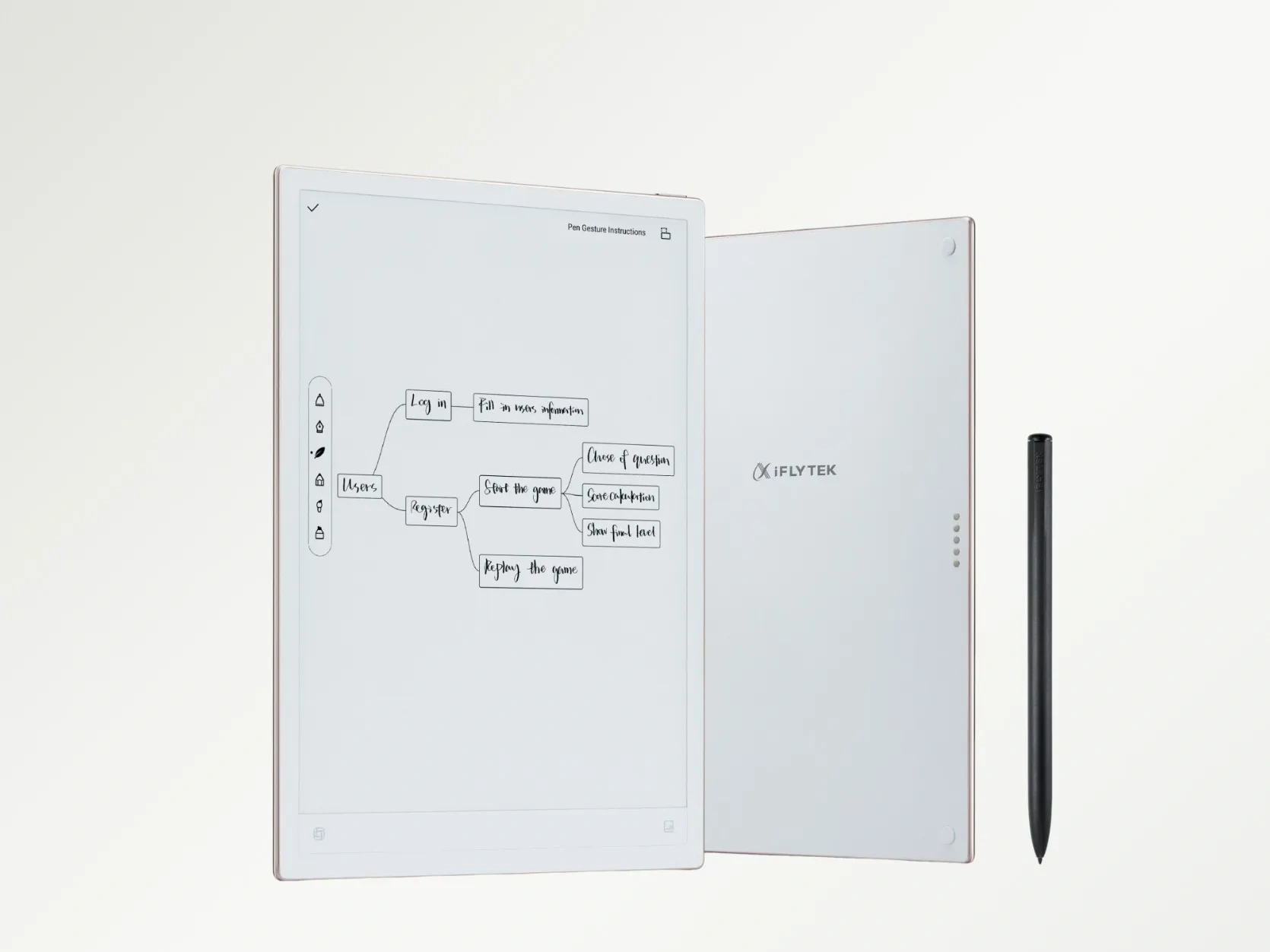
iFLYTEK AINOTE Air 2
If you want portability and AI features, the iFLYTEK AINOTE Air 2 is a good choice. It has the same AI transcription and handwriting-to-text features as the AINOTE 2. The screen is smaller, only 8.2 inches. This makes it compact and easy to carry. It is perfect for students or mobile professionals. For example, a journalist can use it while interviewing a source. The AINOTE Air 2 is light and discreet. You can take handwritten notes and get clear voice-to-text transcription at the same time. This helps you capture every detail.
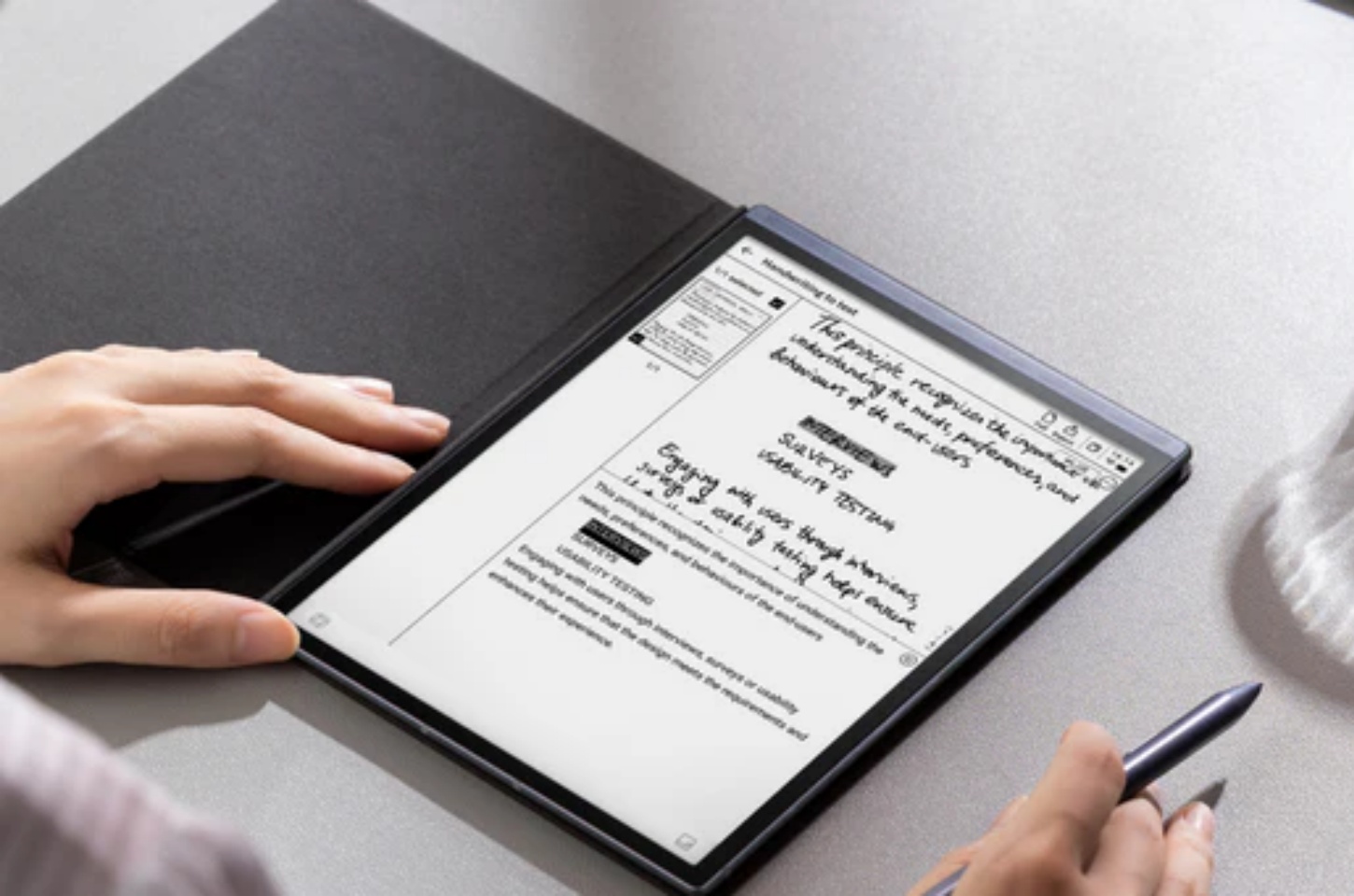
reMarkable 2
The reMarkable 2 is a good choice for people who want a pure paper-like experience. Its screen has very low latency and a textured surface. Writing on it feels very similar to using a pen on paper. This device is mainly for focused note-taking, sketching, and reading PDFs. For example, an architect can use it to sketch design ideas. The stylus is responsive. You can draw and annotate blueprints smoothly without using lots of trace paper.
BOOX Tab Ultra C
The BOOX Tab Ultra C is for people who want a full-featured tablet. It has a color E-Paper screen called Kaleido 3. The colors are not as bright as an LCD, but it is good for reading charts, graphs, and colored textbooks. It runs full Android OS. You can use the Google Play Store and install apps. For example, a business analyst can use it to check color-coded spreadsheets and documents. The BOOX Tab Ultra C makes the data easier to read. You can also use Android apps at the same time.
Kobo Elipsa 2E
The Kobo Elipsa 2E is a large e-reader and note-taking device. It focuses on reading comfort and sustainability. The screen is 10.3 inches. It has ComfortLight PRO technology. This adjusts brightness and color temperature. It gives a very good reading experience. The device can connect to cloud services and lets you take notes. For example, at night, you can read a novel. The Elipsa 2E changes the light to a warmer tone. This reduces blue light and makes reading before sleep more natural.
E-Paper Tablet Comparison Table
|
Feature |
iFLYTEK AINOTE 2 |
iFLYTEK AINOTE Air 2 |
reMarkable 2 |
BOOX Tab Ultra C |
Kobo Elipsa 2E |
|
Primary Focus |
AI-Powered Pro Productivity |
Mobile AI Note-Taking |
Pure Paper-Like Writing |
Versatile Color E-Ink |
Reading & Note-Taking |
|
Screen Size |
10.65-inch |
8.2-inch |
10.3-inch |
10.3-inch Color |
10.3-inch |
|
Distinguishing Feature |
Deep AI & GPT-5 Integration |
Compact, AI-Driven Note-Taker |
Best Paper-Feel Writing |
Full Android OS & Color Screen |
Adjustable Color Temp (ComfortLight) |
|
Best For |
Executives & Consultants |
Students & Journalists |
Artists & Minimalists |
Power Users & Color Readers |
Avid Readers & Library Users |
How to Choose the Right E-Paper Tablet for You
For those who are students or take many notes, focus on the writing feel and software. The reMarkable 2 feels most like a pen on paper. The iFLYTEK AINOTE Air 2 has AI transcription and text conversion for lectures.
For those who work with complex documents, meetings, or transcription, the iFLYTEK AINOTE 2 is a good choice. It can automate transcription and summarization. For those who want a digital notebook with color and app access, the BOOX Tab Ultra C is best. For those who mainly want comfortable reading, especially at night, the Kobo Elipsa 2E is ideal. It has a large screen with ComfortLight PRO and supports wide formats.
Final Thoughts
E-Paper display tablets are more than large e-readers. They are productivity tools. They help reduce eye strain and improve focus. If you want portability with AI, the AINOTE Air 2 is a good choice. If you want a pure writing experience, choose the reMarkable 2. If you want professional AI features, the AINOTE 2 is ideal. An E-Paper tablet can change your digital life. It helps you read more, write better, and feel less tired at the end of the day.
FAQ
How long do E Ink tablets last?
Battery life depends on usage. Using the front light or Wi-Fi uses more power. On one charge, they can last one to three weeks. Reading without the backlight can make them last even longer, because the screen only uses power when images change.
Are E-Paper tablets good for students?
Absolutely. E-Paper tablets are good for students. They are easy on the eyes. They have long battery life. They help students focus. They reduce distractions. They are good for reading, annotating PDFs, and taking notes. The iFLYTEK AINOTE Air 2 can do real-time voice transcription. It helps record and review lectures.
What’s the difference between E Ink and LCD tablets?
The main difference is how they show images. LCD tablets use a backlight. This can cause eye strain and glare. They are good for video, color, and dynamic content. E Ink tablets reflect light like paper. This is easy on the eyes and glare-free. They have longer battery life. They are good for reading, writing, and focused work. They are slower to refresh and usually show less color. Color E Ink tablets, like the BOOX Tab Ultra C, can display color.



