Have you ever found yourself in a bustling Barcelona market, holding the perfect handmade souvenir but unable to negotiate because your Spanish stops at hola and gracias? Or sitting in a high-stakes meeting in Mexico City where one misunderstood technical term derails the conversation? That frustration—the feeling of being locked out by a language barrier—is something countless travelers and professionals know all too well.
Effective communication is essential, and in a fast-paced world, hand gestures and slow typing just aren’t enough. We need translation that’s instant, accurate, and reliable.
So the real question is: with so many digital tools out there, which Spanish-to-English voice translation app truly breaks the communication barrier and delivers smooth, effortless, real-time understanding? We've narrowed down the best options so you don’t have to.
Key Features of a Good Spanish Translation App
Before diving into specific apps, it's crucial to understand what separates a great translation tool from a mediocre one. Look for these essential features to guarantee a seamless communication experience:
- Real-time Voice Translation: This is the most important feature. The app should listen to spoken Spanish and translate it instantly into English (and vice-versa) with minimal latency, making a conversation feel natural.
- High Translation Accuracy: Beyond simply translating words, a good app must understand context, idioms, and nuances to provide an accurate, usable translation.
- Offline Capability: Imagine you're deep in the Amazon or a remote village with no Wi-Fi. The best apps allow you to download language packs (like Spanish-English) so you can continue translating without an internet connection.
- Text and Image Translation: While voice is key, the app should also be able to translate text you type or text captured from a photo (like a restaurant menu or a street sign).
- Intuitive User Interface (UI): When you're mid-conversation, you don't want to fumble with complex settings. The app must be easy to open, select languages, and use instantly.
Top Spanish to English Voice Translation Apps
Now that you know what to look for, let's explore the leading voice translation tools that are popular among travelers, students, and business people alike.
VoicePing
VoicePing stands out as a highly specialized tool, often marketed toward team communication and professional environments. It emphasizes group and walkie-talkie style communication, making it excellent for on-site managers or large tour groups who need to communicate across a language divide instantly.
Google Translate
A perennial favorite, Google Translate is often the starting point for anyone needing a quick translation. Its biggest strength lies in its vast language database and exceptional ease of use.
- Pros: Excellent for text, voice, and image translation; provides multiple translated phrases; offers robust offline mode.
- Cons: Real-time voice translation can sometimes feel clunky or have slight delays in a fast-paced conversation.
Microsoft Translator
Microsoft Translator is a formidable competitor to Google, often praised for its superior group conversation feature. It allows up to 100 people to join a translated chat room using their own devices, which is perfect for international conferences or classroom settings.
iTranslate Translator
iTranslate is celebrated for its sleek design and focus on high-quality audio pronunciation. If you need to learn and practice phrases while ensuring you sound correct, this app is an excellent choice. It offers extensive phrasebooks and dictionary functions alongside its core voice translation.
VoiceTra
Developed by the National Institute of Information and Communications Technology (NICT) in Japan, VoiceTra is a reliable, free-to-use application that supports a wide range of languages, including Spanish. It is an excellent, no-frills option focused purely on accurate voice conversation translation.
Limitations of Translation Apps
While translation apps are incredibly powerful, it's important to be aware of their inherent limitations. Relying solely on a smartphone app can sometimes leave you vulnerable, especially in critical situations:
Battery Life and Connectivity
Voice translation drains your phone battery quickly. Furthermore, if you are in a location with poor Wi-Fi or cellular service, even the best apps can fail, leaving you unable to communicate.
Nuance and Context
Apps struggle with highly localized slang, sarcasm, and complex humor. They translate words, but they sometimes miss the true meaning or emotional tone of a sentence.
Input and Output Speed
In a high-stakes meeting or a rapid-fire social setting, the time it takes to open the app, select the language, speak, and wait for the output can disrupt the flow of conversation.
This is where a dedicated, purpose-built device offers a superior experience.
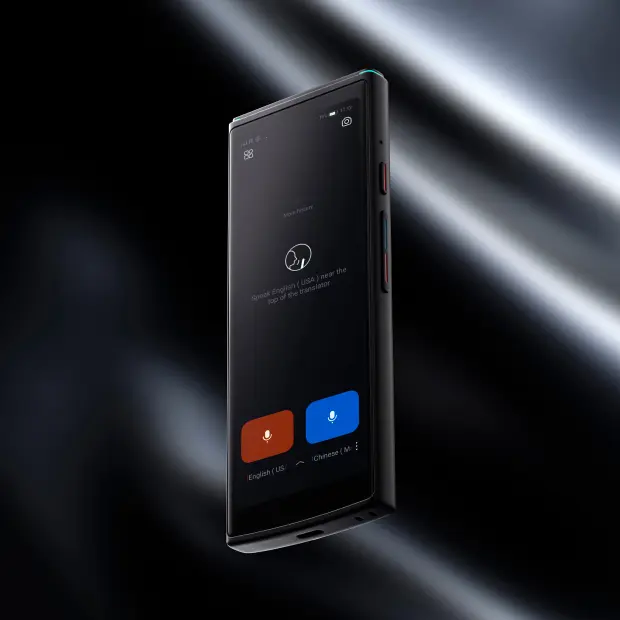
Best Spanish to English Voice Translation Device: iFLYTEK Smart Translator
For travelers, professionals, or anyone who wants reliable and fast translation, a dedicated smart translator can make all the difference. Among these, the iFLYTEK Smart Translator is one of the leading options, designed specifically for real-time communication across languages.
Key Features:
- Dedicated Hardware: Unlike apps that share resources with your phone, this device is built solely for translation, optimizing speed and minimizing lag.
- Real-Time Voice Translation: Supports live, two-way voice translation for conversations in multiple languages, including Spanish and English.
- Offline Translation Capability: Offers offline translation for major language pairs, provided you download the offline packs in advance—perfect for travel in areas with limited connectivity.
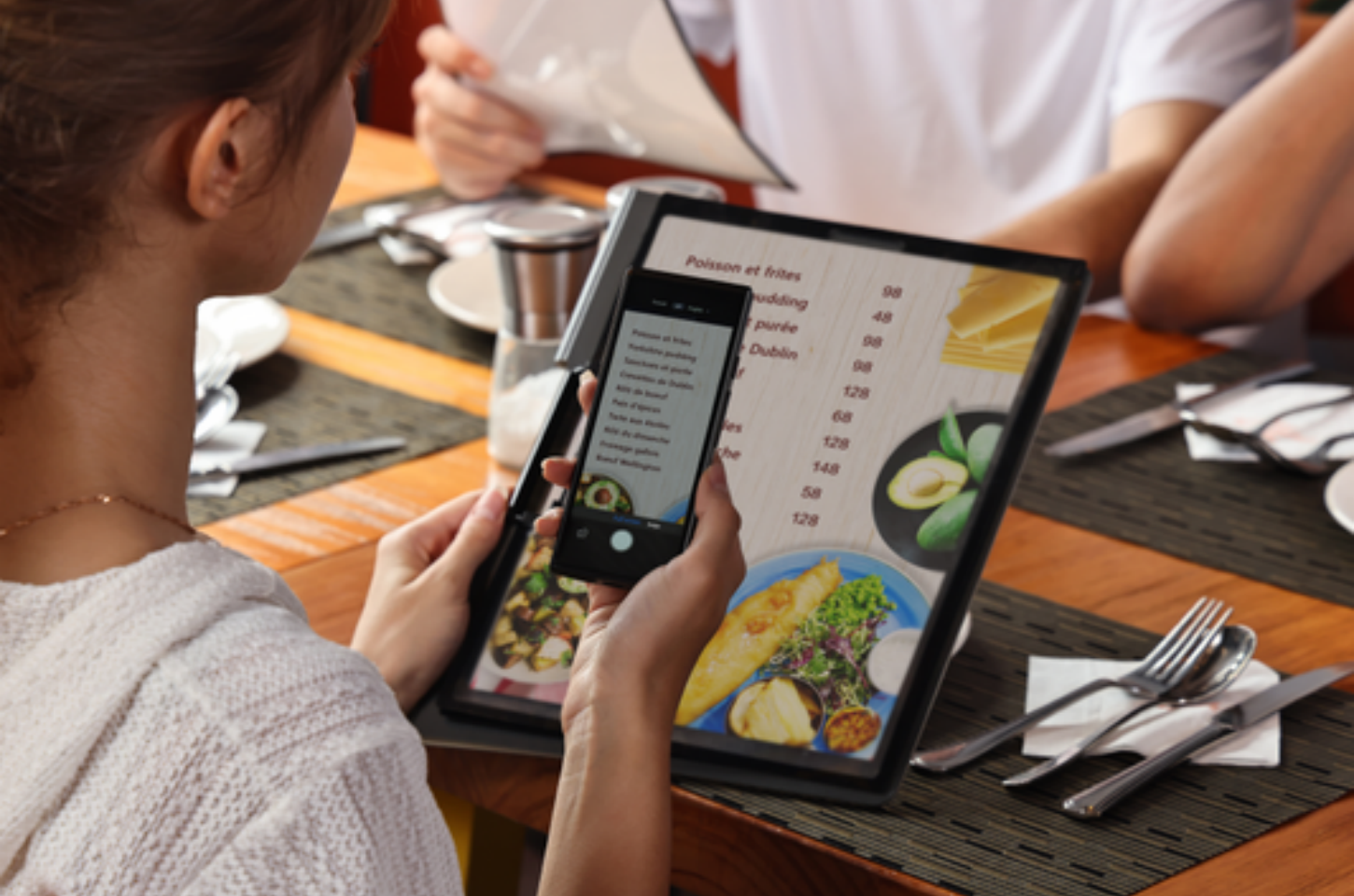
- Text and Image Translation: Equipped with OCR functionality, it can translate text from photos, menus, signs, or documents, making it versatile in daily travel or business settings.
- Portable and User-Friendly: Compact design and intuitive interface make it easy to use on the go, whether in meetings, conferences, or travel scenarios.
Practical Use and Limitations:
- Best for Daily Conversation and Travel: Ideal for casual conversations, tourist interactions, and general business meetings.
- Professional / Specialized Contexts: While it provides useful support for business, technical, or medical terms, it may not fully match the accuracy of a human interpreter for complex legal, technical, or highly specialized discussions.
- Offline and Battery Considerations: Offline translation depends on the downloaded language packs. Battery life is generally sufficient for a day of moderate use, but continuous heavy use may require recharging.
- Environment Factors: Background noise, strong regional accents, or rapid speech can affect recognition and translation accuracy. Speaking clearly and in short sentences will help maximize performance.

The iFLYTEK Smart Translator combines real-time language translator device, offline capability, and image/text translation in a compact, dedicated device. It is a reliable choice for travelers and professionals who need consistent communication support. However, for high-stakes or highly specialized situations, consider it a strong assistant rather than a full replacement for professional human interpretation.
|
Feature / Attribute |
iFLYTEK Smart Translator (device) |
Smartphone Translation App (Google Translate / Microsoft Translator) |
|
Real-Time Face-to-Face Voice Translation |
Yes — bidirectional conversation mode with optimized hardware and algorithms for faster, clearer translation. |
Yes, but relies on phone mic + network; performance can vary in noisy environments. |
|
Offline Voice Translation |
Yes — 18 language pairs including Spanish-English supported offline after downloading language packs. |
Many apps support offline mode, but coverage and reliability depend on the downloaded packs. |
|
OCR / Image Translation |
Supports photo translation in up to 50 languages (online). |
Common apps support OCR translation, but performance varies by phone camera quality. |
|
Hardware Optimized for Translation |
Built-in four-microphone array + noise reduction; optimized for clarity and recognition in challenging environments. |
Relies on standard phone hardware; may struggle in noisy environments or with multiple speakers. |
|
Independent Device / Battery Efficiency |
Standalone device; does not use phone resources. Battery designed to last a day of moderate use; 2-year global data plan included for online translation. |
Depends on phone battery and running apps |
Tips to Get the Most Accurate Translations
Whether you choose an app or a dedicated device like the iFLYTEK Smart Translator, here are a few universal tips to maximize your accuracy and communication effectiveness:
Speak Clearly and Naturally
Don't shout or whisper. Speak at a regular, consistent conversational pace. Avoid mumbling.
Use Shorter Sentences
Break down complex, run-on sentences into two or three simpler statements. This gives the AI a better chance to process the context correctly.
Avoid Slang and Jargon
While some tools handle common slang, stick to standard, formal language, especially in professional scenarios.
Confirm the Translation
After the translation appears, ask the other person a simple follow-up question ("Does that make sense?") to confirm the meaning was conveyed accurately.
Ensure Proper Mic Placement
Hold your phone or device close enough to your mouth for optimal audio capture, minimizing background noise.
Conclusion
While there are many excellent apps—like Google Translate for quick-use and Microsoft Translator for group chats—the choice of the best Spanish to English voice translation tool ultimately depends on your communication needs.
For casual travel, a top-tier app will suffice. However, if your job, reputation, or safety relies on perfectly clear, reliable, and instant communication, investing in a dedicated device like the iFLYTEK is the superior choice, bridging the language gap with professionalism and unwavering accuracy.
FAQs
1.Is the translation quality of an app reliable enough for business meetings?
For casual conversations and simple needs, most top-tier apps (like Google Translate and Microsoft Translator) are adequate. However, for high-stakes business meetings, legal discussions, or technical negotiations, the nuances and contextual accuracy are paramount. In these scenarios, a dedicated device like the iFLYTEK Smart Translator is highly recommended, as its dedicated AI models and optimized hardware often provide superior accuracy and reliability compared to general-purpose phone apps.
2. How much data does real-time voice translation use?
Voice translation uses a surprisingly small amount of data, generally similar to making a high-quality VoIP call. You can expect to use between 1-3 MB per minute of continuous, two-way conversation. If you are concerned about data limits while traveling, always utilize the app or device’s offline mode feature by downloading the Spanish-English language pack beforehand.
3. Can these apps translate regional dialects and slang?
This is a major challenge for all AI translators. While applications are constantly improving and can handle many common regional variations of Spanish (e.g., in Spain vs. Mexico vs. Argentina), highly specific or localized slang and idioms may not be translated accurately. Always try to speak in a clear, neutral, and standardized version of the language for the best results.
4. Are there any free voice translation tools that offer offline mode?
Yes. Both Google Translate and Microsoft Translator offer robust, free-to-use voice translation features that include the ability to download language packs (such as Spanish and English) for offline use. This makes them excellent, cost-effective options for travelers who anticipate limited or expensive cellular access.
5. Should I use a translator device or an app for solo travel?
For solo travel, an app is often sufficient due to its convenience and versatility (translating menus, signs, and conversations). However, if your itinerary involves remote areas, frequent long days away from charging points, or if you simply prefer not to worry about draining your phone battery, a dedicated device like the iFLYTEK Smart Translator is the safer and more reliable choice. It acts as a single, powerful communication tool without relying on your phone's battery or data plan.