
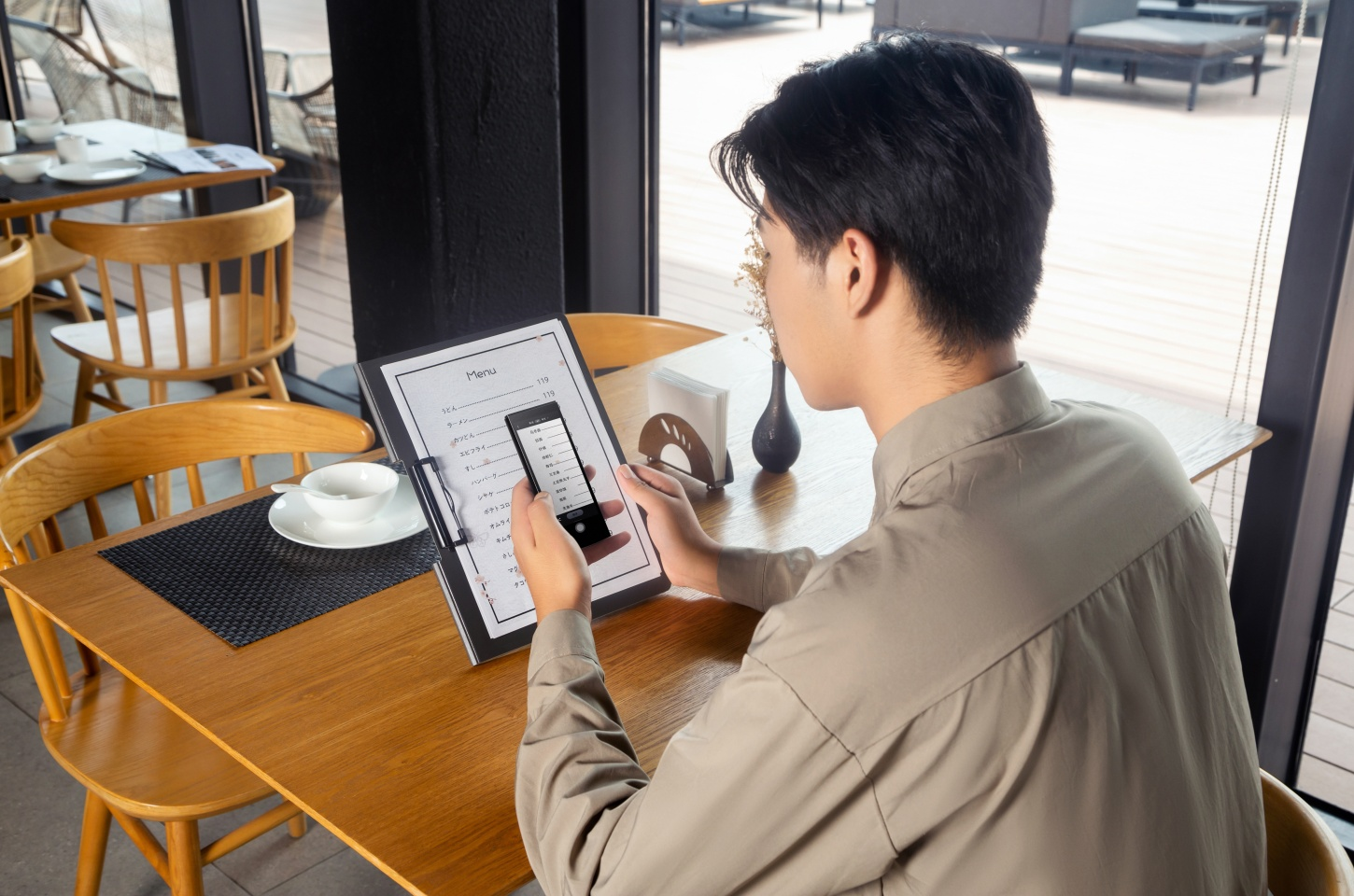
In today's schools, the importance of effective communication has reached new heights because of the growing multicultural student and family population. In ensuring that everyone can understand, learn, and socialize, translation devices for schools and the technological gap are useful. This article discusses the top 10 translation devices that foster quality education and effective communication in the classroom.
Why Schools Need Translation Devices
With advancements in technology and the era we live in, it is easier for schools to accommodate students from different parts of the world. This distinct feature definitely has its benefits, but can also come with its own set of challenges, especially if students or their parents do not speak the primary language of instruction the school uses.
With translation devices for schools, the following issues are easily resolved:
Communication is greatly enhanced between teachers and parents or students who do not speak English.
Students who are not proficient in English receive help with complete English instruction quickly.
Translation in parent-teacher conferences helps break communication barriers, which makes the meetings more impactful.
Helping to foster a more inclusive learning environment and reducing the feelings of isolation that many English language learners experience.
With the help of translation devices, all students can access the materials, engage, and succeed regardless of the language they speak.
Top 10 Translation Devices for Schools
1. iFLYTEK Smart Translator
Travel, global meetings, and school functions are now more frequent among students. To enhance the experience, the iFLYTEK Smart Translator is a high-end device for translating not only fast, but also accurately and safely. This ensures effective communication across multiple languages for school, meetings, and travel.
Key Features
Supports translation for 60 online and 18 Languages for Chat Translation
Translates photos of signs, menus, and maps into 50 languages.
Comes with 2 years of global mobile data in 148 countries.
Comes with a 5.05-inch HD touch screen and physical, as well as touch, buttons.
Translates speech in 0.5 seconds with 98% accuracy and is HIPAA-compliant.
Pros
Unmatched speed and accuracy for translations.
Effective with both voice and image translations.
Cons
Requires Wi-Fi for offline pack downloads.
More expensive than basic models.
.png?w=600&h=400)
2. Pocketalk S Voice Translator
The Pocketalk S Voice Translator is one of the most trusted real-time translators for effortless conversations anywhere in the world. The device is pocket-sized and delivers fast and accurate results every time.
Key Features
Uses state-of-the-art translation engines to translate over 92 languages and dialects.
On-image text display for signs, menus, and documents.
Includes a 2-year free LTE data plan in over 140 countries.
Instant calculation for currency, length, weight, and temperature.
Enhanced security with PIN lock and auto history deletion.
Pros
Coverage spans over 92 languages and provides fast, accurate translations.
Strong global connectivity and real-time conversions.
Cons
No offline translation, internet connection required.
Extra features and a mobile data plan increase the price significantly.
3. Vasco Translator V4
You can use Vasco Translator V4 as a global communicator for your day-to-day needs. Without any extra setup or apps, the device can instantly translate 108 languages.
Key Features
Facilitates instant voice communication translation for 108 languages.
Comes with a free mobile data plan for nearly 200 countries.
Functions immediately on receipt with no subscriptions or concealed charges.
Basic translation features are available without Wi-Fi.
Enhanced clarity for viewing and hearing with a large screen and loudspeaker.
Pros
No recurring charges for lifetime mobile data.
Immediate use without needing a mobile application or complex installation steps.
Cons
Heavier than other models.
No capability for offline translation without a cellular data connection.
4. Timekettle WT2 Edge
Timekettle WT2 Edge allows for real-time two-way translations in your conversations through the use of smart earbuds. Developed to be used in a classroom, conference room, and on the go.
Key Features
Two-way translation in real-time with 0.0-second latency.
40 languages and 93 accents are supported with online translation.
Global translation engines, as well as Timekettle's proprietary AI.
Per charge, 3 hours of translation and 12 hours with a charging case.
AI-driven semantic segmentation for flow during exchanges.
Pros
Highly responsive and precise translation for a smooth dialogue.
Great for use in classrooms, discussions, and travel.
Cons
Mobile application and Bluetooth connection required prior to use.
Translations cannot be accessed offline; a connection to the internet is essential.
5. Langogo Summit
The Langogo is basically an all-in-one smart translator dedicated to class, meetings, and interviews (Summit). Includes real-time, two-way translation, photo translation, and cloud speech transcription
Key Features
Performs two-way translation in 104 languages with a single button click.
8MP camera capable of translating signs, menus, and manuals into 46 languages.
It can be interpreted simultaneously with any TWS earphones.
500 hours of audio and text storage with cloud sync.
Ideal for lectures, speeches, and classes in transcription and translation mode.
Pros
Ideal for lectures, conferences, classrooms, and interviews.
Provides audiovisual translation services with cloud storage.
Cons
Heavier and bulkier in comparison to handheld translators.
Most features require a stable internet connection to function optimally.
6. Vasco V4 Language Translator Device
Vasco V4 Translator is highly recommended for schools, constant travelers, or global communication, as it delivers quick and accurate translation in 108 languages.
Key Features
Voice translation for 108 languages.
Free mobile data for lifetime in almost 200 countries.
Always connected at no extra cost.
No extra cost for subscriptions, app downloads, or setup.
Translations can be done at the flip of a switch.
Pros
Mobile data access for a lifetime, no extra charge.
Easy and straightforward to operate.
Cons
Bulkier compared to other translators.
Offline translation is not available without connectivity.
7. Acodo Language Translator
The Acodo Language Translator is ideal for school, travel, or everyday communication. Supporting 138 different languages, and being both compact and pocketable, it combines accuracy with useful features like Auto Repeat!
Key Features
Provides two-way voice translation for 137 languages with 98% accuracy.
Provides offline voice translation for 17 widely spoken languages.
Can translate photos in 74 languages online and 40 languages offline using high-definition cameras.
Responds in 0.5 seconds during real-time conversations.
Light, portable 0.22 lbs. with 8 hours of active and 7 days of standby battery.
Pros
Convenient and low-cost, perfect for students and travelers.
Provides voice and photo translation, even offline.
Cons
Internet required for full functionality.
Lacks many additional capabilities of higher-end devices.
8. Travis Touch Go
The Travis Touch Go translation device offers a great range for voice translation and global use. It supports 155 languages and has built-in mobile data for practical use in school settings, traveling, and fluent communication with multilingual people.
Key Features
Translates in 155 languages using 20 powerful translation engines.
Comes with a SIM card and 1-month free internet in over 80 countries.
Internet data renewal available at $24/year for 1GB.
12-month warranty and software updates are supported.
Pros
Broad language support and easy-to-use interface.
Built-in data and SIM provided, global convenience.
Cons
Only offers 1-month free internet; yearly data plan required for continued use.
No available public data on the accuracy of translation services.
9. Cheetah CM Translator
The app-based translation tool Cheetah CM Translator is powered by Microsoft AI and is a lightweight and fast, providing accurate multilingual versional conversations. It is perfect for casual use and great for students and travelers.
Key Features
Accurate translations with instant Microsoft AI and cloud processing.
Voice translation enables quick back-and-forth speech for two people.
English, Spanish, Chinese, Japanese, Korean, Thai, and many more languages are available through a mobile app.
Standby time of 180 days, and regular use of 2 weeks.
Pros
Translation accuracy and strong battery performance.
Supports casual users and learners with a mobile app.
Cons
Needs a mobile app and a smartphone for call translation.
Without the app, limited standalone functionality.
10. Fluentalk T1
The Fluentalk T1 is an advanced translation device that uses AI technology for both online and offline translation. Its various smart features, different modes, and handy tools make it useful for everyday use, travel, and even classrooms.
Key Features
Supported by AI on the Edge-Model (Works offline 100%).
More than 31 offline language packs which work with at least 90% accuracy and only a delay of ~0.2 seconds.
100+ countries, 42 languages, and 95 accents.
Includes 24 months of Free Global Data.
4G RAM, 32G storage, 1 hour charge time for 3–4 hr continuous use (7-day standby).
Pros
Smooth offline usage as well as fast and seamless voice playback.
Comprehensive one-stop resource for students and educators, as well as for those traveling.
Cons
The battery drains faster with continuous use.
Best performance relies on an intermittent internet connection for updates.
Comparison Table of the 10 Devices
|
Name |
Language Support |
Offline Mode |
Battery Life |
Accuracy |
Best For |
|
iFLYTEK Smart Translator |
60 languages |
Yes |
4-5 hrs, 5 days standby |
98% |
Professional school use |
|
Pocketalk S |
92+ languages |
No |
4–5 hrs |
90-95% |
Fast daily conversation |
|
Vasco Translator V4 |
108 languages |
Yes |
10 hrs |
85-90% |
Frequent travelers |
|
Timekettle WT2 Edge |
40 languages, 93 accents |
No |
3 hrs use, 12 hrs with charging case |
85-90% |
Live group/class conversations |
|
Langogo Summit |
104 languages |
No |
Standard |
90-95% |
Meetings & lectures |
|
Vasco V4 Language Translator Device |
108 languages |
No |
10 hrs |
85-90% |
Event & international staff |
|
Acodo Translator |
137 online, 17 offline |
Yes |
8 hrs use, 7-day standby |
80-90% |
Budget-friendly school use |
|
Travis Touch Go |
155 languages |
Limited |
Standard |
85-90% |
Multilingual communication |
|
Cheetah CM Translator |
App-based, multiple languages |
No |
Up to 2 weeks standby |
80-85% |
Casual use with phone connection |
|
Fluentalk T1 |
42 languages, 95 accents |
Yes (31+ packs) |
3–4 hrs use, 7-day standby |
85-90% |
Offline classroom translation |
How to Choose the Right Device for Your School
When it comes to selecting a translation device for the school, the most important considerations are the number of languages offered, offline functionality, the user interface, power requirements, and price.
Consider features that will assist during the daily class sessions, meetings with parents, and excursions. Features like photo translation and group modes are beneficial for hands-on learning, allowing broad communication in a diverse school setting.
.png?w=600&h=400)
FAQ
Can translation devices be used during classroom lessons?
Absolutely. The iFLYTEK Smart Translator and Pocketalk are excellent for use during lessons, enabling teachers to give instructions and the students to respond during group work.
Do all devices work offline?
No. Only a few support full offline translation. Schools with poor internet should opt for devices with strong offline capabilities, like Vasco or iFLYTEK.
Are these devices safe for kids to use?
Yes. Most translation devices are designed to be safe. However, young students should be monitored when using advanced translation devices.
Conclusion
In contemporary multicultural educational settings, translation devices play a critical role in facilitating communication by providing equitable access and streamlining interactions. They enable teachers and students, as well as parents and teachers, to communicate in the presence of a language divergence. Out of all options, the iFLYTEK Smart Translator is the most accurate, best supports offline usage, and is the easiest to use, making iFLYTEK the best option for schools that need sophisticated technology for translation.
Read more
Top 10 Hardest Languages to Learn



