

In the digital age, a wave of E-Ink tablets promises the best of both worlds: the distraction-free focus of paper combined with the endless utility of technology. At the forefront of this movement are the Amazon Kindle Scribe and the reMarkable 2. Both devices offer a premium writing experience, but they cater to fundamentally different users and workflows.
Choosing the right "digital paper" is crucial, whether you are a dedicated reader, a meticulous student, or a busy professional. This comprehensive guide breaks down the key differences, real-world use cases, and even a powerful alternative to help you decide which E-Ink tablet truly deserves a place in your bag.
Quick Overview
While the Kindle Scribe and reMarkable 2 both utilize E-Ink technology, their core design philosophies diverge significantly. The Scribe builds a note-taking function into the world's most popular e-reader, while the reMarkable is a digital notebook first and a reader second.
|
Device |
One-Sentence Introduction |
|
Kindle Scribe |
Amazon’s large-screen E-Ink tablet is primarily a world-class e-reader with the added capability for note-taking and document annotation. |
|
reMarkable 2 |
The thinnest digital paper tablet that delivers a hyper-focused, true-to-life writing experience for ultimate distraction-free note-taking. |
Basic Specs Table (Kindle Scribe vs reMarkable 2)
|
Feature |
Kindle Scribe |
reMarkable 2 |
|
Display Size |
10.2′′ |
10.3′′ |
|
Resolution/DPI |
300 PPI |
226 DPI |
|
Front Light |
Adjustable warm light |
None |
|
Writing Feel |
Smooth, natural |
Highly textured, paper-like |
|
Base Storage |
16 GB |
8 GB |
|
Connectivity |
Wi-Fi, Bluetooth (for Audible) |
Wi-Fi (for cloud sync) |
|
Stylus Included |
Yes (Basic or Premium Pen) |
No (Marker must be purchased separately) |
Key Differences Between Kindle Scribe and reMarkable 2
Beyond the specifications, the true distinction between these two devices lies in the subtle engineering and software design. How each handles writing, display, and cloud integration defines its role in your daily productivity.
Writing Experience & Stylus
The writing experience is perhaps the most critical difference. The reMarkable 2 is engineered to emulate the drag and friction of a pen on paper. Its textured screen and high-friction Marker tip make it feel incredibly authentic, minimizing that 'slippery' sensation common on glass tablets. The Marker Plus even includes a physical eraser on the end, enhancing the analog feel.
The Kindle Scribe offers a very good writing experience that is smooth and responsive, with slightly lower latency. However, it feels closer to writing on a whiteboard than on paper. The Premium Pen is a notable addition, featuring a dedicated Shortcut Button that can instantly switch between pen, highlighter, or eraser, making tool-switching significantly faster than reMarkable’s on-screen menu.
Display Quality & Refresh
When it comes to pure reading, the Kindle Scribe takes the lead with a sharper 300 PPI display, delivering crisper text and an adjustable warm light. This makes it superior for late-night reading and for consuming dense, text-heavy documents.
The reMarkable 2 features a 226 DPI screen and intentionally lacks a front light, emphasizing a pure, daylight-optimized, paper-like experience. While it offers excellent contrast, the lower resolution and absence of a light source mean it is not ideal for dark environments.
Note-taking & PDF Features
This is where the software philosophies clash.
reMarkable 2: Allows direct, free-form writing and annotation anywhere on any document or PDF. Its notebook organization is robust, featuring layers, various templates (Cornell, dotted, lined), and better gesture controls (like two-finger undo).
Kindle Scribe: While it allows note-taking in dedicated notebooks, its PDF and Kindle book annotation is more restrictive. You cannot write freely directly on Kindle books; instead, you must use "sticky notes" or boxed writing areas. While this keeps the original text clean, it breaks the seamless annotation flow many students and academics require.
Cloud & Ecosystem
The Scribe is deeply embedded in the Amazon ecosystem, giving you instant access to your entire Kindle library and Audible audiobooks (via Bluetooth). Its cloud sync is free and tied to your Amazon account.
The reMarkable 2 offers a streamlined file transfer system and integrations with cloud services like Google Drive and Dropbox. However, its crucial Connect subscription is a key factor. Without it, your notes will only be stored on the cloud for 50 days, and you will lose access to unlimited storage, mobile/desktop apps, and key features like handwriting conversion. This ongoing cost is a major consideration.
Price & Value
The Kindle Scribe often provides better out-of-the-box value, as the Basic Pen is included in the starting price, and all Kindle cloud services are free. The reMarkable 2's starting price is higher, and you must purchase a Marker separately, significantly increasing the initial cost. Furthermore, accessing the full feature set (like unlimited cloud sync) requires the recurring Connect subscription, making the reMarkable 2 the more expensive long-term investment.
Real-World Use: Which Tablet Fits You Best?
Deciding between the two comes down to your primary use case. By considering your daily habits, you can determine which device is better aligned with your needs.
For Students and Note-Takers
Students who need to quickly sketch diagrams, utilize specific templates (like Cornell notes), and write extensively during lectures will prefer the reMarkable 2. Its superior note organization, free-form annotation, and genuine paper-like feel make it the ultimate digital notebook. The distraction-free environment is a massive benefit for focused study.
For Professionals and Meeting Notes
If your work relies heavily on reading and annotating professional PDFs, or you need to manage your calendar and meetings efficiently, the choice is less clear.
The reMarkable 2 is excellent for structured, distraction-free meeting notes and quick PDF markup (especially if you don't mind the Connect subscription for cloud backup).
The Kindle Scribe is better if your primary content is reading materials from Amazon and your annotation needs are simple (e.g., highlighting or quick sticky notes).
For Readers and Creatives
The Kindle Scribe is the undisputed champion for the avid reader. Its adjustable front light, high-resolution screen, and access to the vast Kindle/Audible ecosystem make it a superior e-reader that also lets you take notes. For creatives, the reMarkable 2 offers a more authentic feel for sketching and drawing, especially with its layer functionality, making it better for pure artistic endeavors.
Limitations You Should Know
No E-Ink device is perfect, and understanding the trade-offs of each system is essential before committing.
Kindle Scribe’s Software Limitations
The Scribe’s biggest drawback is its reader-first design. The software remains restrictive when it comes to annotation:
- Limited Direct Annotation: The inability to write directly on the page of a Kindle book (forcing the use of sticky notes) is cumbersome for academic annotation.
- Simple Note Organization: Its notebook organization and template options are basic compared to the reMarkable.
- Lack of Full App Ecosystem: Unlike some Android-based E-Ink devices, the Scribe is locked into the Amazon ecosystem with no third-party app support.
reMarkable 2’s Connectivity & Ecosystem Issues
The reMarkable 2's dedication to simplicity creates its own set of workflow headaches:
- No Front Light: Usability is severely limited in low-light environments.
- Connect Subscription: Requiring a paid subscription for full cloud sync, mobile access, and handwriting conversion is a significant barrier to entry and a recurring cost.
- Slower Processor: The hardware can feel noticeably slower than the Scribe or some of its competitors when dealing with large, complex PDF files.
Best Alternative: iFLYTEK AINOTE 2
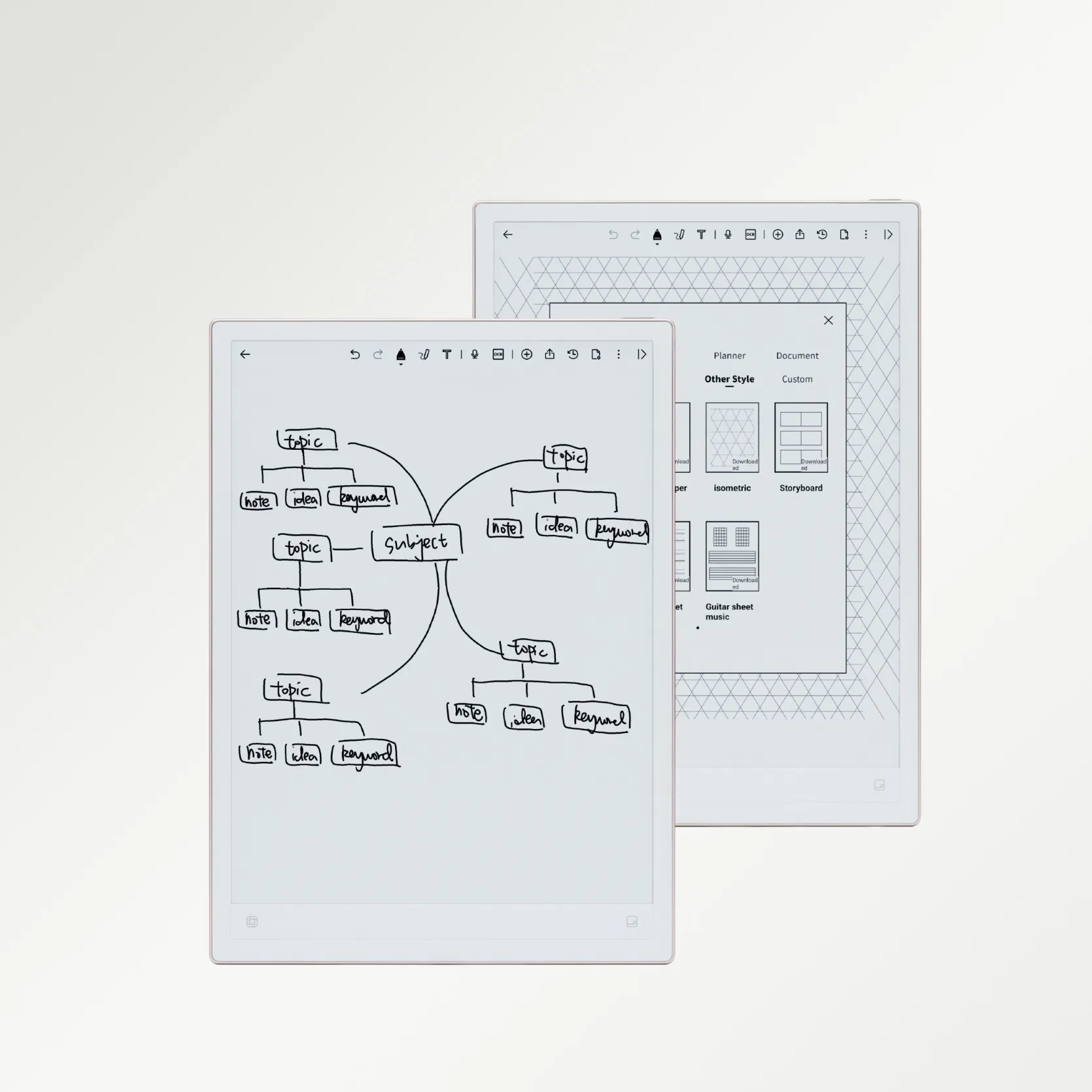
For users who are intrigued by the idea of E-Ink but feel both the Scribe (too focused on reading) and the reMarkable 2 (too simple and subscription-reliant) fall short of a modern, feature-rich device, a third category has emerged. Meet the iFLYTEK AINOTE 2, a device that blends a premium writing experience with cutting-edge AI capabilities.
Why it’s a Better All-Round Choice
The iFLYTEK AINOTE 2 is positioned as an all-in-one smart office device. Unlike the Scribe, which is a reader, or the reMarkable, which is a digital notebook, the AINOTE 2 is built around AI productivity—meaning it can transform your workflow rather than just digitize it. It is particularly strong for global professionals who need to capture spoken and written information in multiple languages.
The iFLYTEK AINote 2 is also a lightweight and portable AI-powered paper tablet designed for professionals who need efficient voice recording and transcription. Weighing only 295 g, it’s easy to carry around for meetings or travel. Despite its compact size, it houses a 4,000 mAh battery, offering long-lasting performance for extended work sessions without frequent charging.
Core AI Features: Turning Notes into Action
The AINOTE 2’s true power comes from its advanced AI software:
- Real-Time Speech-to-Text Transcription: Using a built-in microphone array, it can transcribe meetings, lectures, and interviews with high accuracy, linking the text directly to your handwritten notes.
- AI Voice Transcription – Supports real-time multi-language transcription with intelligent punctuation, ideal for meeting notes and interviews.
- AI Translation Assistant – Enables instant Chinese-English and multi-language translation for international meetings or travel.
- AI Note Management – Offers smart organization, summarization, and search functions to make your notes easier to manage and review.
- Professional Handwriting Experience – Equipped with a stylus and an E Ink screen for smooth, natural handwriting across multiple note formats.
- Smart Scheduling & Task Alerts: You can draw a simple circle around a handwritten item to automatically turn it into a to-do list or scheduled alert.
Comparison Table: Kindle Scribe vs reMarkable 2 vs iFLYTEK AINOTE 2
To simplify your decision, here is a final side-by-side comparison including the feature-rich alternative.
|
Feature |
Kindle Scribe |
reMarkable 2 |
iFLYTEK AINOTE 2 (AI Productivity All-Rounder) |
|
Primary Focus |
E-Reader with Note-Taking |
Minimalist Digital Paper |
AI-Powered Smart Office Notebook |
|
Display Size & Type |
10.2″ E Ink Display |
10.3″ E Ink Display |
10.65″ E Ink Display (300 PPI, Dual Light) |
|
Writing Experience |
Basic Note Annotation |
Paper-Like Wacom Stylus |
Professional Stylus with Wacom Tech, Pen-on-Paper Feel |
|
AI Functions |
None (Basic Text Conversion) |
Handwriting-to-Text (with Connect Subscription) |
Real-Time Speech-to-Text, Instant Translation, Smart Summaries |
|
Languages Supported |
English (Reading) |
English (Handwriting Conversion) |
Multi-Language Transcription & Translation (e.g. Chinese, English, Japanese etc.) |
|
Cloud Service |
Free (Amazon Ecosystem) |
Subscription Required (Connect) |
Cloud Sync Available via iFLYTEK Account |
|
Connectivity |
Wi-Fi |
Wi-Fi |
Wi-Fi + Bluetooth |
|
Battery & Portability |
Long Battery Life |
Long Battery Life |
Ultra-Thin 4.2 mm, 295 g (Guinness World Record – Thinnest E-Ink Tablet) |
|
Best For |
Avid Readers who Occasionally Take Notes |
Focused Writers & Minimalists |
Professionals & Students Needing AI-Driven Productivity |
Summary: Which One Should You Choose?
The choice between these top-tier E-Ink tablets ultimately depends on your priorities:
For those who are first and foremost an avid reader with a large Kindle library, and you only need basic, simple note-taking functionality. Its superior screen resolution and front light make it the best choice for text consumption.
For those whose highest priority is a true paper-like, distraction-free writing experience. You are willing to pay the higher cost (including the Connect subscription) for its excellent organization, templates, and focus-driven interface.
If you need an AI-powered productivity device that is capable of transforming meetings with accurate transcription, translation, and smart task management. It’s the ultimate choice for a global professional who wants more than just a notebook.
FAQ
1. Is the reMarkable 2's Connect subscription mandatory?
No, it is not mandatory for basic note-taking, but it is required to access unlimited cloud storage, sync notes to the desktop/mobile apps, and utilize the handwriting-to-text conversion feature. Without it, notes only stay on the cloud for 50 days.
2. Can I listen to audiobooks on the Kindle Scribe?
Yes, the Kindle Scribe supports Audible audiobooks, which can be played through connected Bluetooth headphones or speakers. The reMarkable 2 does not support audiobooks.
3. Can the iFLYTEK AINOTE 2 use external apps like Kindle or Libby?
The iFLYTEK AINOTE 2 is based on an open Android system, meaning it generally allows for the installation of third-party reading apps (like the Kindle app), greatly expanding its content compatibility beyond the closed ecosystems of the Scribe and reMarkable.



