Laptops have long been the default tool for work and study, offering flexibility across a wide range of tasks. However, for reading, writing, and focused work, that same versatility can introduce distractions and visual fatigue. Extended screen time, frequent task switching, and constant notifications often reduce overall efficiency rather than improve it.
An E-Ink tablet offers a different approach by prioritizing simplicity and focus. Instead of trying to handle everything, it is designed to support core activities such as reading, note-taking, and thinking, creating a more controlled and comfortable working experience.
Key Reasons Replaced Laptop with an E-Ink Tablet
The shift is often driven by practical improvements in daily use. Rather than adding more features, an E-Ink tablet reduces friction in common tasks and helps create a more stable workflow centered on focus and usability.
Reduced Eye Strain and Improved Reading Comfort
E-Ink displays reflect ambient light instead of emitting it, resulting in a softer and more natural viewing experience. This significantly reduces eye strain during extended reading sessions and makes it easier to stay engaged with long-form content without frequent breaks.
Distraction-Free Work Environment
Traditional laptops are built for multitasking, which can lead to constant interruptions from apps, notifications, and background processes. In contrast, E-Ink tablets offer a simplified interface that minimizes distractions, allowing for deeper focus and more consistent productivity.
Exceptional Battery Life and Portability
E-Ink devices consume minimal power because the display only refreshes when content changes. This leads to extended battery life, often lasting several days or longer on a single charge. Combined with a lightweight design, it supports flexible use across different environments without the need for frequent charging.
Natural Writing and Note-Taking Experience
The writing experience on an E-Ink tablet for note-taking riting is closer to paper, with lower latency and more controlled input. This makes it well suited for handwritten notes, document annotation, and idea organization, while keeping reading and writing within the same workflow for greater efficiency.
Productivity Comparison Between Laptops and E-Ink Tablets
Productivity is not only about speed, but also about how well attention is sustained. Different devices shape how work is approached, especially when balancing focus, flexibility, and task complexity.
Focus-Oriented Productivity vs Multitasking Efficiency
In a typical laptop setup, multiple apps, tabs, and background processes run at the same time. This makes it easier to handle complex workflows, but it also increases the likelihood of interruptions and divided attention.
By comparison, E-Ink tablets operate in a more constrained environment. With fewer competing inputs, they naturally support deeper focus, making them better suited for reading, writing, and tasks that require sustained concentration.
Input Methods and Interaction Experience
Keyboard and trackpad input remains efficient for structured tasks such as writing documents or navigating systems. This setup works well when speed and precision are the priority.
A different experience emerges with E-Ink tablets, where handwriting becomes the primary interaction. Writing directly on the screen allows ideas to be captured more freely, especially when annotating documents or combining reading with note-taking.
Task Switching and Context Management
Switching between windows and applications is fast on a laptop, but it often comes with a hidden cost. Each transition requires mental adjustment, which can gradually reduce efficiency over longer sessions.
With an E-Ink device, the workflow tends to stay more linear. Fewer simultaneous tasks mean less context switching, helping maintain continuity and reducing unnecessary cognitive load.
Project Management and Task Organization
More complex workflows often rely on specialized tools and layered systems, something laptops handle well due to their software flexibility and integration capabilities.
E-Ink tablets take a simpler approach. Notes, documents, and annotations are typically organized within a single environment, which can make it easier to stay structured without navigating multiple platforms.
-1.jpg?w=1450&h=960)
What an E-Ink Tablet Can and Cannot Replace
An E-Ink tablet is not designed to fully replace a laptop in every scenario. Instead, it works best when aligned with specific types of tasks. Understanding where it performs well and where it falls short helps set realistic expectations and avoid workflow gaps.
Tasks E-Ink Tablets Handle Well
E-Ink tablets are particularly effective for reading, note-taking, and content review. Tasks such as annotating documents, summarizing materials, or capturing ideas benefit from a distraction-free interface and a paper-like writing experience. This makes them well suited for workflows that rely on focus and continuous engagement rather than speed.
They also perform well in situations where simplicity matters. Working through long documents, organizing notes, or reviewing materials can feel more manageable when everything is kept in a single, uncluttered environment without constant interruptions.
Tasks Better Suited for Laptops
Certain tasks still require the flexibility and processing power of a laptop. Activities such as multitasking across multiple applications, handling complex software, or working with spreadsheets, design tools, and development environments are more efficiently managed on traditional systems.
In addition, workflows that depend on fast navigation, frequent file transfers, or collaboration across platforms tend to benefit from a full desktop interface. In these cases, a laptop remains the more practical choice, especially when speed and versatility are priorities.
Who Should Consider Replacing a Laptop with an E-Ink Tablet?
Not every workflow requires the full capability of a laptop. For users whose daily tasks are centered on reading, thinking, and capturing information, a more focused device can simplify the overall experience and reduce unnecessary friction.
Professionals Focused on Reading and Note-Taking
Work that revolves around reading, reviewing, and capturing ideas often does not require the full complexity of a laptop. In these cases, a more focused setup makes it easier to stay engaged with the material and capture key points without breaking concentration.
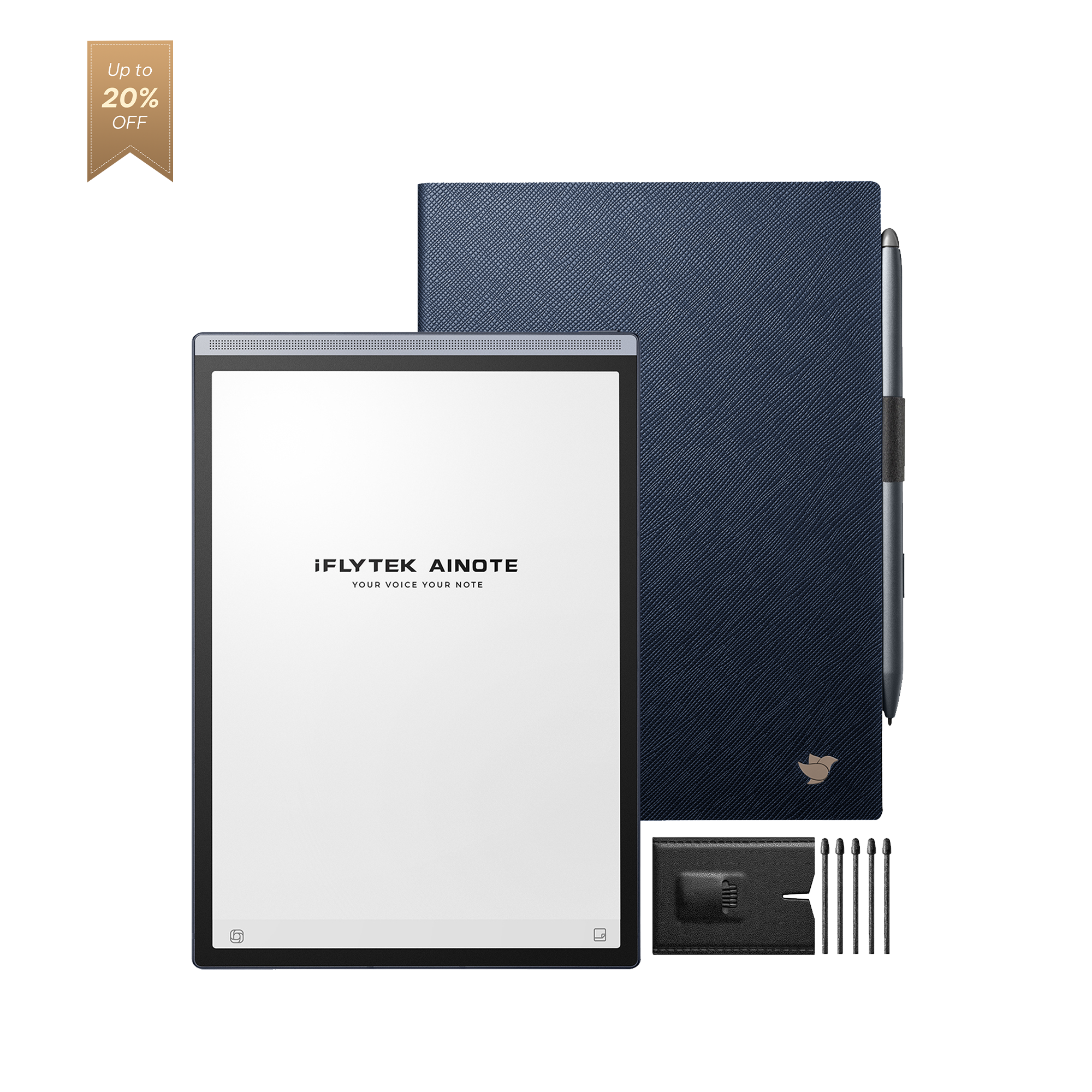
The iFLYTEK AINOTE 2 supports this kind of workflow by bringing reading, note-taking, and processing into the same space. Its split-screen design allows content and notes to sit side by side, so ideas can be captured the moment they appear without interrupting the flow of reading. As information becomes more complex, built-in voice transcription and AI-powered summaries help reduce the effort of manually organizing key points, turning dense material into clearer, structured insights.
At the same time, handwriting keeps the process close to the natural pace of reading, while handwriting-to-text conversion ensures that notes don’t stay fragmented but become searchable and reusable. With real-time translation and multi-language support, it also becomes easier to work through foreign-language materials, making the entire workflow not just smoother, but more scalable across different types of content.
Students and Academic Users
Academic work often involves extended reading, annotation, and structured note-taking. As one of the most effective study tools for college students, a simplified interface helps maintain focus when working through dense materials such as textbooks, research papers, or lecture notes. The ability to annotate directly and keep notes organized in one place also supports more efficient review and exam preparation.
Writers and Content Creators
Writing benefits from an environment that reduces interruptions and supports continuous thinking. Combining reading and writing in the same workflow allows ideas to develop more naturally, whether outlining, annotating references, or refining content, making the overall process less fragmented and easier to sustain.

Tips for Replacing Your Laptop with an E-Ink Tablet Effectively
Replacing a laptop with an E-Ink tablet works best when the workflow is adjusted accordingly. Rather than trying to replicate every function, focusing on core tasks such as reading, writing, and organization helps create a more efficient and sustainable setup.
Build a Distraction-Free Work Environment
A key advantage of E-Ink devices is the reduction of distractions. Limiting unnecessary apps, notifications, and background activity helps maintain focus, especially during long reading or writing sessions. Keeping the workspace minimal ensures that attention stays on the task rather than shifting between inputs.
Optimize Your Note-Taking Workflow
An effective workflow starts with how notes are captured and structured. Using clear categories, consistent formats, and direct annotation on documents makes it easier to process information while reading. This reduces the need to revisit content and helps build more usable notes over time.
Use Handwriting and Voice Input Efficiently
Handwriting is well suited for capturing ideas quickly and naturally, while voice input can be useful in situations where typing or writing may interrupt the flow. Using both methods strategically allows information to be recorded in real time, then refined later into more structured content.
Organize Notes for Easy Retrieval
As the volume of notes grows, organization becomes essential. Grouping content by topic, project, or timeline makes retrieval faster and reduces time spent searching. Maintaining a clear structure ensures that information remains accessible and usable in future work.
FAQ
Can you use an E-Ink tablet for note-taking and meetings?
Yes, E-Ink tablets are well suited for note-taking and meetings. They support handwritten notes, document annotation, and real-time idea capture, making it easier to stay focused and organized during discussions. On devices like the iFLYTEK AINOTE 2, notes can be reorganized into clearer structures afterward, which helps turn scattered points into more usable summaries.
Do E-Ink tablets support handwriting recognition and voice transcription?
In fact, most E-Ink tablets do not offer handwriting recognition or voice-to-text capabilities. However, AiNote stands out by integrating these core features, along with built-in ChatGPT-5, enabling it to transform notes into well-structured content.
Are E-Ink tablets better for your eyes?
Yes, E-Ink tablet displays are generally more comfortable for long reading sessions because they reflect light instead of emitting it. This reduces eye strain compared to traditional backlit screens, especially during extended use.
Can you use Google Docs or Microsoft Office on E-Ink devices?
Some E-Ink devices support Google Docs or Microsoft Office, but functionality may be more limited than on a laptop. They are best suited for reading, editing, and light document work rather than complex multitasking or advanced formatting.
Conclusion
Replacing a laptop with an E-Ink tablet is not about matching every feature, but about improving how core tasks are handled. For workflows centered on reading, note-taking, and focused thinking, a simpler setup often leads to better consistency and less distraction.
The iFLYTEK AINOTE 2 reflects this shift by combining a paper-like display with responsive writing and integrated tools for capturing and organizing information. For users looking to streamline their workflow and stay focused on essential tasks, it offers a more practical and sustainable alternative.